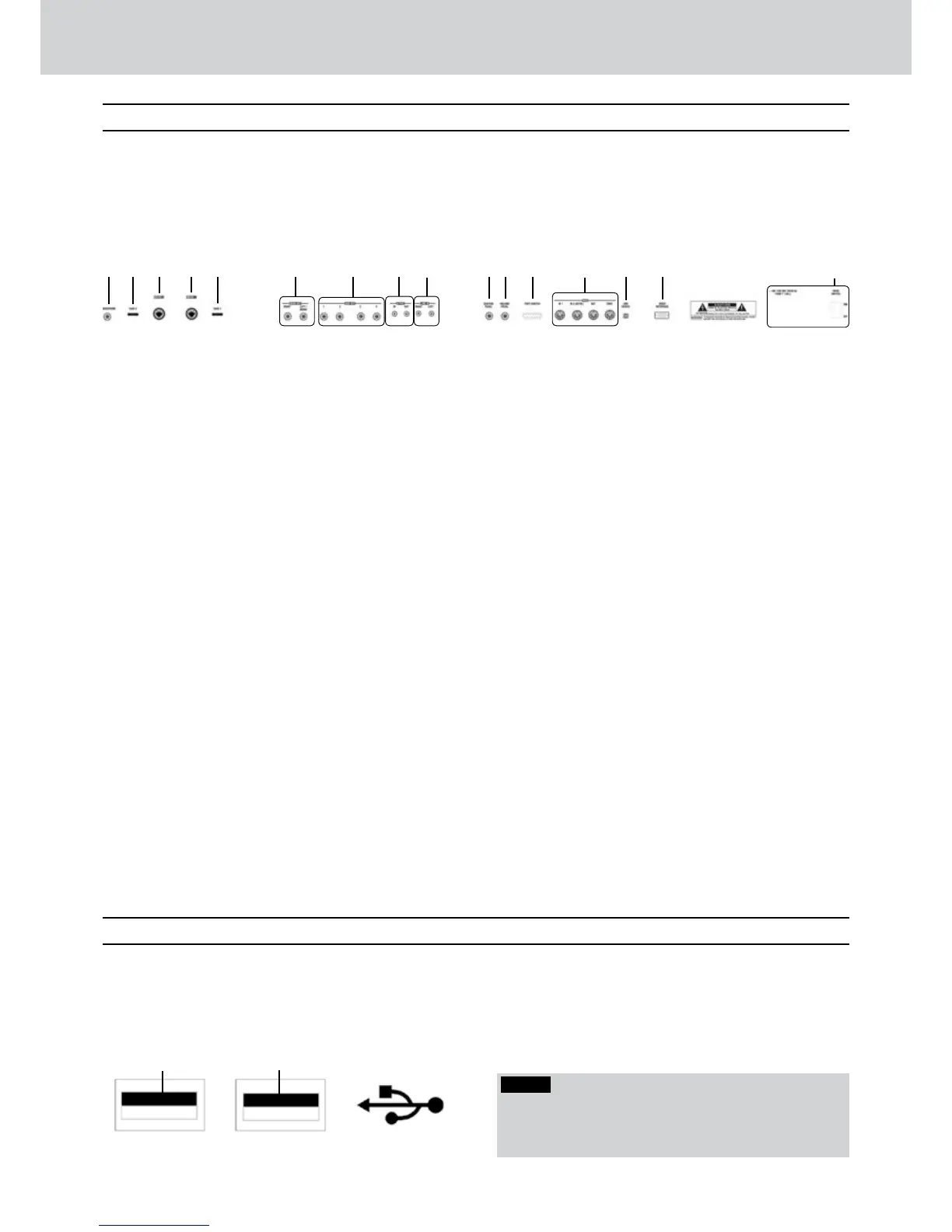
Rear panel
USB connectors on the front side
All the connections to external devices are on
the rear panel.
In the figure below, each number corresponds to
its description.
1
Headphone
Standard stereo jack for the headphone. The
Master volume adjusts also the headphone output
level.
2
Gain 2
Gain adjustment of the signal input level of the
Micro 2 jack.
3
Micro 2
Standard combo mono jack for the connection of
a dynamic microphone.
4
Micro 1
Standard combo mono jack for the connection of
a dynamic microphone.
5
Gain 1
Gain adjustment of the signal input level of the
Micro 1 jack.
6
Main Out
Two standard mono jacks for main right/left
or mono (RIGHT, LEFT/MONO) outputs to be
connected to a PA system.
7
Aux Out
Four standard mono jacks as auxiliary outputs
to be connected to monitors, mixers, outboard
effects, etc.
8
S/PDIF
Standard RCA connectors for stereo digital input
and output with digital devices (CD Player, digital
console, etc.)
9
Line In
Standard RCA connectors for line right/left input
(RIGHT, LEFT) of stereo devices with line level
signal (CD Player, etc.)
0
Sustain Pedal
Standard mono jack for the connection of one
Sustain pedal (optional).
q
Volume Pedal
Standard stereo jack for the connection of one
Volume pedal (optional).
w
Foot Switch
Standard multipolar connector for an optional
pedal to control internal functions.
e
MIDI
Standard MIDI IN/IN2 (KEYB), MIDI OUT and MIDI
THRU jacks.
r
USB Device
Standard USB port (type-B) for the connection to
a personal computer.
t
Video Interface
Standard VGA jack for the connection to an
external video VGA monitor.
y
Main Switch/Fuse
Standard AC power connection (220 V) with ON/
OFF switch and protection fuse.
On the front panel, there are two USB ports
(type-A)
for easy connection to USB devices
such as pen drives, card readers, etc.
For the connection to a computer, please use
the USB connector on the rear panel.
1
USB connector 1
USB connector for pen drives and other USB
devices (card readers, players, hard disk, etc.)
2
USB connector 2
The same of USB 1.
1 3 6 7 8 92
1
2
4 0 q w e r t
y
5
NOTE
Along the keyboard, from C3 to E6, you can find letters
and numbers for easy input of names, when saving
files on the hard disk, and for a quick file search.



 To Next Page