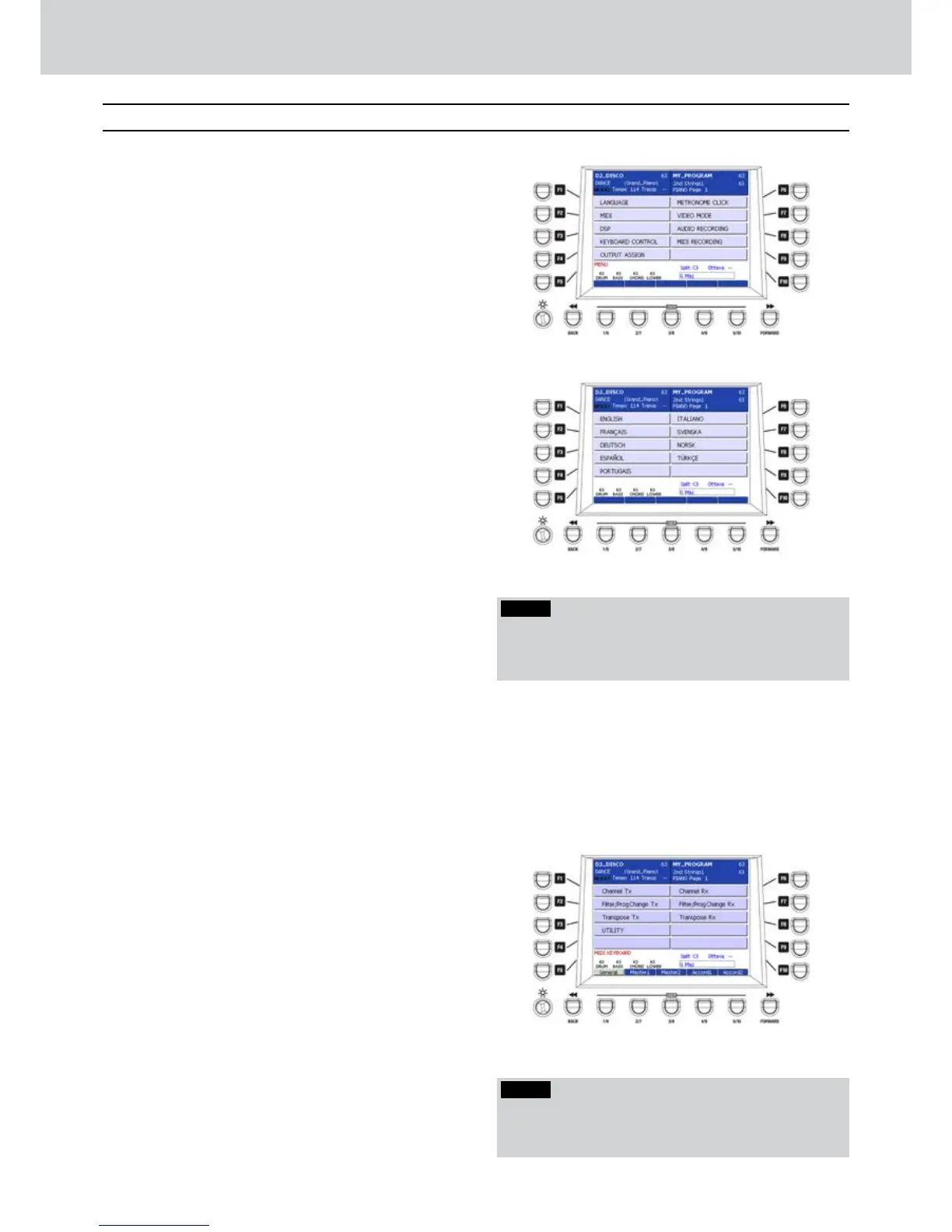
By pressing the MENU button on the front panel
you can access the MENU main page (Figure
206). Here you can find many edit pages where
to set the keyboard.
The F1-F9 buttons will open the following pages:
F1–LANGUAGE
F2–MIDI
F3–DSP
F4–KEYBOARD CONTROL
F5–OUTPUT ASSIGN
F6–METRONOME CLICK
F7–VIDEO MODE
F8–AUDIO RECORDING
F9–MIDI RECORDING
LANGUAGE
▀
Press the F1 button (LANGUAGE) for the selection •
of the system language (Figure 207). By using
the F1-F10 buttons you can set the following
languages:
F1–ENGLISH
F2–FRANçAIS: French.
F3–DEUTSCH: German.
F4–ESPAñOL: Spanish.
F5–PORTUGAIS: Portuguese.
F6–ITALIANO: Italian.
F7–SVENSKA: Swedish.
F8–NORSK: Norwegian.
F9–TüRKçE: Turkish.
Once the language is set, exit from MENU by using
the EXIT or MENU buttons. Press SAVE and F6
(CUSTOM STARTUP) to store the language setting at
Audya start-up.
MIDI
▀
Press the F2 button (MIDI) to open the MIDI •
settings page (Figure 208). By using the F1-F10
buttons you can access the following settings:
F1–CHANNEL TX: transmission channels setting.
F2–FILTER PROG.CHANGE TX: Program Change
transmission filter setting.
F3–TRANPOSE TX: part transpose transmission.
F4–UTILITY: utility page (see more details later).
F6–CHANNEL RX: reception channels setting.
F7–FILTER PROG.CHANGE RX: Program Change
reception filter setting.
F8–TRANSPOSE RX: part transpose reception.
Menu
Figure 206
Figure 207
Figure 208
NOTE
By pressing the cursor
Ó Á
buttons together you set
the default value — that is no MIDI channel. It means
that the part is not transmitted via MIDI.
NOTE
Only the languages really present in the keyboard will
appear. Further languages will be updated by adding
an ordinary text file loaded into the internal disc.



 To Next Page