For each button of the VOICES section you can
create and store a PROGRAM sound.
You can modify a PROGRAM by pressing the
EDIT button and a button of the VOICES section.
Creating a PROGRAM
▀
Press the PROGRAM button.1.
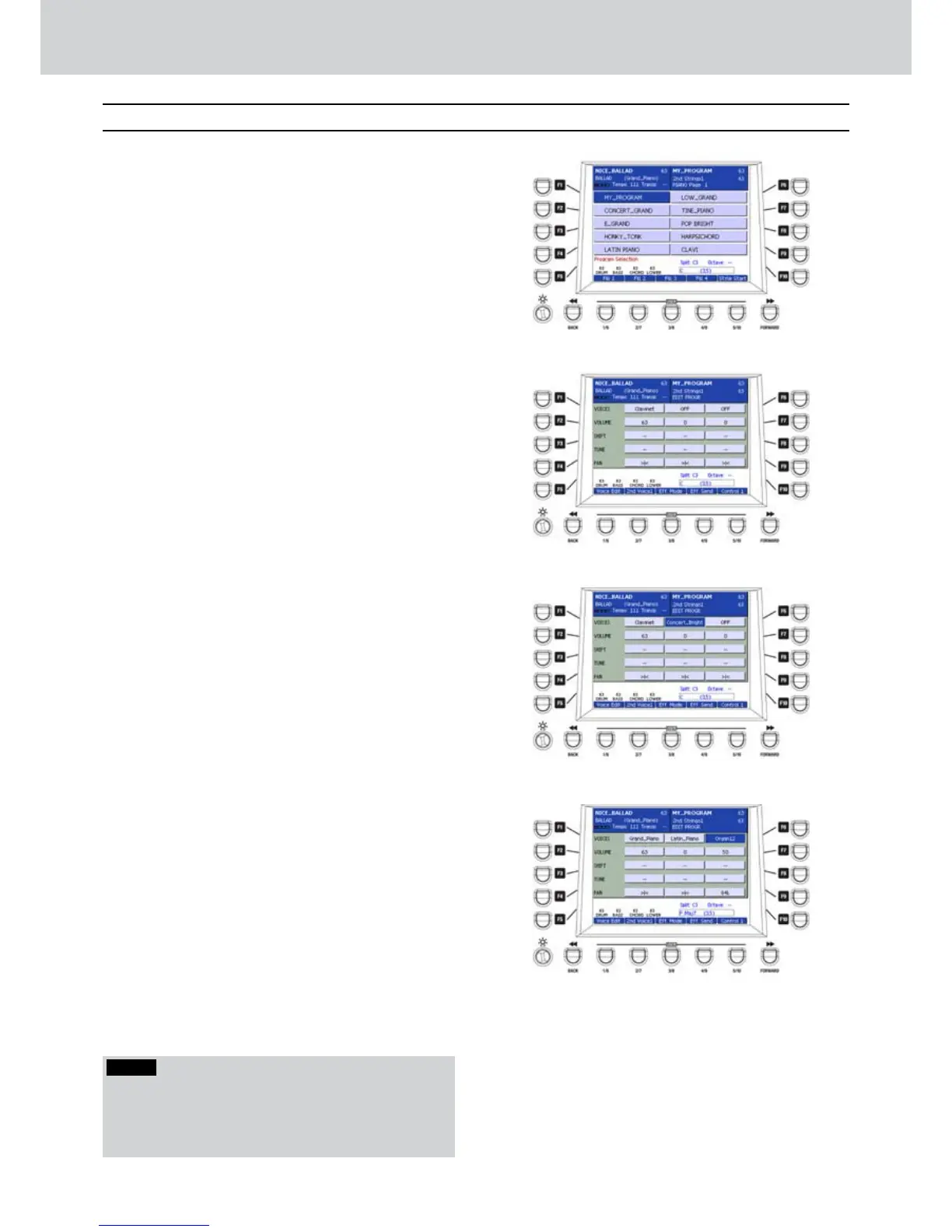
Press a button of the VOICES section, for 2.
example PIANO. The current PROGRAM will
appear (Figure 62). You can also insert an INS
instrument, already loaded in memory (see RAM
INS / SUPERSOLO section on page 74).
Press the EDIT button. The parameters of the 3.
current PROGRAM will be displayed (Figure 63).
The F1-F10 buttons allow the selection of the 4.
parameters of the PROGRAM as explained later.
F1/F6–VOICES
By pressing the F1 or F6 buttons you will highlight
repeatedly one of three voices that you can assign to
the same PROGRAM.
In the example, the first voice selected is CLAVINET
while the reamaining two voices are inactive (OFF).
Once you have highlighted one of three VOICES
of the PROGRAM you can rotate the DATA/VALUE
wheel or press the CURSOR buttons to select an
instrument available from the GM banks (Figure 64).
For example, you can choose an instrument for each
VOICE from the PIANO bank as follows:
Grand_Piano
•
Concert_Grand
•
Rock&Roll
•
Bright_Grand
•
Jingle
•
Harpsichord
•
Clavinet
•
Electric
•
Upright
•
Latin_Piano
•
Concert_L
•
Concert_R
•
Ac_Grand_L
•
Ac_Grand_R
•
Concert_Bright
•
Harps_Wide
•
Harps_Octave
•
Pulse_Clavi
•
Press the CURSOR Ó Á buttons together to switch
a voice OFF.
You can also assign one DRAWBARS voice to 5.
each PROGRAM, only for the third VOICE. Move
the selection on the third VOICE by using the
buttons F1 or F6 and press the DRAWBARS
button to select one organ voice by using the
CURSOR Ó Á buttons or the wheel (Figure 65).
Program
Figure 62
Figure 63
Figure 64
Figure 65
Program
NOTE
By using the CURSOR
§ ¶
buttons you can scroll all
the instruments from top to the the bottom of the list
instead of scrolling them continously. That is, in the
above example, from Grand_Piano up to Pulse_Clavi1..



 To Next Page