Selecting styles
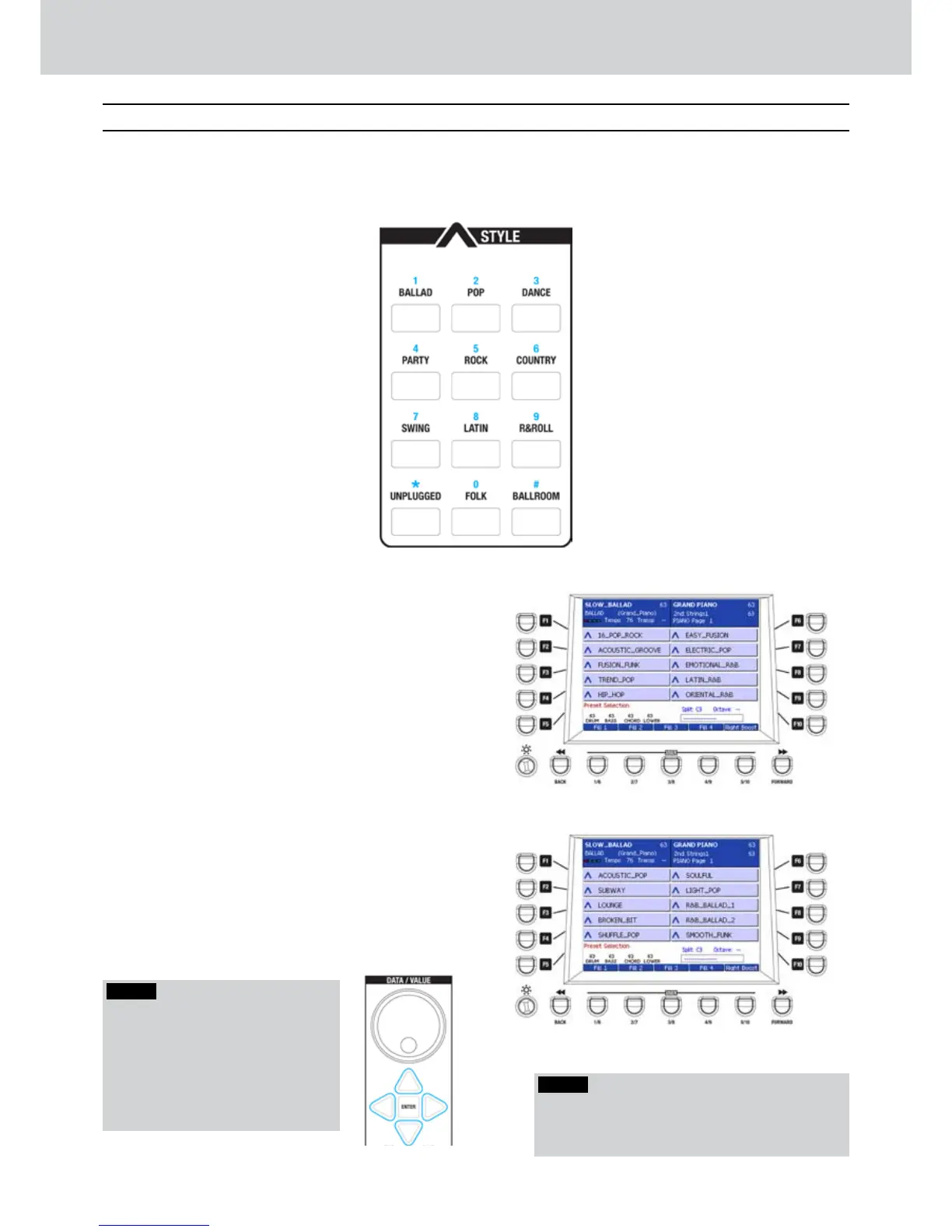
The numeric keypad of the STYLE section
allows the selection of twelve style families,
divided into various musical genres.
Selecting a PRESET style
▀
Select one style family by pressing one of the 1.
twelve buttons of the keypad in the STYLE
section. For example, press the “POP” family
button.
The display will show the first ten available styles 2.
Press one of the F1-F10 buttons to select one of
the ten displayed styles. In the example, the F3
button selects the FUSION_FUNK style (Figure
11).
Press the CURSOR 3.
Ó Á
to select further pages
of STYLE containing ten styles each (Figure 12).
Note that you can access more than two pages
for each style family.
Figure 11
Figure 12
NOTE
By turning the wheel clockwise/
counter-clockwise you can scroll the
pages, just like the CURSOR
Ó Á
.
Also, you can scroll the pages by
pressing repeatedly the same STYLE
family button (e.g. BALLAD, POP and
so on.)
NOTE
Note that the styles which contain an audio part
(AUDIO DRUM, GROOVES, LIVE GUITAR) have the
symbol ^ before the style name.
B
B
F
F
Selecting the styles



 To Next Page