Adding a second voice to the right hand
▀
(2nd VOICE)
Press the 2nd VOICE button on the third row in 1.
the VOICE section.
According to the PRESET or PROGRAM voice, 2.
you will add a second voice to the sound of the
right hand.
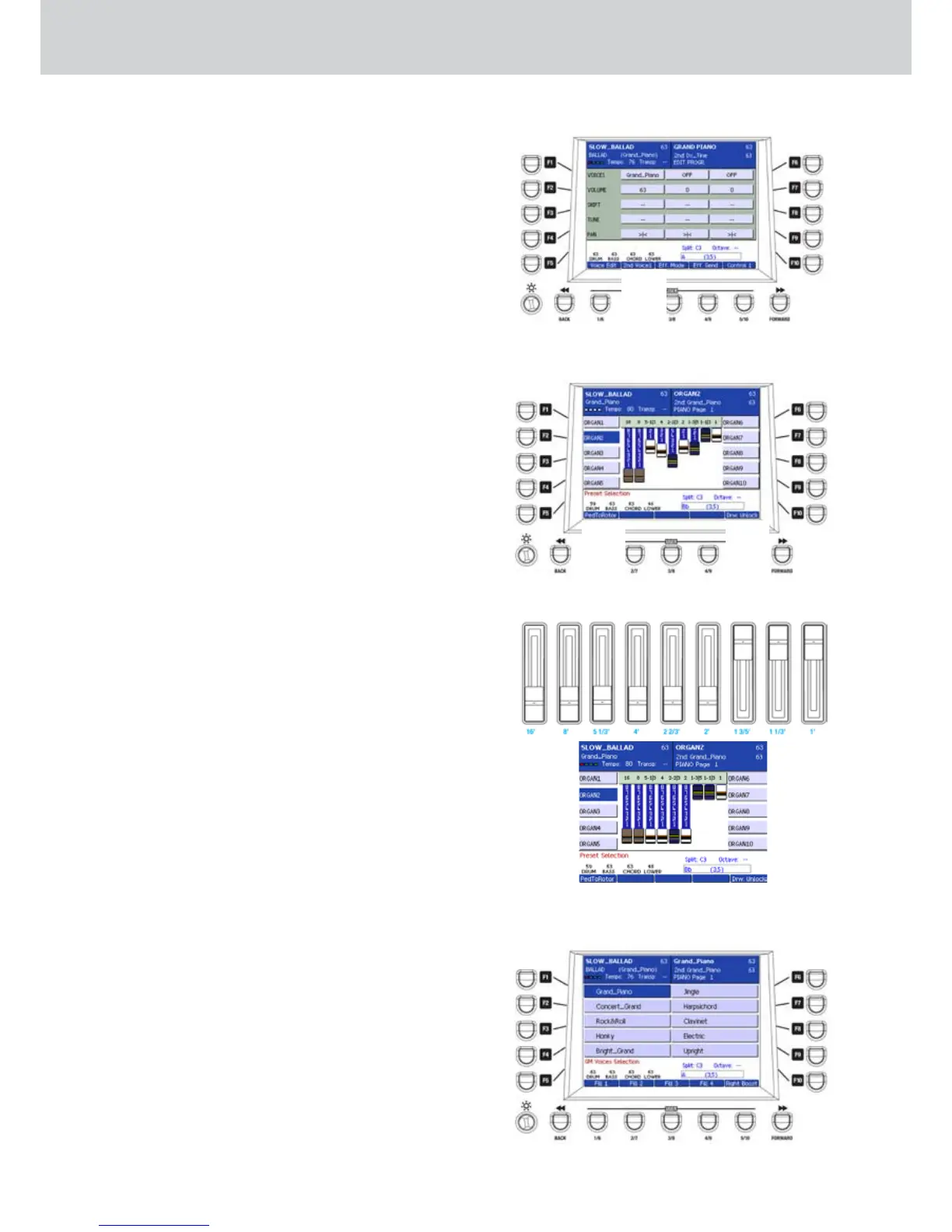
Note that the 2nd VOICE voices can be freely 3.
programmed by the user in any PROGRAM. Press
the EDIT button and the USER 2 button to open
the 2nd VOICE page (Figure 7). For more details
on how to create/edit a PROGRAM see on page
36.
Selecting the organ DRAWBARS
▀
Press the DRAWBARS button on the third row 1.
in the VOICE section. The display will show the
organ DRAWBARS screen (Figure 8).
Select one organ by using the F1-F10 buttons 2.
(ORGAN1, ORGAN2, etc.) Press the CURSOR
button
Ó
to select the second page of
DRAWBARS (ORGAN11, ORGAN12, etc.)
Press the USER 1 button (PedToRotor) below 3.
the display to control the ROTOR by using one
external SUSTAIN pedal. By pressing the pedal
repeatedly you can toggle ROTOR SLOW/ROTOR
FAST. If “PedToRotor” is disabled, the SUSTAIN
pedal returns to its ordinary function.
Use the fader controls in the MIXER section 4.
(page 20) to set the nine footages of the organ
DRAWBARS:
16, 8’, 5 1/3’, 4’, 2 2/3’, 2’, 1 3/5’, 1 1/3’, 1
Figure 9 shows the exact correspondence of
the nine faders of the mixer section and the nine
DRAWBARS displayed on the screen.
Press the USER 5 button (Drw:Lock/Unlock) 5.
below the display to toggle Lock/Unlock function,
so you can use the faders for mixing the Arranger
parts or the MIDI file tracks instead of the
DRAWBARS.
For advanced operations about the DRAWBARS
see on
page 31.
Selecting the GM (General MIDI) voices
▀
Press the GM button on the third row in the 1.
VOICE section. The display will show a list of the
GM voices (Figure 10).
Follow the same procedure for voices selection 2.
described on page 14.
Figure 7
Figure 8
Figure 10
Figure 9
1 1
Selecting voices
1



 To Next Page