Selecting a INS voice
▀
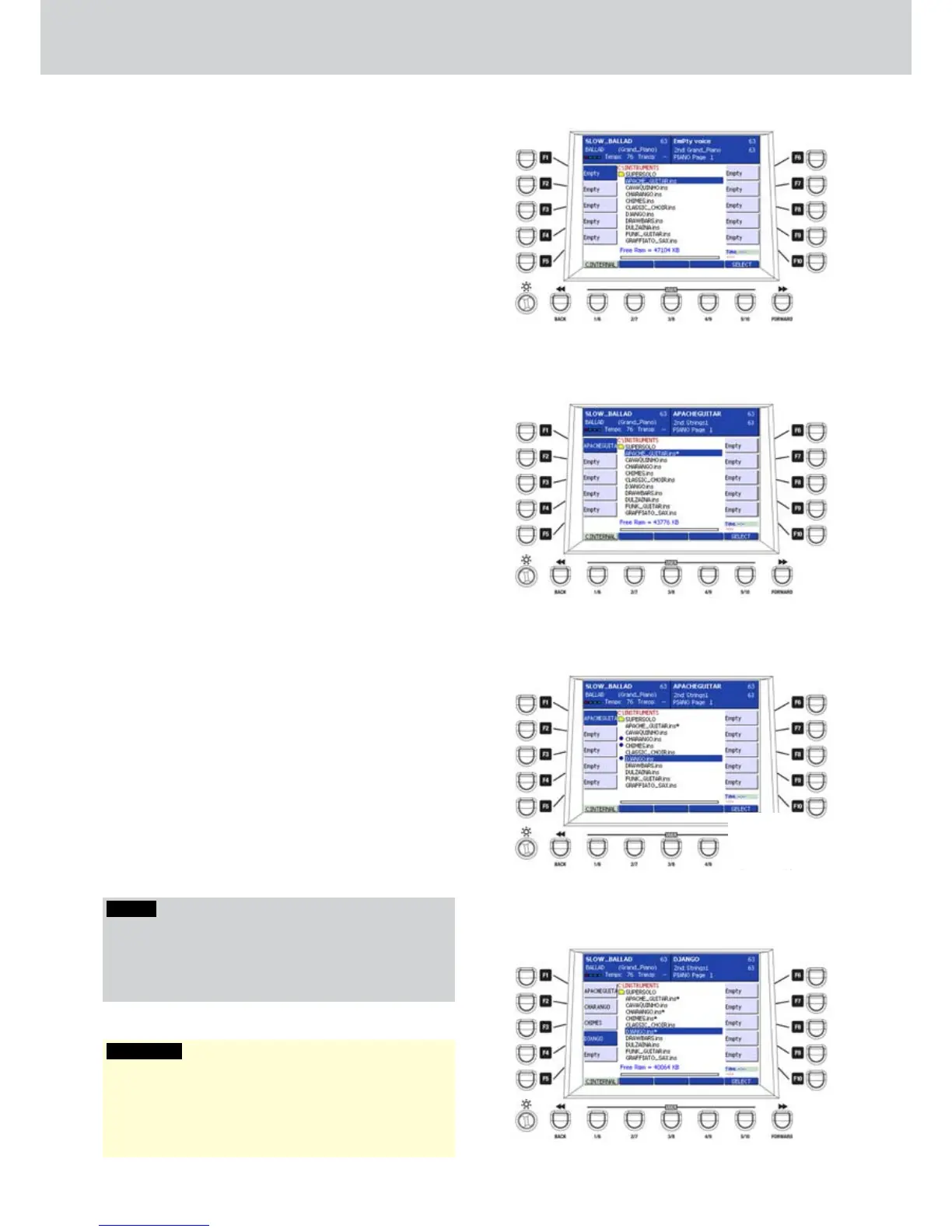
Press the RAM INS / SUPERSOLO button of the 1.
third row in the VOICE section. The display will
show a list of the SUPERSOLO voices stored on
the hard disk (Figure 3).
Select one voice by using the CURSOR 2.
§ ¶
.
Press the ENTER button to load the INS voice into 3.
the selected memory location. The display will
show the INS voice on the first free location.
In the example, the APACHE_GUITAR voice is
loaded onto the memory location corresponding
to the F1 button (Figure 4).
Selecting more INS voices
▀
Press the RAM INS / SUPERSOLO button of the 1.
third row in the VOICE section. The display will
show a list of the INS voices stored on the hard
disk.
Select one voice by using the CURSOR 2.
§ ¶
.
Press the SELECT button that appears on the 3.
display next to the USER 5 button. A dot will
appear before the name of the selected INS
voice. Repeat the choice in order to select more
INS voices by using the CURSOR
§ ¶
and the
SELECT button (Figure 5).
Press the ENTER button to load in the memory 4.
location all the selected INS voices. In the
example, five INS voices have been loaded in the
first five memory locations corresponding to the
F1-F5 buttons (Figure 6).
For advanced operations about the INS voices
see on
page 74
.
NOTE
The INS voices appear on the display with an asterisk.
For example: DJIANGO.ins*.
If you try to load one voice already loaded in memory,
this will not be loaded twice.
WARNING
The RAM INS indication next to the SUPERSOLO button
means that the INS voices will be loaded into memory
temporarily. For this reason, when you power OFF, the
INS voices will not be retained in memory.
Figure 3
Figure 4
Figure 5
Figure 6
B
1
Selecting voices



 To Next Page