Drum Mixer
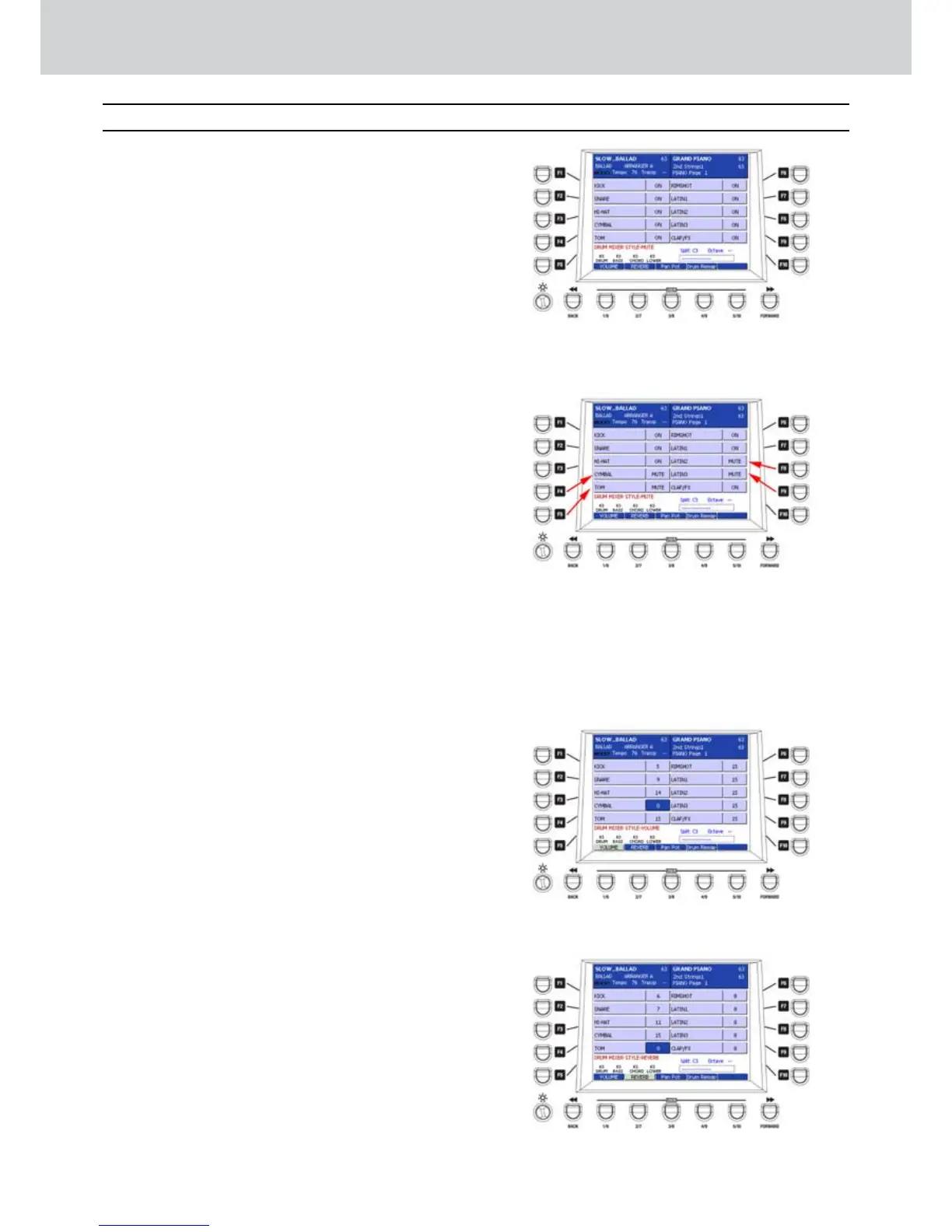
By pressing the DRUM MIXER button on the
PLAY CONTROL section you can access the 10
percussive parts of the drum set (
Figure 172)
.
By pressing the F1-F10 buttons you select the
percussive parts of the drum:
F1–KICK
•
F2–SNARE
•
F3–HI-HAT
•
F4–CYMBAL
•
F5–TOM
•
F6–RIMSHOT
•
F7–LATIN1: Latin percussion 1.
•
F8–LATIN2: Latin percussion 2.
•
F9–LATIN3: Latin percussion 3.
•
F10–CLAP/FX: hands clap and effects.
•
When no USER 1-4 button is selected (to
deselect a button just press the button again)
you can MUTE the single percussive parts of the
drum by using the F1-F10 buttons (
Figure 173)
.
To UNMUTE a percussive part, press the same
F1-F10 button again.
The USER buttons from 1 a 4 let you modify the
following items:
VOLUME
REVERB
PAN POT
DRUM REMAP
VOLUME (USER 1)
▀
By pressing VOLUME, you can set the volumes
of the percussive parts of the drum by using the
F1-F10 buttons and the DATA/VALUE wheel or by
using the CURSOR
Ó Á
buttons. The available
values are from 0 to 15
(
Figure 174). By pressing
the
CURSOR
Ó Á
buttons
together you set the
value to 0.
REVERB (USER 2)
▀
By pressing REVERB, you can set the reverb
sends of the single percussive parts of the drum,
by using the F1-F10 buttons and the DATA/VALUE
wheel or by using the CURSOR
Ó Á
buttons.
The available values are from 0 to 15.
(
Figure 175).
By pressing the
CURSOR
Ó Á
buttons
together
you set the value to 0.
PAN POT (USER 3)
▀
By pressing PAN POT, you can set the stero
position of the single percussive parts of the drum
by using the F1-F10 buttons and the DATA/VALUE
wheel or by using the CURSOR
Ó Á
buttons.
Drum Mixer
Figure 172
Figure 173
Figure 174
Figure 175



 To Next Page