Player
New player features
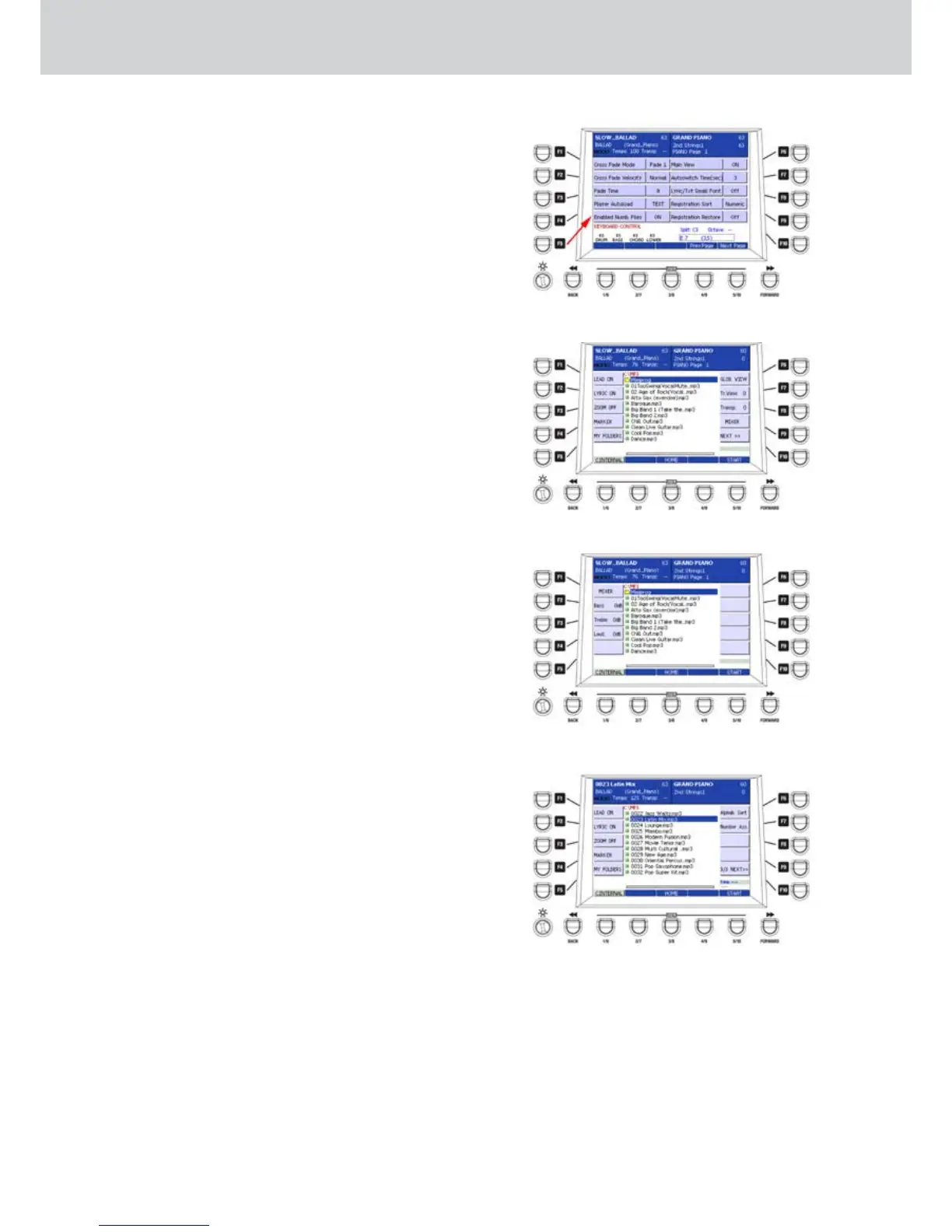
MP3 player now has a mixer. Once selected, you can
access to the mixer MENU.
By pressing the F10 button (3 NEXT) you can access
the corresponding window of the MIXER (Figure 29)
where you can set the following parameters using the
CURSOR
Ó Á
buttons:
F2–Bass: values +/- 12 dB
F3–Treble: values +/- 12 dB
F4–Loud: values from 0 to +16 dB
Enabled Numb. Files Function
By setting the Enabled Numb. Files parameter to ON
on the MENU > Keyboard Control > Utility > Next
Page, as illustrated in Figure 27, all the files in the
Player are numbered. When they are numbered (Fig-
ure 28), they can be recalled in to numerical way, as
for Registrations, using the numeric keypad. When
this Function is active, by pressing twice the F10 but-
ton (3 NEXT) you can access to window similar to Fig-
ure 30 where adjust the following parameters:
F6– Alphab./Numeric Sort: file sorting in alphabetical
or numerical way.
F7– Number Ass: it allows to assign permanently the
numbers into files so that in future if you modify
the folder, indexing of files remains the same. This
option opens to pop-up where you can assign
numbers only to files of the actual Player (F1) or to
all file types (F2). In the lower part of the window
a progress bar will appear during the file number-
ing of the folder. Instead, if a numbering is already
assigned, a pop-up to remove numbering will ap-
pear.
Figure 27
Figure 28
Figure 29
Figure 30



 To Next Page