Press the MP3 button.5.
Select one MP3 file from the list.6.
Press the START button (USER 5). Press the 7.
START button on the panel, the WAVE track stops
and you must press START again in order to start
playback the MP3 track.
The MP3 track starts playback and its LED 8.
flashes. The WAVE track stops and its LED turns
off.
Instead, if you press the ENTER button, the MP3 9.
track will start playback while the WAVE track is
playing. The LED of the MP3 track flashes while
the LED of the WAVE track lights steadily.
In this case, you should lower manually the
volume fader of the WAVE track and raise the
volume fader of the MP3 track in order to make a
sort of manual crossfade between the two tracks.
MIX two WAVE files
Press the WAVE button.1.
Select an audio file from the WAVE folder.2.
Press the ENTER button to start playback.3.
Select another audio file from the same WAVE 4.
folder.
Press the ENTER button to start playback.5.
Adjust the fader 1 and fader 2 of the Player in 6.
order to mix the two audio files (TRACK 1 and
TRACK 2 in blue colour on the panel).
CROSSFADE
If you want to execute an automatic crossfade
between the two tracks while playing, press the
CROSSFADE button on the panel and follow the
procedure below.
CROSSFADE between WAVE and MP3 files
Press the WAVE button.1.
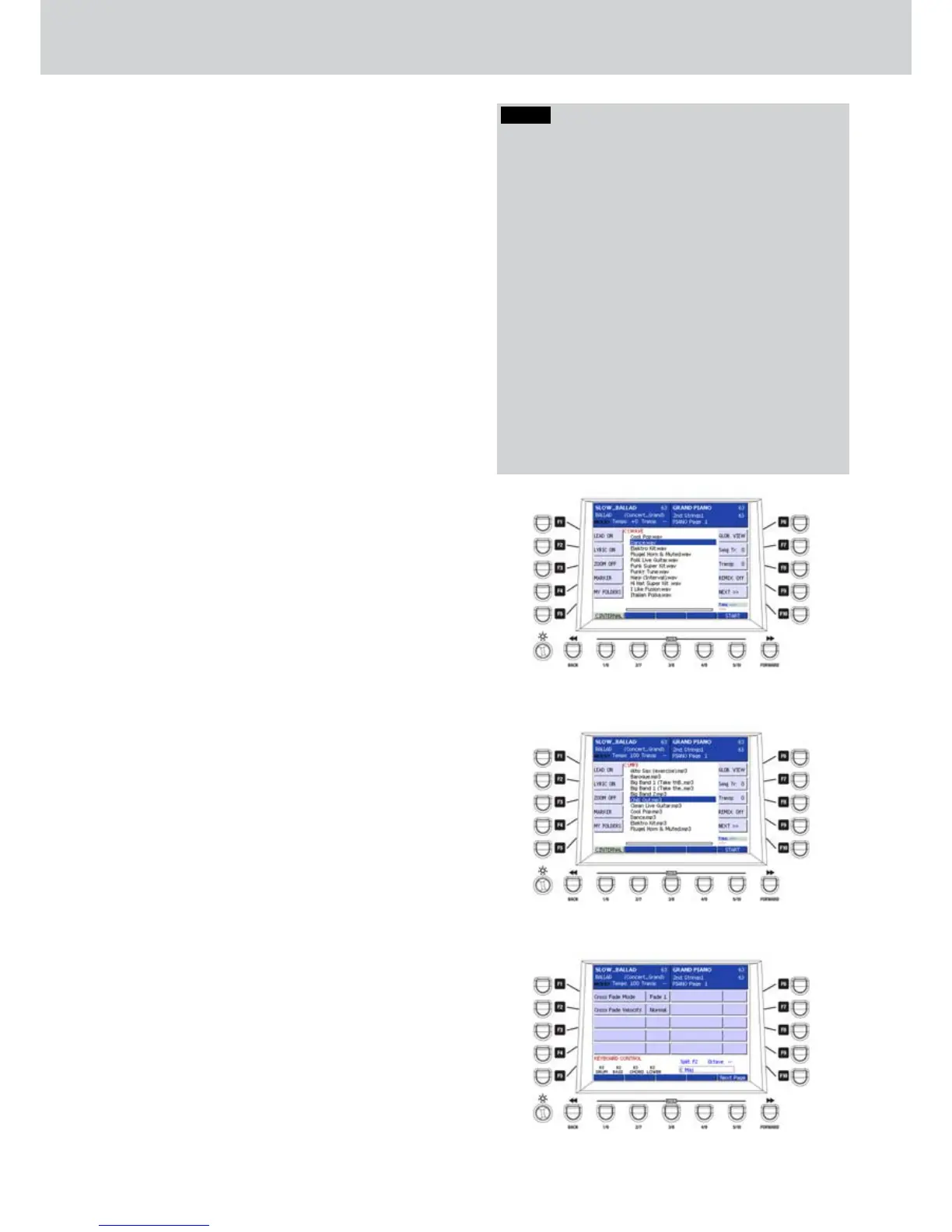
Select an audio file from the WAVE folder (2. Figure
24).
Press the START button (USER 5) or the ENTER 3.
button or the START button on the panel.
The WAVE track starts playback and its LED 4.
flashes.
Press the MP3 button.5.
Select an MP3 file from the list (6. Figure 25).
Press the ENTER button.7.
The CROSSFADE button flashes while 8.
crossfading the two tracks, accordingly to the
CROSSFADE settings (see MENU > KEYBOARD
CONTROL > UTILITY > NEXT PAGE) (Figure 26).
The volume of the WAVE track decreases while 9.
the MP3 track volume increases up to the level
set by its fader. Both LEDs of the tracks will flash
during the CROSSFADE. When the CROSSFADE
is finished, the LED of the WAVE track lights
steadily while the LED of the MP3 track flashes.
Note that you can apply the same procedure to 10.
any other tracks.
Figure 24
Figure 25
Figure 26
NOTE
If you want to create a MIX using all the five tracks,
just press the ENTER button when you select the files.
Be sure that the CROSSFADE LED is off. For example:
Press the WAVE button, select a file from the WAVE 1.
folder and press ENTER.
Press the DJ LOOP button, select a file from the 2.
WAVE folder and press ENTER.
Press the MP3 button, select a file from the folder 3.
MP3 and press ENTER.
Press the SFX button, select a file from the folder 4.
SFX and press ENTER.
Press the MIDI button, select a file from the folder 5.
MIDIFILE and press ENTER.
In this way, all the tracks will be playing simultaneously,
and you will be able to adjust the volume of each track
by moving the corresponding fader, acting like a Dj
player.
Player



 To Next Page