DJ LOOP
▀
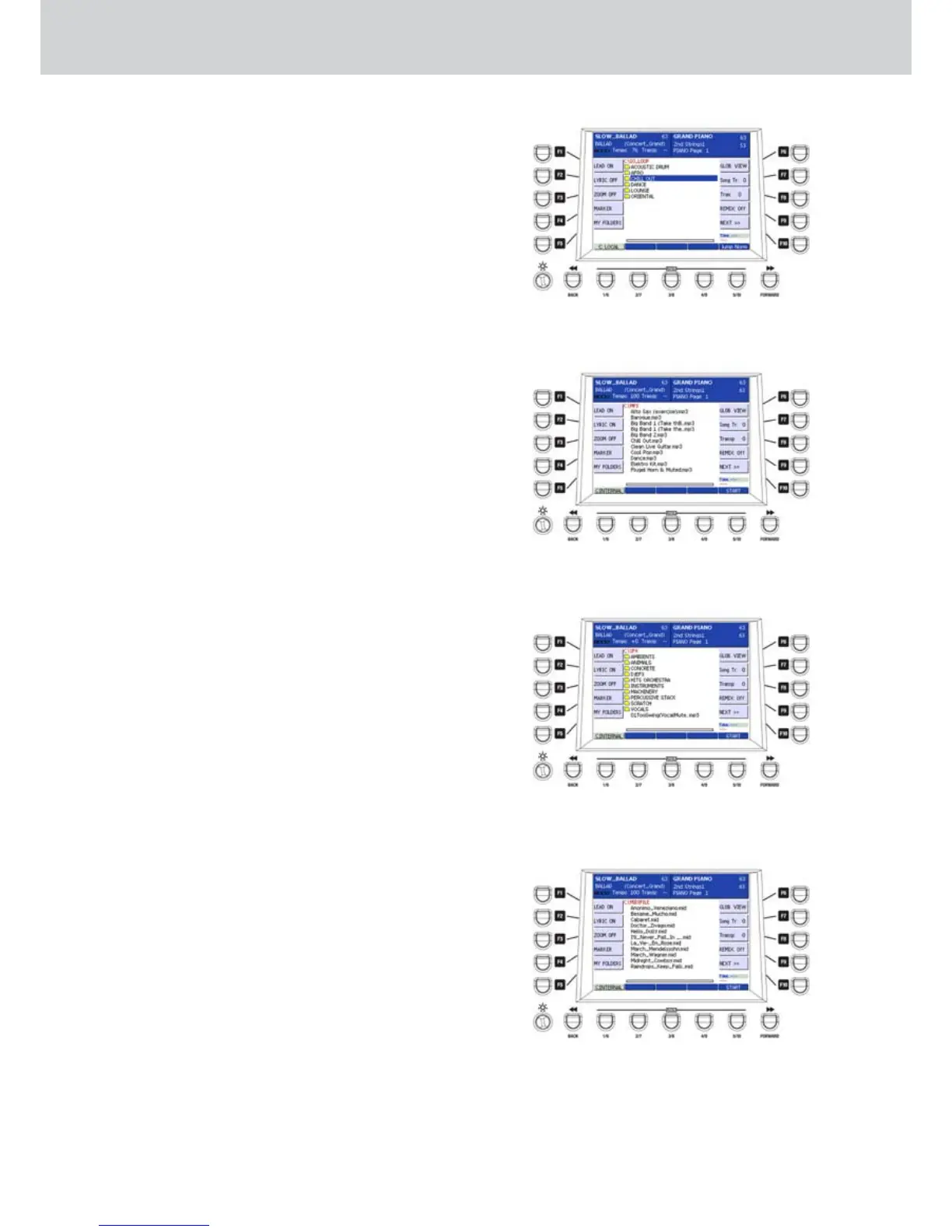
The DJ LOOP button enables the DJ LOOP
screen where you start playback of the selected
audio loop (Figure 20). The fader below adjusts
the volume of the track. To navigate in this screen
use the cursor buttons, the ENTER and EXIT
buttons as described for the WAVE screen.
The DJ LOOP song are a particular kind of
looping tracks, prepared for several music
genres. The USER 5 button allows the JUMP
NORM/IMM function (normal/immediate jump).
M P 3
▀
The MP3 button enables the MP3 screen where
you start playback of the selected track (Figure
21). The fader below adjusts the volume of
the track. To navigate in this screen use the
cursor buttons, the ENTER and EXIT buttons as
described for the WAVE screen
.
S F X
▀
The SFX button enables the SFX screen where
you start playback of the selected track (Figure
22). The fader below adjusts the volume of
the track. To navigate in this screen use the
cursor buttons, the ENTER and EXIT buttons as
described for the WAVE screen.
The SFX tracks are particular tracks containing
special effects to be used in different situations,
including applause, orchestral hits, snare rolls
and many more. This Player can play back MP3s
with max 192 Kb/s bitrate e does not support
joint-stereo formats.
M I D I
▀
The MIDI button enables the MIDI screen where
you start playback of the selected MIDI file
(Figure 23). The fader below adjusts the volume
of the MIDI file. To navigate in this screen use the
cursor buttons, the ENTER and EXIT buttons as
described for the WAVE screen.
When a MIDI track is playing and the lyric is
shown (because you pressed LYRIC ON), you can
go back to the list of the MIDI files, by pressing
the EXIT button or the F2 button (LYRIC OFF).
Making a MIX
▀
The Player allows the single track playback or
the MIX playback of two or more tracks at the
same time, up to four audio tracks and one MIDI
track simultaneously.
MIX a WAVE file and one MP3
Press the WAVE button.1.
Select an audio file from the WAVE folder.2.
Press the START button (USER 5) or the ENTER 3.
button or the START button on the panel.
The WAVE track starts playback and its LED 4.
flashes.
Figure 20
Figure 21
Figure 22
Figure 23
Player



 To Next Page