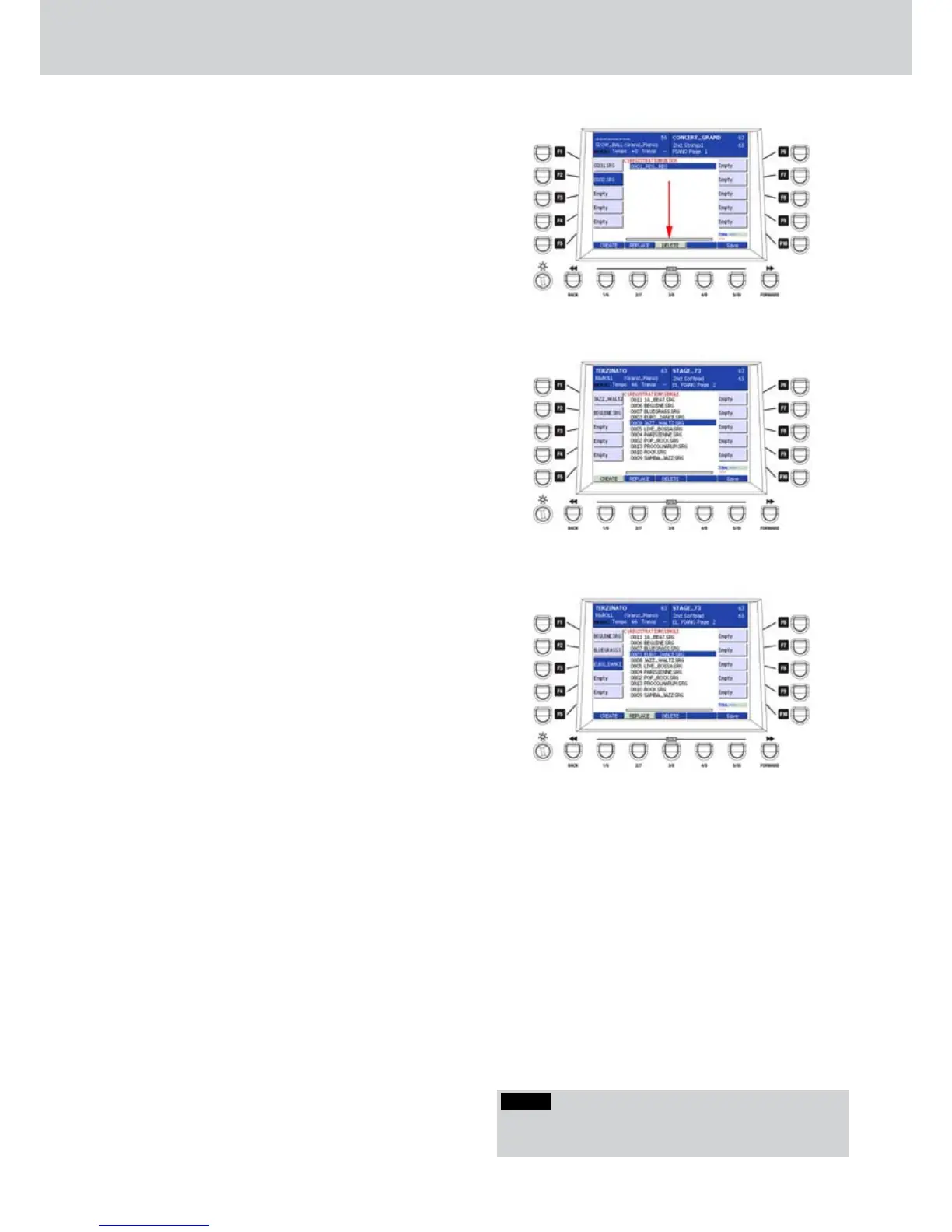
To jump to the second page, press the BACK or 1.
FORWARD buttons below the display.
If you want to replace or delete one SINGLE 2.
REGISTRATION, select it by using the F1-F10
buttons and press the USER 2 button (REPLACE)
or USER 3 button (DELETE), respectively, and
then the ENTER button.
Press the SAVE button and give a name to the 3.
REGISTRATION BLOCK. Digit a name in the text
box by inputting the characters directly from the
keyboard.
Once the REGISTRATION BLOCK is saved, you 4.
can recall it from the list by using the CURSOR
§
¶ or the DATA/VALUE wheel and by pressing the
ENTER button (Figure 111).
By using the F1-F10 buttons you recall the
5.
corresponding SINGLE REGISTRATION. By using
USER 1 button you can enable the SINGLE PLAY
or MULTI PLAY functions to play the Registration
automatically.
Recalling a REGISTRATION BLOCK
▀
Once a REGISTRATION BLOCK is stored, you 1.
can recall it from the list on the window by
using the CURSOR
§ ¶ but
tons
or the DATA/
VALUE wheel. Once the file is selected, just
press the ENTER button (Figure 112) to recall the
REGISTRATION BLOCK.
Once the REGISTRATION BLOCK is loaded
2.
the REGISTRATION SINGLE is recalled,
corresponding to the F1-F10 buttons.
By using the USER 1 button you can activate the
3.
SINGLE PLAY or MULTI PLAY function in order to
play the Registration automatically.
It can be useful to store several SINGLE
4.
REGISTRATIONS with some WAVE songs
prepared into the Player. Storing the SINGLE
REGISTRATIONS by using the Player and
AUTOPLAY sections enabled, you can quickly
recall the REGISTRATION BLOCK containing
those SINGLE REGISTRATIONS by using the F1-
F10 buttons.
Creating a fast REGISTRATION BLOCK
▀
In addition to SINGLE REGISTRATION you can 1.
save Styles, Voices and Player directly. Open
the REGISTRATION screen and press USER 4
(BLOCK).
Press the EDIT button and the USER 1 button 2.
(CREATE).
Press any F1-F10 buttons.3.
Select a Style, a voice or a song from the Player 4.
and press ENTER.
Do the same for any other F1-F10 button (5. Figure
113).
Press the SAVE button and give a name to the 6.
REGISTRATION BLOCK.
Press the SAVE button and give a name to the 7.
REGISTRATION BLOCK.
By using the F1-F10 buttons you can recall the
8.
corresponding item (Style, Voice or Player).
Figure 111
Figure 112
Figure 113
NOTE
When you enter the Registration Block EDIT mode, the
NUMERIC option is automatically disabled.
Registration



 To Next Page