Recalling a SINGLE REGISTRATION
▀
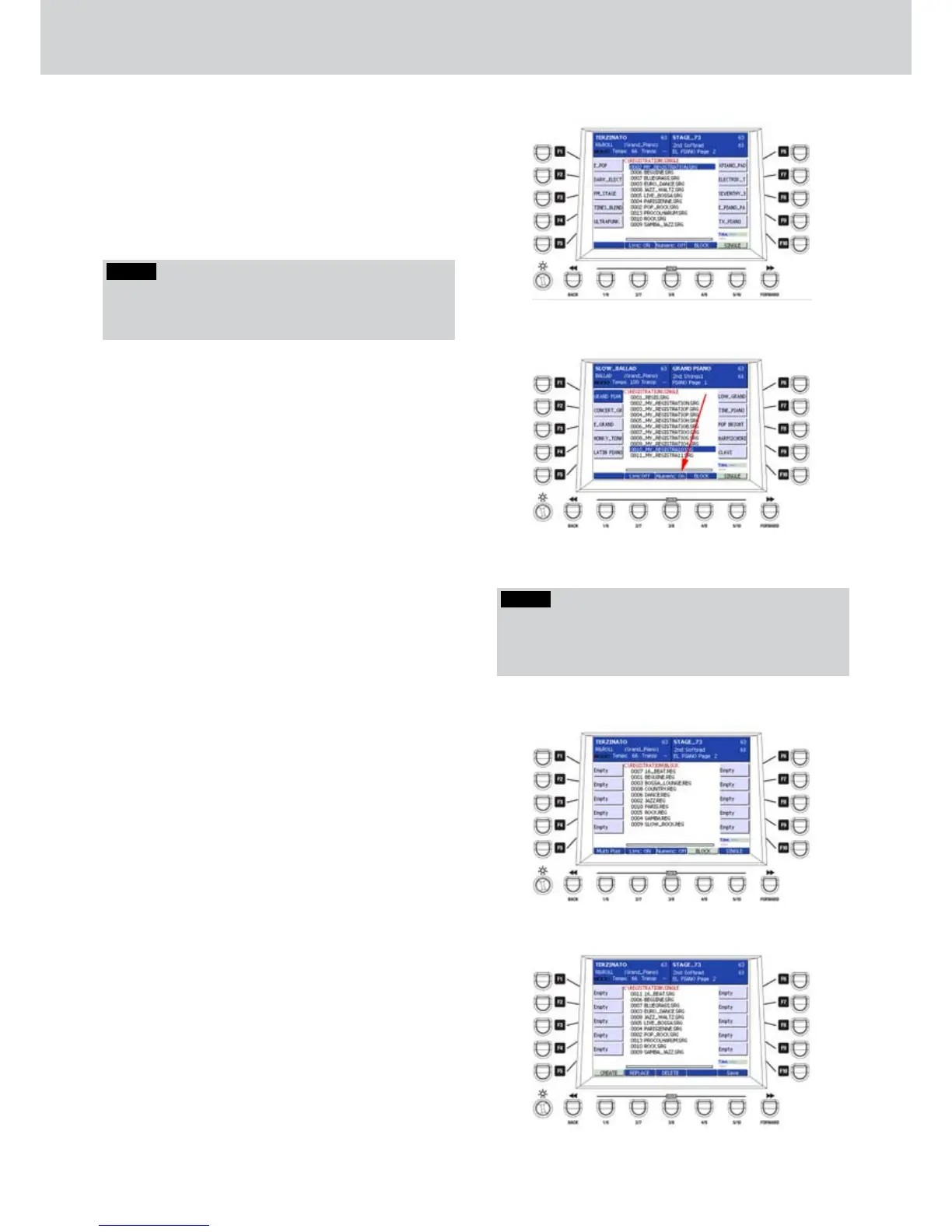
To recall a REGISTRATION from the list on 1.
the window, you can use the CURSOR
§ ¶
buttons or the DATA/VALUE wheel to select
a REGISTRATION and then press the ENTER
button (Figure 107).
To recall a REGISTRATION you can also use the
2.
numeric keypad by switching the USER 3 button
NUMERIC ON (Figure 108).
For example, by using the option NUMERIC
3.
ON, just press the number 1 button to recall the
REGISTRATION 0001, or the number 2 button to
recall the REGISTRATION 0002 and so on.
To recall REGISTRATION with two digits or
more you must digit the number sequence of
the REGISTRATION. For example, to recall the
REGISTRATION 0012, just digit 12 on the numeric
keypad.
Creating a REGISTRATION BLOCK
▀
The REGISTRATION BLOCK is a bunch of
twenty SINGLE REGISTRATIONS or direct
functions that can be quickly recalled.
Press the REGISTRATION button to open the 4.
corresponding screen. If not selected, press the
USER 4 button to select BLOCK. If there is no
file, an empty screen and “EMPTY FOLDER” will
appear (Figure 109).
Press the EDIT button.5.
Press the USER 1 button (CREATE).6.
The display will show all the SINGLE 7.
REGISTRATIONS (Figure 110).
By using the F1-F10 buttons, select to which 8.
button you want to assign the SINGLE
REGISTRATION.
Select the SINGLE REGISTRATION by using the 9.
DATA/VALUE wheel or the CURSOR
§ ¶
.
Press the ENTER button in order to confirm the 10.
SINGLE REGISTRATION assigned to any F1-F10
button.
Repeat the operation for each F1-F10 button.11.
Figure 107
Figure 108
Registration
NOTE
When you save a REGISTRATION in automatic mode,
a progressive number of 4 digits is added to the file
name: 0001_REGIS.SRG, 0002_REGIS.SRG, etc.
Figure 109
Figure 110
NOTE
You can to store the registration single also when ci
si trova in altri ambiente type MAIN, by pressing the
SAVE button and choosing REGISTRATION.



 To Next Page