B A S S
▀
The MANUAL, TO LOWEST and BASSIST buttons
set the following modes, respectively.
MANUAL: sets the manual bass for the left hand.
TO LOWEST: sets the lowest note of the chord to
the root. For example, when you want to play a
bass pedal within a chord progression.
BASSIST: allows to play free bass notes on
a chord played by using the right hand. For
example, when you play bass solos.
S P L I T
▀
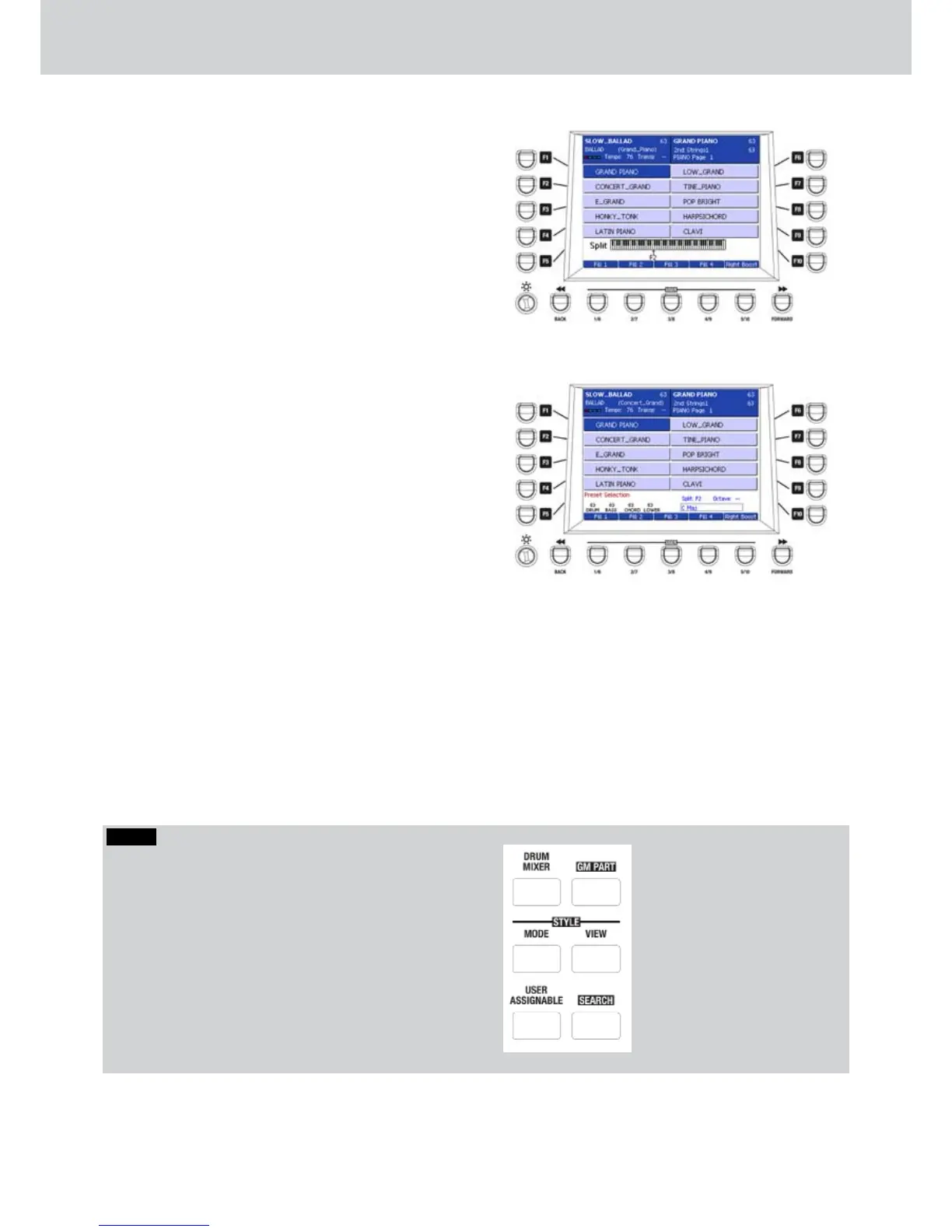
Holding the SPLIT button, a small keyboard at the
bottom of the display appears. By pressing any
key on the keyboard, you can set the split point
for the Arranger. In the example, the SPLIT point
has been set on F2 note (Figure 16). The SPLIT
point is always set on C3 note, at startup.
P I A N I S T
▀
The PIANIST button allow you to play on the
entire keyboard. Basically, by pressing this button
you remove the SPLIT point. If Arranger mode, the
chords will be recognized on the entire keyboard.
LEFT VOICE
▀
By pressing the LEFT VOICE button, this will flash
until you choose the voice for the left hand (Figure
17). Once selected, press LEFT VOICE button
again.
Figure 16
Figure 17
NOTE
For the detailed explanation of the PLAY CONTROL
section, please see the following pages, corresponding
to the namesake buttons:
• DRUM MIXER page 68
• GM PART page 65
• STYLE MODE page 59
• STYLE VIEW page 53
• USER ASSIGNABLE page 113
• SEARCH page 119
Play Control



 To Next Page