Formats and Data Flow 7
Keysight 53220A/53230A User’s Guide 273
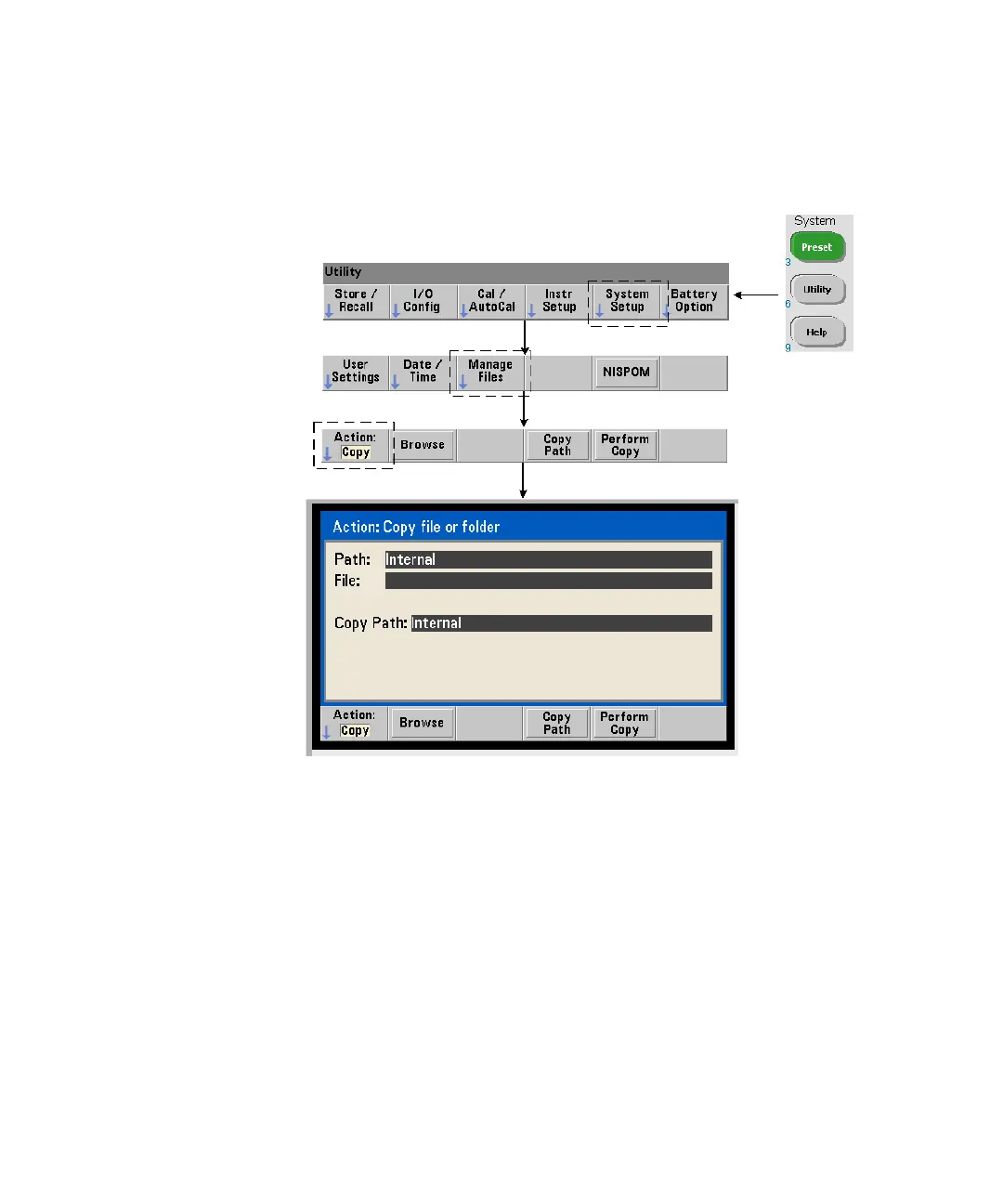
Copying and moving files
Files can be copied or moved within the drive or between drives.
MMEMory:COPY <“file1”>, <“file2”>
MMEMory:MOVE <“file1”>, <“file2”>
copies or moves (source) file1 to (destination) file2. The file format is
“[drive:path]<file_name>”. drive is either INT (internal flash memory) or
USB (external memory device). If the file copied or moved is not in the specified
current folder (MMEMory:CDIRectory), path in the source and destination drives
must be an absolute folder path beginning with ‘\’. File names must include the
extension.


 To Next Page