Features of your vehicle
784
LCD display
At this time, a Master Warning icon
( ) will appear on the LCD display.
If the warning situation is solved,
the master warning light will be
turned off and the Master Warning
icon will disappear.
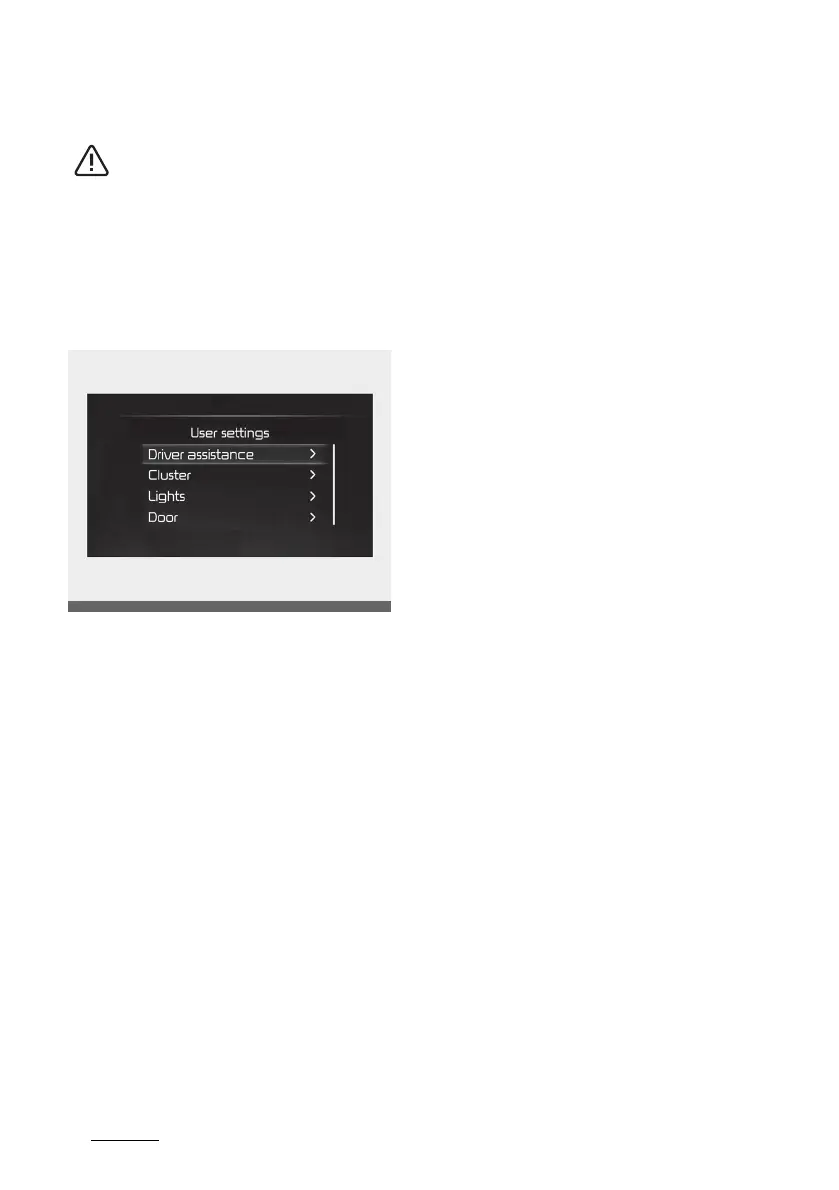
User settings mode (if equipped)
In this mode, you can change the
settings of the instrument cluster,
doors, lamps, etc.
The information provided may dif
-
fer depending on which functions
are applicable to your vehicle.
Shift to P to edit settings/Engage
parking brake to edit settings
This warning message appears if
you try to adjust the User Settings
whilst driving.
䳜 Automatic transmission, Dual
clutch transmission, Intelligent
Variable Transmission
For your safety, change the User
Settings after parking the vehicle,
applying the parking brake and
moving the shift lever to P (Park).
䳜 Manual Transmission
For your safety, change the User
Settings after engaging the park
-
ing brake.


 To Next Page