Driving your vehicle
1386
Smart Cruise Control (SCC)
Overtaking Acceleration Assist
Overtaking Acceleration Assist will
operate when the turn signal indica
-
tor is turned on to the left (left-
hand drive) or turned on to the right
(right-hand drive) whilst Smart
Cruise Control is operating, and the
following conditions are satisfied:
䳜 Your vehicle speed is above 60
km/h (40 mph)
䳜 The hazard warning flasher is off
䳜 A vehicle is detected in front of
your vehicle
䳜 Deceleration is not needed to
maintain distance with the vehicle
in front
䳜 When the turn signal indicator is
turned on to the left (left-hand
drive) or turned on to the right
(right-hand drive) whilst there is a
vehicle ahead, the vehicle may
accelerate temporarily. Pay
attention to the road conditions
at all times.
䳜 Regardless of your countries driv
-
ing direction, Overtaking Accelera
-
tion Assist will operate when the
conditions are satisfied. When
using the function in countries
with different driving direction,
always check the road conditions
at all times.
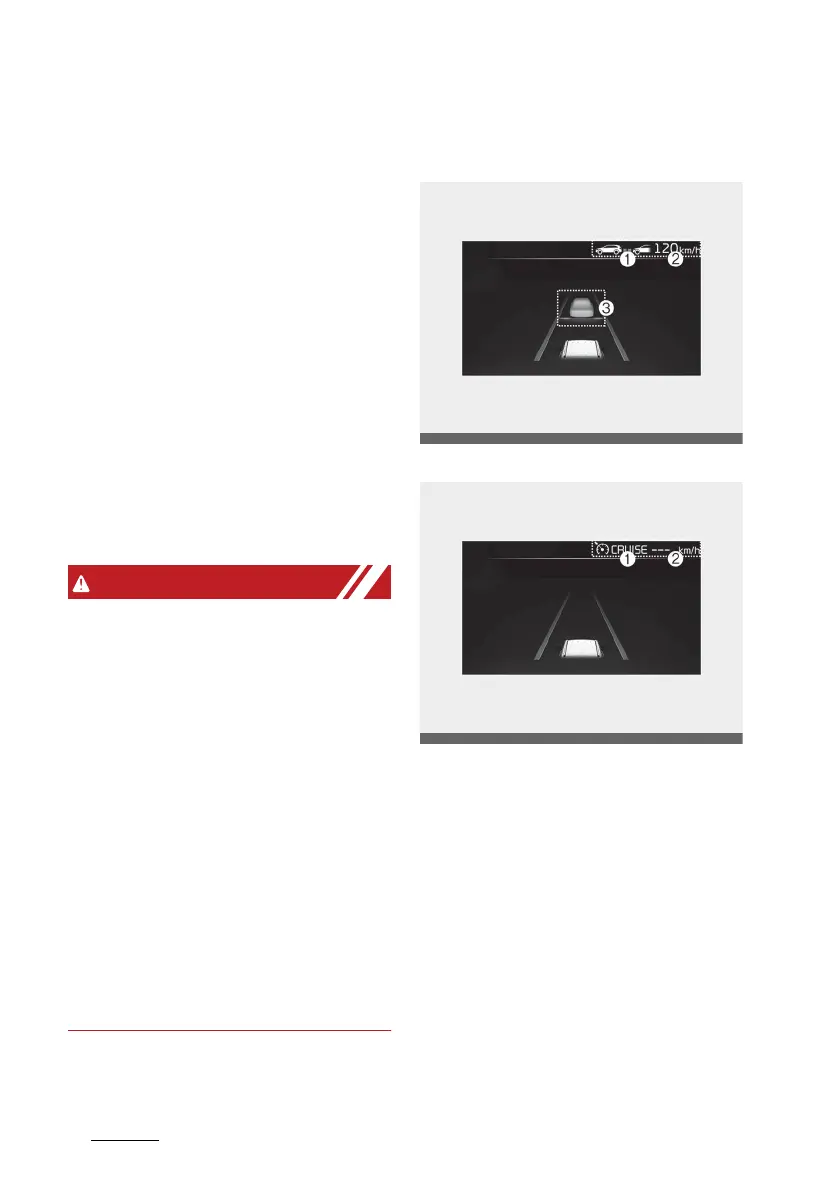
Basic function
Operating
Temporarily cancelled
You can see the status of the Smart
Cruise Control operation in the Driv
-
ing Assist view on the cluster. Refer
to "Instrument cluster" on page 4-
65.
Smart Cruise Control will be dis
-
played as below depending on the
status of the function.
䳜 When operating
(1) Whether there is a vehicle ahead
and the selected distance level are
displayed.
(2) Set speed is displayed.



 To Next Page