Getting started30 31
2.8.3 FUNCTION KEY
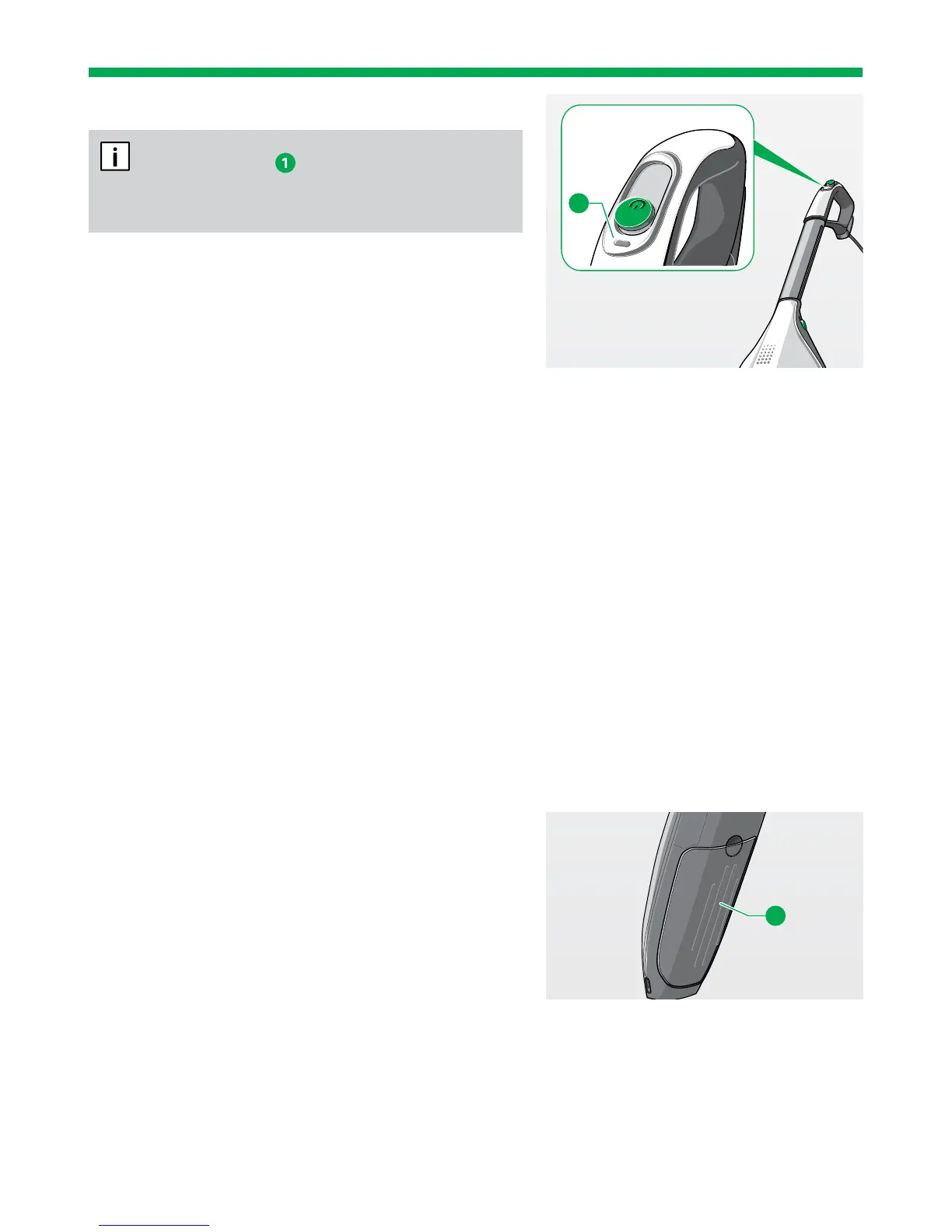
The function key
is only active when using
the Kobold EB400 Automatic Electric
Brush or the
Kobold SP600.
FUNCTION KEY WITH THE KOBOLD EB400
AUTOMATIC ELECTRIC BRUSH
The chapter “3.1.1 Operating display and floor mode”
on page 35 tells you how to set the floor detection
function and switch between floor types using the
function key.
FUNCTION KEY WITH THE KOBOLD SP600
The chapter “3.4.8 Automatic application of
moisture and dry mode” on page 61 tells you how
you can control the level of moisture on the Kobold
SP600.
2.8.4 SWITCHING OFF THE DEVICE
1. To switch the Upright Vacuum Cleaner off, slide
the main switch all the way back.
2.9 FILTER FILL LEVEL INDICATOR,
FILTER BAGS, MOTOR
PROTECTION FILTER
2.9.1 FILTER BAG AND MOTOR PROTECTION
FILTER
The FP200 3in1 Premium Filter Bag and the motor
protection filter are already installed in your
Upright Vacuum Cleaner on delivery. See section
“4 Maintenance” on page 85 to find out how to
change the 3in1 Premium Filter Bag (chapter “4.2.1
Chaning the Kobold FP200 3in1 Premium Filter
Bag” on page 87) and how to replace or clean the
motor protection filter (chapter “4.2.2 Cleaning and/
or replacing the Kobold VK200 motor protection fil-
ter” on page 89).
1
1


 To Next Page