Operation36 37
3.1.3 MANUALLY SWITCHING BETWEEN
HARD FLOOR/CARPET MODE
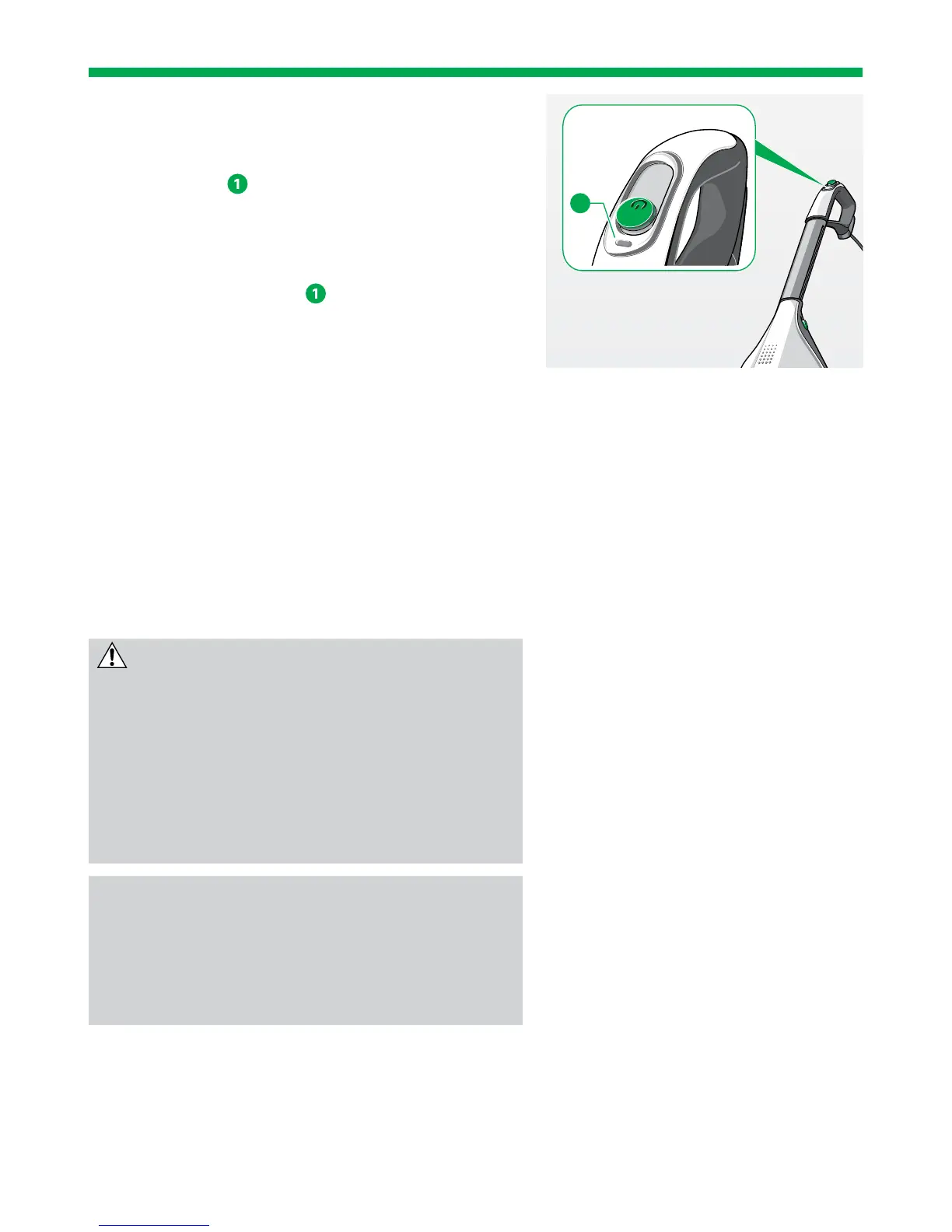
You can also set the floor mode manually using
the function key
on the handle of the Upright
Vacuum Cleaner.
1. Select the correct power performance level for
your floor according to the table on page 38.
2. Press the function key
on the main switch of
the Upright Vacuum Cleaner to switch between
hard floor mode and carpet mode.
The operating display (figure on page 35)
flashes when the mode is manually set.
3.1.4 REACTIVATING INTELLIGENT FLOOR
DETECTION
When you manually change the operating mode,
intelligent floor detection is deactivated.
1. You can reactivate the automatic function by
switching the Upright Vacuum Cleaner off and
back on again.
3.1.5 FLOOR CLEANING
CAUTION
Risk of injury from debris flying out!
• Avoid abruptly placing the device on loose,
coarse debris (e.g. glass shards), especially at
eye level.
• Switch off the Kobold VK200 Upright Vacuum
Cleaner before lifting up the EB400 Automatic
Electric Brush.
NOTE
Risk of damage from improper use!
• Avoid working with the device in one specific
spot for a prolonged period of time.
• Avoid vacuuming up rugs/fringes.
1


 To Next Page