2.5 STANDBY POSITION AND
POWER SETTING
In combination with an accessory head, you can
either use your Kobold VK200 Upright Vacuum
Cleaner in the power setting or place it in the
standby position.
2.5.1 PLACING THE DEVICE IN THE STANDBY
POSITION
CAUTION
Risk of falling and causing injury!
The standby position is used to park the device
after you have finished working with it or when
you take a break.
• The Kobold VK200 Upright Vacuum Cleaner with
the accessory head in standby position must be
placed on a level surface.
• Never use the Kobold VK200 Upright Vacuum
Cleaner to support yourself.
• Never stand on the accessory heads.
NOTE
Risk of damage when the device starts up
automatically.
• Note that the Kobold VK200 Upright Vacuum
Cleaner starts up automatically when you take it
out of the standby position if you have not first
switched off the mains switch.
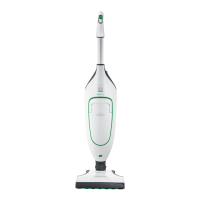
The standby position is used to store your Upright
Vacuum Cleaner when you are not using it. You can
also “park” it in this position if you want to take a
short break while cleaning. In the standby position,
the device stands upright and firmly on the floor.


 To Next Page