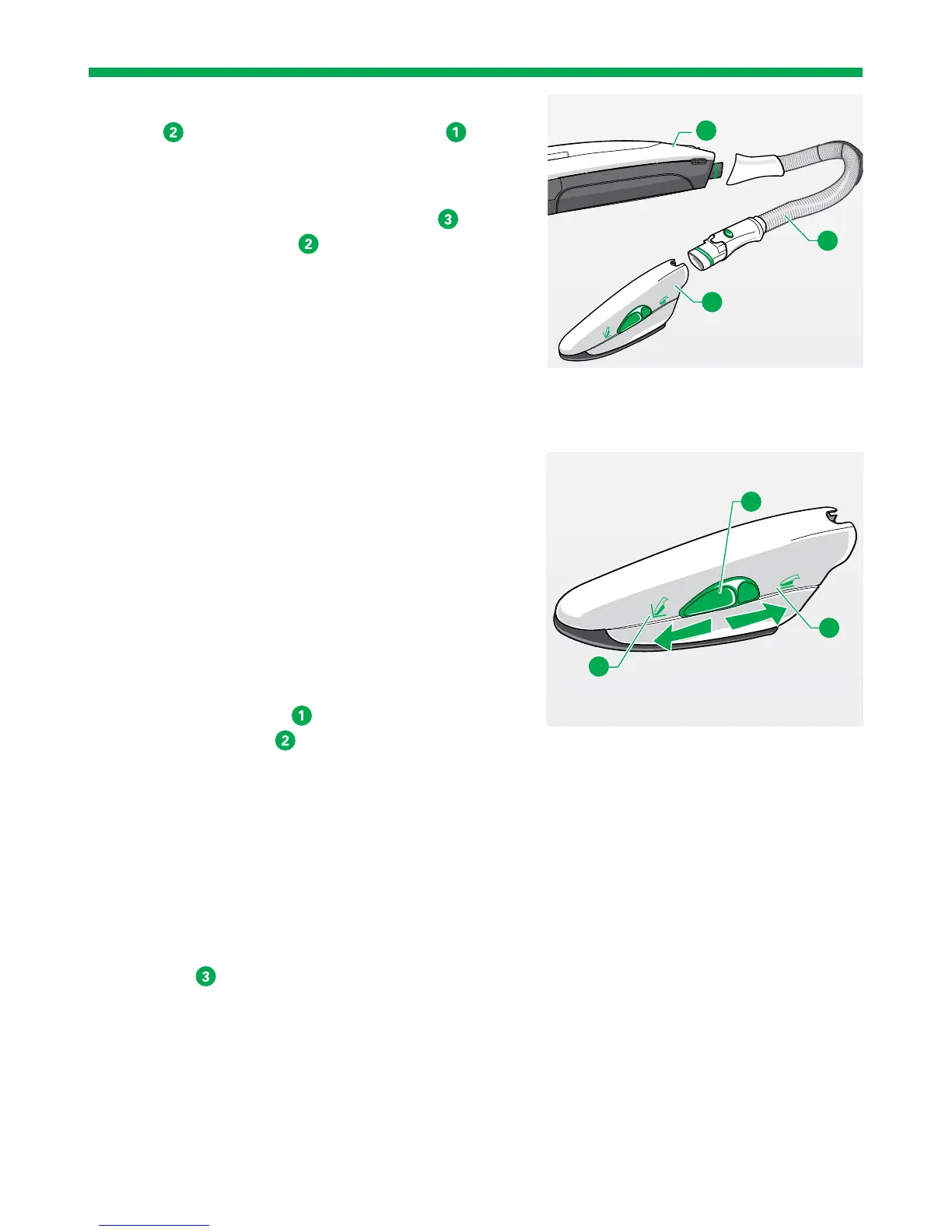
1. Connect the Kobold ESS200 Electric Suction
Hose
to the Upright Vacuum Cleaner (see
chapter “3.7 Kobold ESS200 Electric Suction
Hose” on page 78).
2. Connect the Electric Upholstery Brush
to the
Electric Suction Hose
.
3. To do this, slide the handle of the Electric Suction
Hose into the attachment socket of the Electric
Upholstery Brush.
4. Switch on the Upright Vacuum Cleaner.
The Electric Upholstery Brush is automatically
switched on as well.
3.5.2 REGULATING THE SUCTION FORCE
1. Regulate the suction force as usual on the
Upright Vacuum Cleaner.
2. Select power performance level med on your
Upright Vacuum Cleaner in normal use.
3. Select power performance level soft on your
Upright Vacuum Cleaner when dealing with
loose and/or sensitive material.
3.5.3 VACUUMING SURFACES
1. Move the green slide
into the position
“vacuum surfaces”
.
2. During the cleaning process, place the suction
openings of the Handheld Upholstery Brush
completely on the upholstery.
3. Gently move the device over the upholstery
without applying pressure.
3.5.4 VACUUMING CREVICES
1. Move the green slide into the position “vacuum
crevices”
.
2. To vacuum particles in areas that are difficult to
reach, such as crevices, grooves or similar
areas, use maximum suction force – power level
auto.
1
2
3
1
2
3


 To Next Page