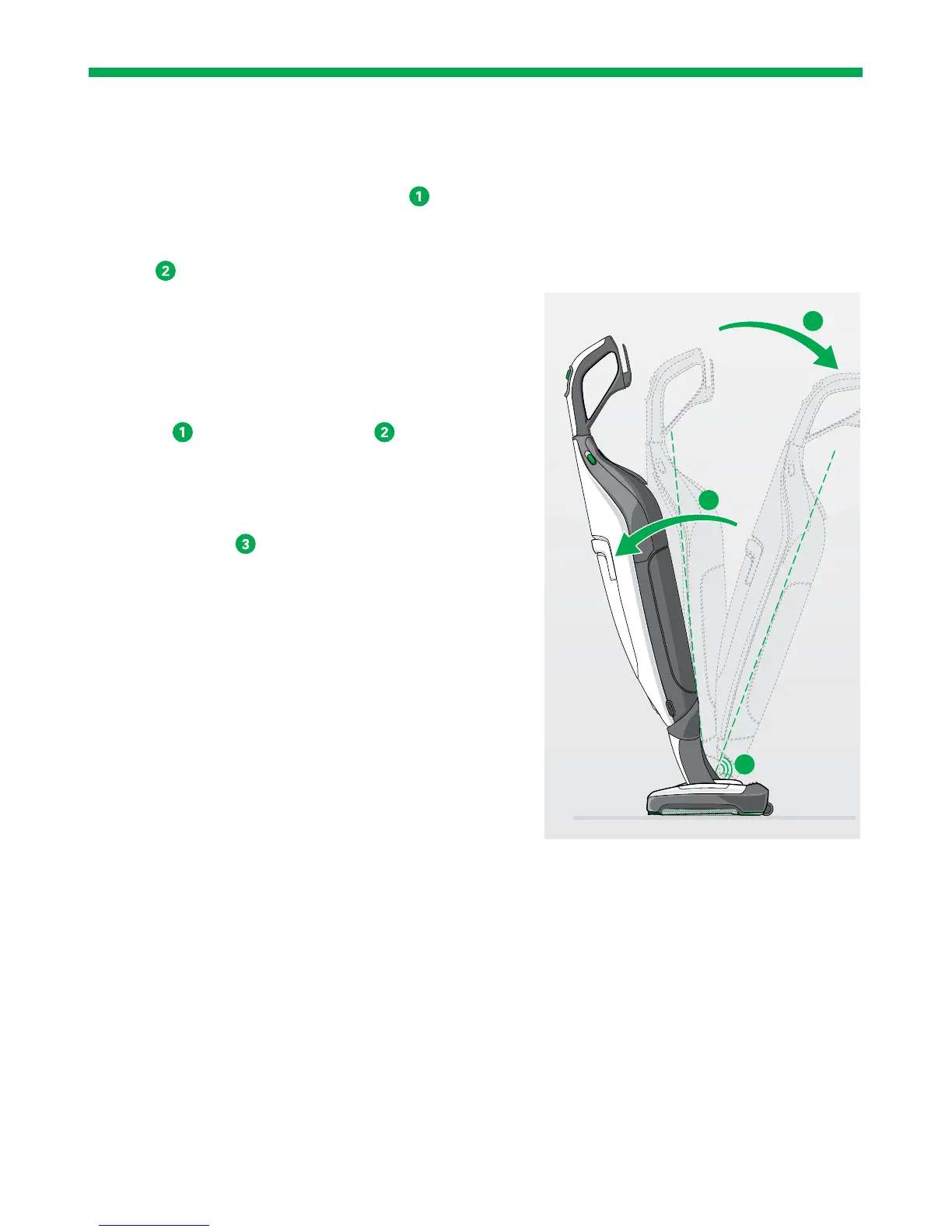
1. Turn the vacuum cleaner at the pivot so that
both the vacuum cleaner and the SP600 are cen-
tred.
2. Push the vacuum cleaner forwards
over the
SP600.
The vacuum cleaner clicks into the standby posi-
tion
.
TAKING THE DEVICE OUT OF THE STANDBY
POSITION
To take the vacuum cleaner and SP600 out of the
standby position:
1. Push the vacuum cleaner a little further for-
wards
until you hear a click .
The vacuum cleaner is now no longer in the
standby position.
2. Put the vacuum cleaner in the power setting in
the usual way
.
1
3
click
2


 To Next Page