SECTION 2 - SET-UP
-2-5
2-5 © 2018 Konami Gaming Inc P/N 810440
KX43
(Original Instructions)
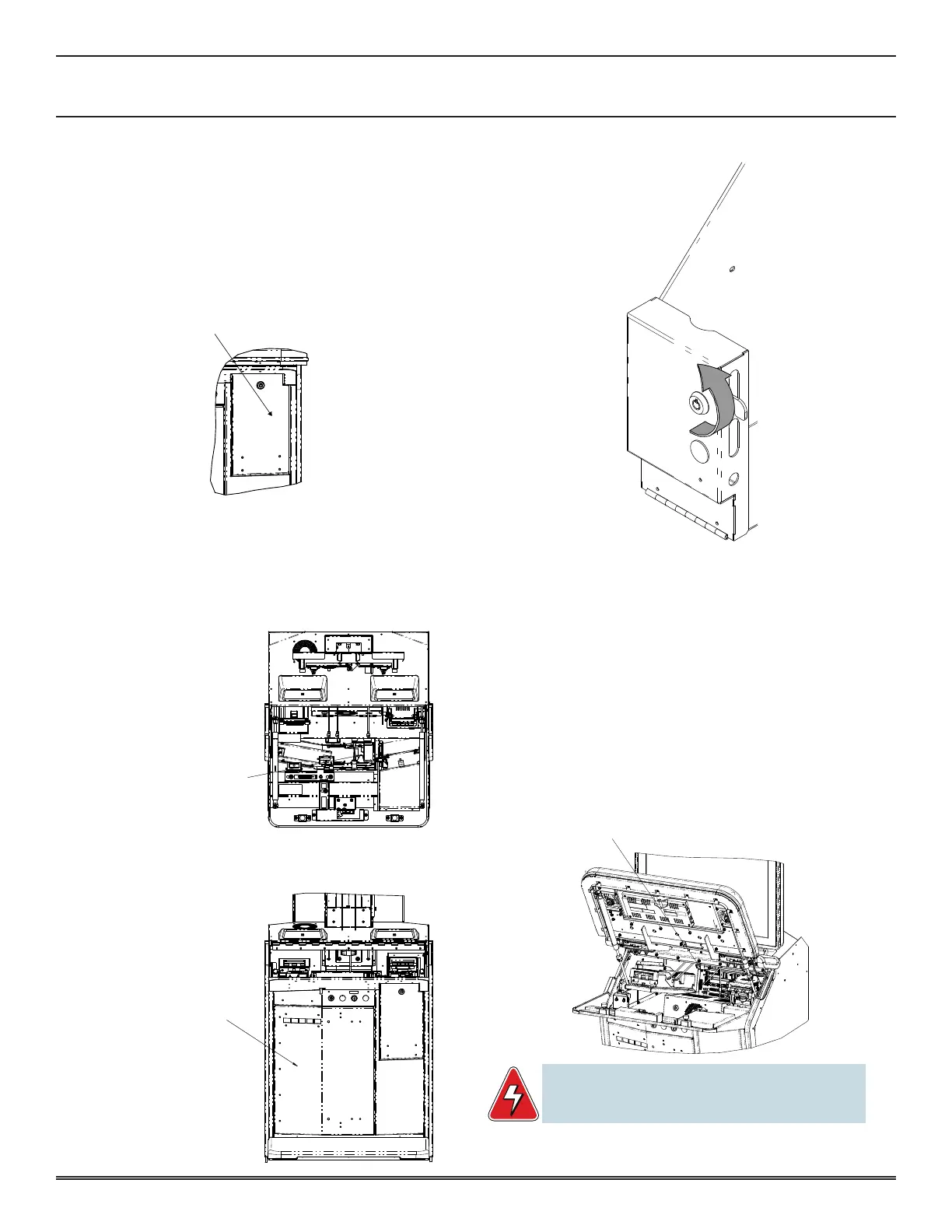
CASHBOX DOOR AND SUB DOOR
CaShbox door
1� To open the Cashbox Door, turn key 90° counter-
clockwise�
2� Door will swing down�
3� Close Cashbox Door by lifting door closed and turning
key 90° clockwise�
Sub door
1� Open the Main Deck�
2� Open the Sub Door�
3� Pull back the Slide Latch to the right to release the Sub
Panel door�
BELLY DOOR LATCH
PULL RIGHT TO RELEASE
BELLY DOOR
bill validator door
1� To open the Bill Validator Door, open the Cashbox Door�
2� Insert key into the cylinder on the Bill Stacker Door�
3� Turn the key 90° counter-clockwise�
4� Open the Bill Stacker Door�
5� Close the Bill Stacker Door� Turn the key 90° clockwise�
6� Remove the Bill Stacker Door key from the cylinder�
7� Close Cashbox Door�
DISPLAY REMOVAL
1� Open the Main Deck Door�
T-HANDLE
PULL TO RELEASE DISPLAY
WARNING: The display has a maximum weight of 61lb
(27.6 kg). At least 2 people, one on each side, must
handle the display when removing or installing it.














 To Next Page