SECTION 2 - SET-UP
-2-6
2-6 © 2018 Konami Gaming Inc P/N 810440
KX43
(Original Instructions)
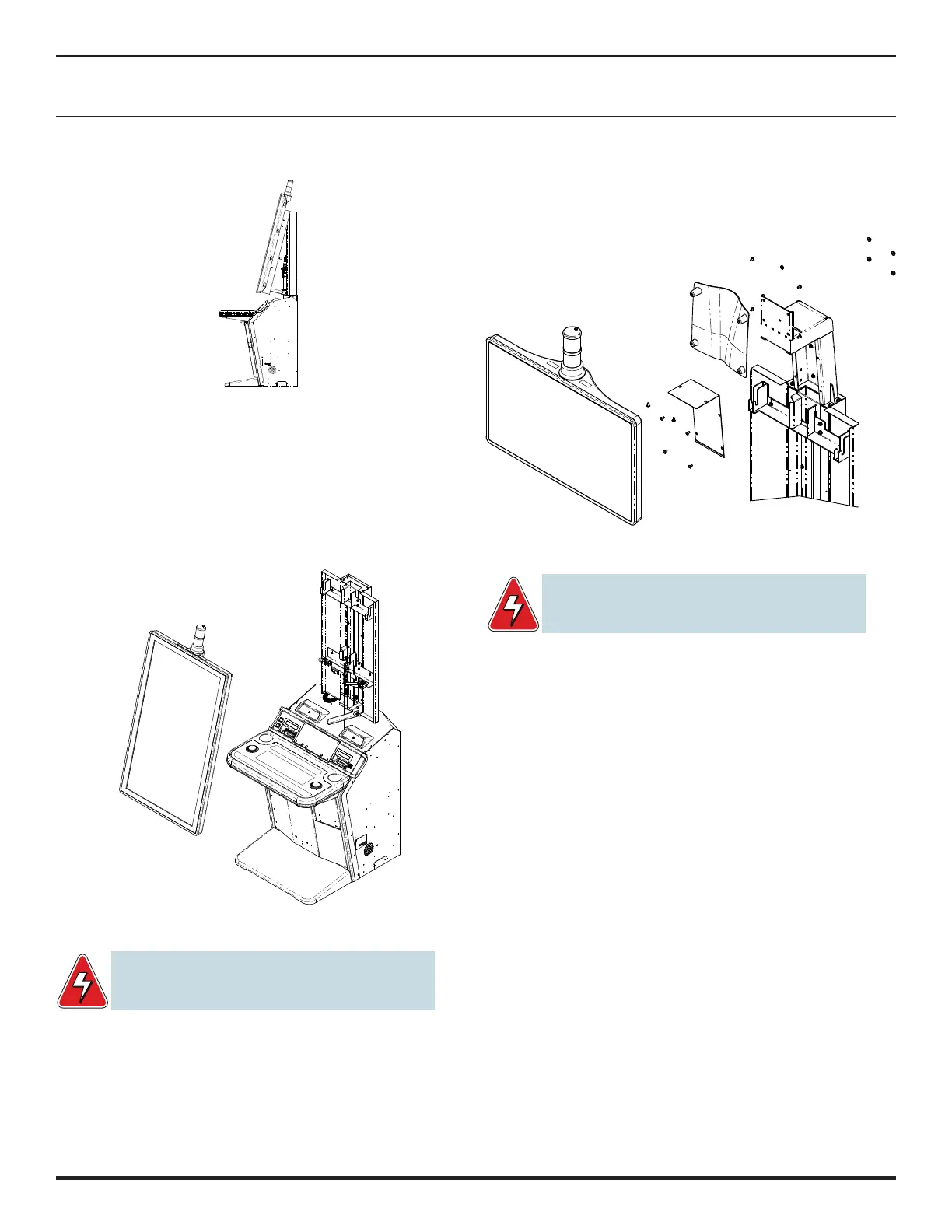
2� Pull the T-Handle to release the display�
�
3� Pull out the LCD from the bottom and lower the LCD
retaining bar�
4� Remove the HW #8-32 nuts for the Ground Straps (qty
2) behind the LCD�
5� Disconnect all cables from behind�
6� Remove the LCD by lifting upward and toward the front
of the cabinet�
DISPLAY INSTALLATION
WARNING: The display has a maximum weight of 61lb
(27.6 kg). At least 2 people, one on each side, must
handle the display when removing or installing it.
1� Hang the LCD onto the top mounting bracket�
2� Reconnect all cables�
3� Install the HW #8-32 nuts for the Ground Straps (qty 2)
on the LCD�
4� Raise the LCD retaining bar� Push back the LCD from the
bottom unit until the Rotary Latch locks in place�
5� Close the Main Deck Door�
TOPPER REMOVAL (OPTIONAL)
WARNING: The display has a maximum weight of 17 lb
(7.71 kg). You should consider employing the help of a
second person.
1� Remove Display per display removal instructions�
2� Remove Cable cover plate�
3� Remove Topper back cover�
4� Disconnect all cables�
5� Disconnect ground strap�
6� Remove HW Qty 4 – 1/4-20 Nylon nuts behind the topper�
TOPPER INSTALLATION (OPTIONAL)
1� Install HW Qty 4 –1/4-20 Nylon nuts behind the topper�
2� Connect ground strap�
3� Connect all cables�
4� Install Topper back cover�
5� Install Cable cover plate�
6� Install Display per instructions�
CHANGING LOCKS
loCk diMenSionS
The following shows the standard lock dimensions�














 To Next Page