Introduction–Driver installation and settings
7
3
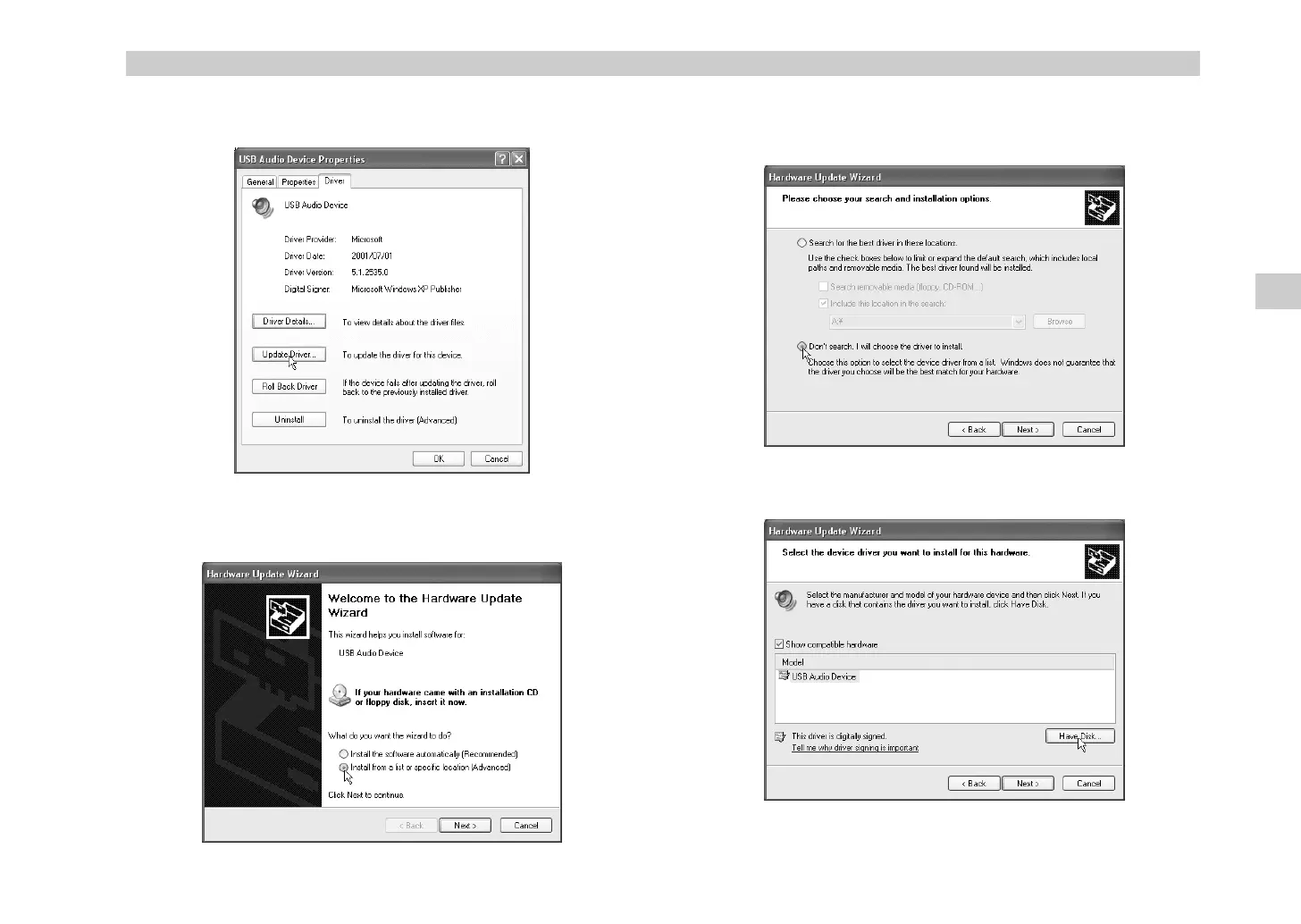
The “USB Audio Device Properties” dialog box will appear. Click the
[Driver] tab
, and then click the
[Update Driver...] button
.
4
The “Hardware Update Wizard” will appear.
In the “What do you want the wizard to do?” field, click
“Install from
a list or specific location”
and then click
[Next>]
.
5
In response to “Please choose your search and installation options”,
you must click
“Don’t search. I will choose the driver to install,”
and
then click
[Next>]
.
6
In response to “Select the device driver you want to install for this
hardware,” click the
[Have Disk...] button
.
Driver installation and settings
* !"



 To Next Page