
 Need help?
Do you have a question about the Krone Fortima F 1250 MC and is the answer not in the manual?
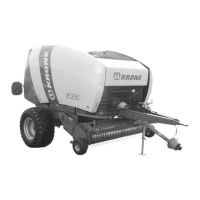
Round baler models Fortima F 1250 (MC) and Fortima F 1600 (MC).
Round baler models Fortima F 1250 (MC) and Fortima F 1600 (MC).
Round baler models Fortima V 1500 (MC) and Fortima V 1800 (MC).
Round baler models Fortima V 1500 (MC) and Fortima V 1800 (MC).
Specifies the operating instructions are valid for specific round baler types.
Information on how to order replacement documents.
Lists related documents required for safe machine operation.
Defines the intended audience and their required qualifications.
Explains navigation aids like table of contents, index, and cross-references.
Defines directional terms (front, rear, left, right) relative to the direction of travel.
Clarifies that 'round baler' is referred to as 'machine' throughout the document.
Explains that figures may not represent the exact machine type but correspond to it.
Notes that the document covers standard equipment, kits, and versions, but deviations are possible.
Explains icons and formatting used in the document for clarity.
Provides metric to US unit conversions for various quantities.
Describes the machine's function and material it compacts into round bales.
States the machine is built exclusively for customary agricultural work.
Details factors affecting service life and maintenance requirements.
Covers general safety principles and warnings.
Outlines minimum physical and knowledge requirements for machine operators.
Specifies requirements for personnel performing assembly, repair, or modification work.
Provides safety measures to protect children from machine-related hazards.
Details safety precautions when connecting the machine to a tractor.
Warns against unauthorized modifications that could impair safety or functionality.
Emphasizes using original or manufacturer-approved parts for operational safety.
Covers safety aspects for the operator and passengers.
Stresses the importance of correct startup and maintenance for safe operation.
Highlights critical parts and actions to take if damage affects operational safety.
Lists technical limits that are important for safety and machine integrity.
Defines safety distances and hazards associated with machine operation.
Ensures safety devices are correctly installed and functional to prevent injury.
Details essential PPE for safe operation and health protection.
Explains the importance and maintenance of safety labels for hazard warnings.
Covers dangers and precautions for driving on roads and in fields.
Provides instructions for securely parking the machine to prevent movement.
Covers safe use, environmental protection, and disposal of operating materials.
Addresses hazards related to fire and electrical shock from overhead lines.
Identifies hazards from noise, high-pressure liquids, hot surfaces, and damaged units.
Covers risks during climbing, working on the machine, and handling raised parts.
Outlines procedures for safe actions during emergencies and accidents.
Details critical procedures for stopping, securing, and supporting the machine.
Provides safety instructions for oil checks and changes to prevent accidents.
Details safe procedures for performing actuator tests to avoid injury.
Explains the purpose and importance of safety labels for hazard warnings.
Lists pre-operation checks and assembly steps for the machine.
Provides step-by-step instructions for assembling the bale ejector.
Guides on adjusting the drawbar height for optimal hitching and working.
Instructions for mounting the protective cap for the tractor's universal shaft.
Details on correctly attaching the universal shaft to the machine.
Explains how to adapt the universal shaft length for safe operation.
Guides on attaching the hose and cable support for proper routing.
Instructions for preparing the wrapping material brake before first use.
Details on mounting and checking triangle spotlights for visibility.
Guidance on checking and adjusting tyre pressure for safe operation.
Steps for safely connecting the machine to the tractor.
Special safety instructions for connecting and handling hydraulic lines.
Detailed instructions for connecting hydraulic control units to the tractor.
Information on the hydraulic brake system for specific export versions.
Guidance on installing and using a hydraulic auxiliary brake.
Safety precautions and steps for installing the PTO shaft correctly.
Instructions for connecting the compressed air brake system.
Steps for connecting the machine's lighting and operation console to the tractor.
Procedure for connecting the KRONE BETA II terminal to the tractor.
Information and connection steps for KRONE ISOBUS terminals.
Instructions for connecting external ISOBUS terminals to the machine.
Guides on connecting KRONE and WTK joysticks for machine operation.
Instructions on the correct use and tensioning of the safety chain.
Introduces the KRONE Medium Operation Panel and its components.
Step-by-step guide for powering the operation panel on and off.
Covers selection of net or twine tying methods for bale wrapping.
Explains how to adjust the number of net layers for bale wrapping.
Details how to set the number of twine wraps based on crop length.
Instructions on how to operate and reset the bale counter.
Guides on switching between blade settings and pick-up operation modes.
Explains how to read and set the baling pressure on the operation panel.
Manual mode instructions for starting the tying process.
Notes the absence of an ISOBUS shortcut button on this terminal model.
Procedure for turning the BETA II terminal on and off.
Details the layout of the KRONE BETA II terminal display sections.
Explains the meaning of icons and indicators in the terminal's status line.
Describes the function of the keys used for machine operation and menu navigation.
Outlines the content and views available in the terminal's main window.
Explains the icons and data displayed in the machine's working screen.
Describes how to access and navigate through the terminal's menu structure.
Provides an overview of the ISOBUS system and its requirements.
Warns that the ISOBUS shortcut button is not an emergency stop switch.
Explains the use of the touch screen for menu navigation and data entry.
Instructions for powering the ISOBUS terminal on and off.
Details the layout of the KRONE ISOBUS terminal display sections.
Explains the meaning of icons and indicators in the terminal's status line.
Describes the function of the keys for machine operation and menu navigation.
Outlines the content and views available in the terminal's main window.
Provides an overview of the ISOBUS system and its requirements.
Notes the absence of an ISOBUS shortcut button on foreign terminals.
Highlights differences in icons and keys compared to KRONE ISOBUS terminals.
Explains the electronic components and communication between job computer and terminal.
Instructions on how to return to the terminal's working screen.
Describes the working screen displaying bale chamber status and related icons.
Explains how to use terminal keys and icons to operate machine functions.
Guides on setting bale diameter using scroll wheel or touch display.
Instructions for setting baling pressure via scroll wheel or touch display.
Details on using joystick for auxiliary functions (AUX) and key assignments.
Explains the auxiliary function (AUX) for programmable joystick keys.
Provides recommendations and customization options for joystick assignments.
Provides an overview of the terminal's menu structure and functions.
Instructions on how to access and navigate the terminal's menu levels.
How to return to the terminal's working screen from any display.
Guides on selecting menus using keys or the scroll wheel.
Explains how to enter or change values within the terminal menus.
Instructions on how to call and save machine settings via the menus.
Provides explanations for icons used in the terminal's settings menus.
Details specific menus like 'Number of Net Layers' and 'Number of Twine Layers'.
Instructions for setting the number of net layers for net tying.
Instructions for setting the number of twine layers for twine tying.
How to set pre-signalling to warn about near bale chamber completion.
Setting the delay time for triggering the tying process with net.
Setting the delay time for triggering the tying process with twine.
Adjusting the sensitivity of the direction display for optimal swath uptake.
Selecting between net tying and twine tying operations.
Correcting bale diameter by adjusting filling parameters.
Manual control of net tying functions via the terminal.
Manual control of twine tying functions via the terminal.
Accessing various counters like customer and total counters.
Details on customer counters, activation, and resetting.
Information on total, season, and operating hour counters.
Configuration options for ISOBUS settings.
Performing diagnostics on auxiliary functions and joystick assignments.
Instructions for changing the terminal's background color.
Configuring TIM software for tractor implement management.
Procedure for switching between different terminal interfaces.
Provides access to various machine settings and tests.
Instructions for testing machine sensors and their possible states.
Safe procedures for testing machine actuators.
Displays software version and certification details.
Accessing technician-level settings, which requires a password.
Describes how error messages are displayed and acknowledged.
Troubleshooting table for net tying malfunctions and their remedies.
Table detailing common malfunctions, possible causes, and remedies.
Troubleshooting guide for issues with the central chain lubrication system.
Troubleshooting steps based on LED indicators on the job computer.
Addresses faults related to TIM functions and sensor issues.
Directs users to the terminal's error message descriptions.
Guidance on proper disposal of machine components and fluids.
Provides hydraulic circuit diagrams for different machine models.
Lists essential settings and checks before starting machine operations.
Guidance on selecting appropriate travelling speed based on crop and conditions.
Instructions for achieving even bale density and avoiding overload.
Steps for starting and completing the tying and wrapping process.
Procedures for relieving load and releasing clamping cylinders after baling.
Instructions on removing and remounting the splash guard for different crops.
Details on adjusting the pick-up working height and default settings.
Information on the shear screw for pick-up and feed auger drives.
Adjusting the roller crop guide height for optimal crop collection.
Instructions for adjusting the baffle plate position for different crop conditions.
Guidance on setting baling pressure based on crop type and required range.
General aspects of the cutting system including rotor and blades.
Determining cutting length based on the number of inserted blades.
Procedure for mechanically switching the cutters off.
Instructions for hydraulically switching blades off for zero setting.
Details on the single blade locking device for blade protection.
Safety procedures for removing crop blockages from the machine.
Instructions for operating the manual and hydraulic reversing devices.
Step-by-step guide for assembling and disassembling the bale ejector.
Information on the floor conveyor chain and driver guide rails.
Explains the function and displays of TIM for tractor-machine data exchange.
Details on the machine's twine box capacity and safety for tying twine.
Information on quadruple twine tying using Beta or ISOBUS terminals.
Emphasizes using authentic KRONE spare parts for safety and warranty.
Provides a schedule for machine maintenance tasks and intervals.
Lists tightening torques for metric thread screws with control thread.
Provides tightening torques for metric thread screws with fine thread.
Lists tightening torques for metric thread screws with hexagonal socket.
Specifies torques for gearbox screws, glasses, filters, and valves.
Instructions for adjusting the tailgate lock mechanism.
Procedures for checking and adjusting the lock hook stop.
Instructions for adjusting the cutting blades of the net wrap system.
Guides on adjusting the distance between the scraper rail and spiral roller.
Adjusting the spring rail for optimal net wrapping.
Instructions for aligning baling pressure indicators.
Adjusting the baling pressure indicator when the tailgate is closed.
Procedure for venting the overload clutch before use.
Instructions on safely grinding blades, including required tools and precautions.
Details the location and specifications for sensors on the left machine side.
Details the location and specifications for sensors on the right machine side.
Procedure for setting sensors B9/B10 for baling pressure indication.
Procedure for setting sensors B9/B10 for bale diameter measurement.
Setting sensors B14/B15 for bale chamber open/ejection status in TIM version.
Instructions for setting the B30 sensor for blade monitoring.
Procedure for setting the B31 sensor for engine central position.
Information on checking power supply voltages via U1.
Maintenance recommendations for the drawbar and its components.
Details on wear limits and maintenance for towing ring and hitch combination.
Location and checks for the main gearbox oil level and change.
Step-by-step guide for checking and changing gearbox oil.
Specifies intervals for oil checks and changes for machine gearboxes.
Safety warnings and information regarding drive chains and lubrication.
Instructions for checking and correcting chain tension on the front floor conveyor.
Procedures for shortening the rear and front floor conveyor chains.
Safety warnings and guidelines for correct tyre fitting and pressure.
Instructions for wheel nut tightening and tyre pressure checks.
Safety precautions and checks for the brake system.
Details on maintaining full stroke and small air gaps for effective braking.
Instructions for adjusting cam brakes for compressed air and hydraulic systems.
Guidance on readjusting brake activation if effectiveness diminishes.
Safety warnings and procedures for attaching or removing spring-tensioned blades.
Procedure for mechanically switching off the cutting unit.
Instructions for unlocking the blade shaft using a key.
How to adjust sensors for proper detection and operation.
Covers settings related to the tying unit, including twine brake adjustment.
Explains how to set the twine limiter based on crop length and type.
Detailed steps for adjusting twine brake tension for correct twine cutting.
Procedure for loosening the twine brake for maintenance or adjustment.
Instructions for adjusting the idler roller for correct twine feeding.
How to adjust sensors for proper twine feeding and cut-off.
Guidance on adjusting net brake tension for proper net wrapping.
Setting dimensions for the compression spring of the additional net brake.
Procedure for loosening the net brake for adjustment or maintenance.
Instructions on turning the net spreader for optimal net width.
Steps for re-adjusting magnetic transmission gap for correct twine wrapping.
Description and display of the central chain lubrication system.
Procedures for adjusting the switching time of the automatic floor conveyor stop.
 General
| Brand | Krone |
|---|---|
| Model | Fortima F 1250 MC |
| Category | Lawn and Garden Equipment |
| Language | English |






 To Next Page