KW Aufzugstechnik GmbH OPERATING MANUAL DAVID-613
DAVID-D613-V125-E 13.04.2021 Page - 244 -
2.0 Check the Software Settings
Before starting the teach-in, you should read the specifications in the
attachment parameters A4 and the shaft copying menu B43.
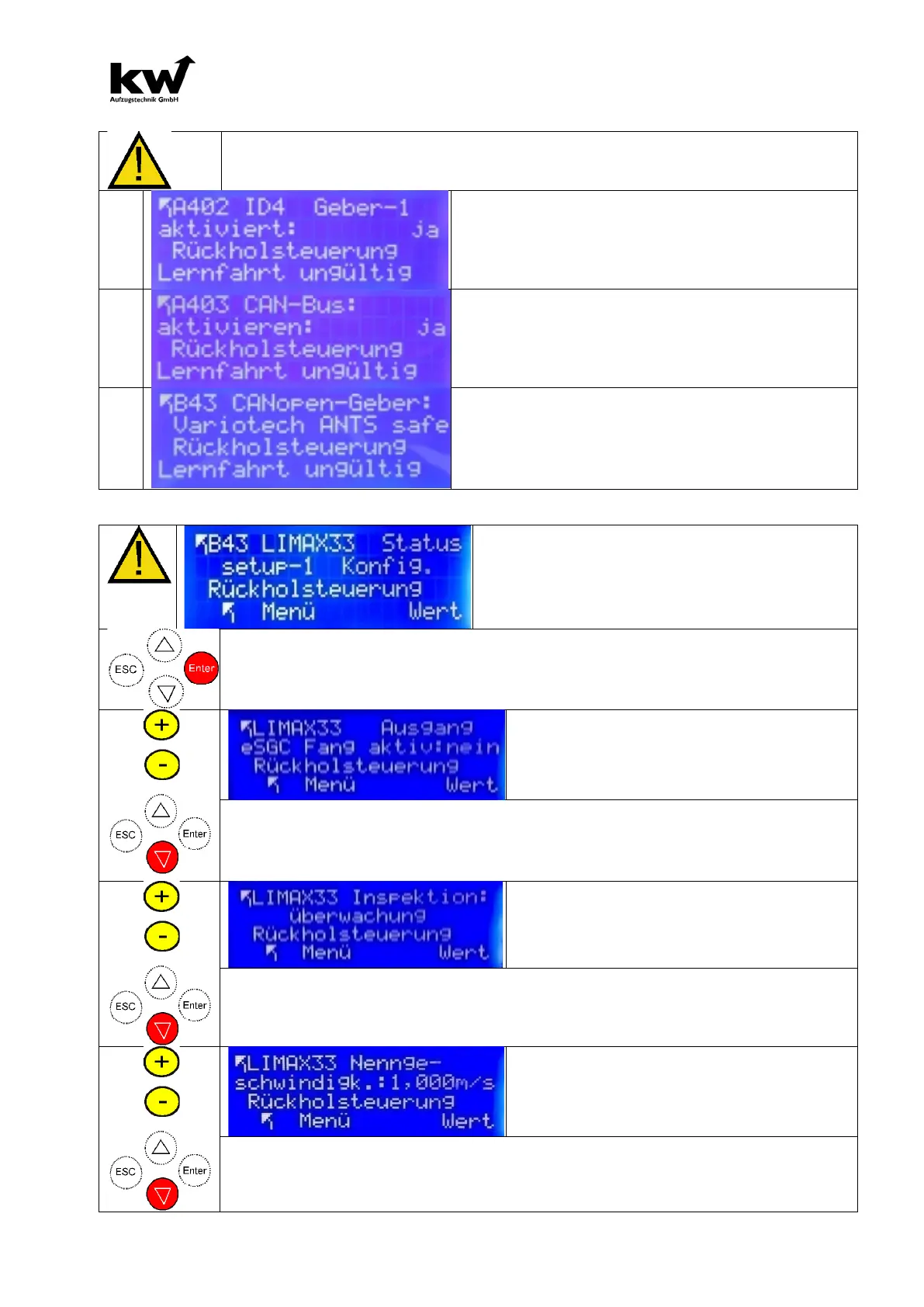
The CANopen shaft copying system must be in-
stalled properly. The activation then takes place in
the CANopen menu A402, in which a YES is en-
tered for encoder 1 activated.
In menu A403 the CAN bus must be switched on.
This is done by activating in the menu item CAN bus:
a YES.
A SAFE shaft copying system should be set in menu
B43 CANopen encoder. The following selection is
made:
LIMAX-33CP SAFE
3.0Teach-In Setup-1
Setup-1 config. means that the LIMAX33CP
has not yet done a basic configuration. The
basic configuration is only possible once
and is usually carried out before delivery!
3.1 Input – electromagnetic safety gear?
The option "yes" is only required if an electrical catch is to be controlled directly by
the electronic output eSGC on the LIMAX33CP.
Normally (Stand2019-02) this is not the
case. Therefore the following entry:
No
3.2 Input - Monitoring the Inspection ?
The LIMAX CP33 offers the options for inspection operation: monitoring / no ca-
bling. The monitoring mode monitors the inspection speed and the optional in-
Basically, we always select monitoring
mode to comply with EN81-20. The follow-
ing entry:
Monitoring
3.3 Input - Nominal Speed ?
The SIL-3 shaft copying system is capable of detecting overspeed at 115% of
rated speed. For this it is necessary to enter the rated speed.
Entering the rated speed of the Elevator
system in:
3.4 Input - Delay control?
If there is a reduced pit head and / or a reduced pit, the delay control ETSL must
be switched on.



 To Next Page