4.4 Clearing Paper Jams
4-21
9
99
9
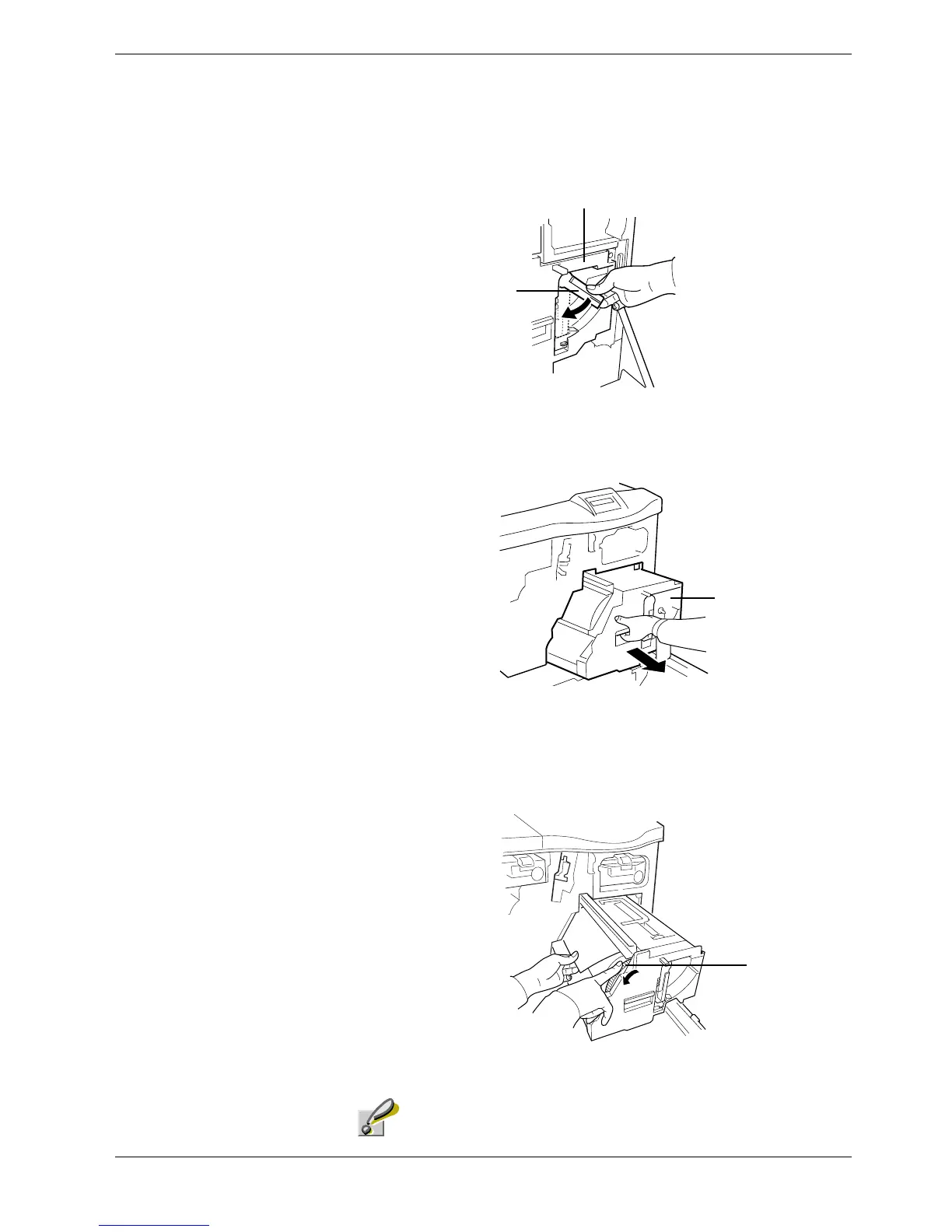
Set the green lever on the front of the primary transfer unit clockwise to the position
of six o’clock (usually this lever is in a position of four o’clock). This unlocks the
primary transfer unit.
Figure 4-15
10
1010
10
Grasp the handle at the end of the primary transfer unit and pull the unit out.
Figure 4-16
11
1111
11
Turn the wheel (with gear teeth) on the right-hand side of the primary transfer unit
away from you. The primary transfer unit will turn at the same time. Remove the
jammed paper.
Figure 4-17
Use care not to touch the drum component of the primary transfer
unit.
Green Lever
Primary Transfer Unit
Primary Transfer Unit
Gear teeth
Caution



 To Next Page