4.4 Clearing Paper Jams
4-20
7
77
7
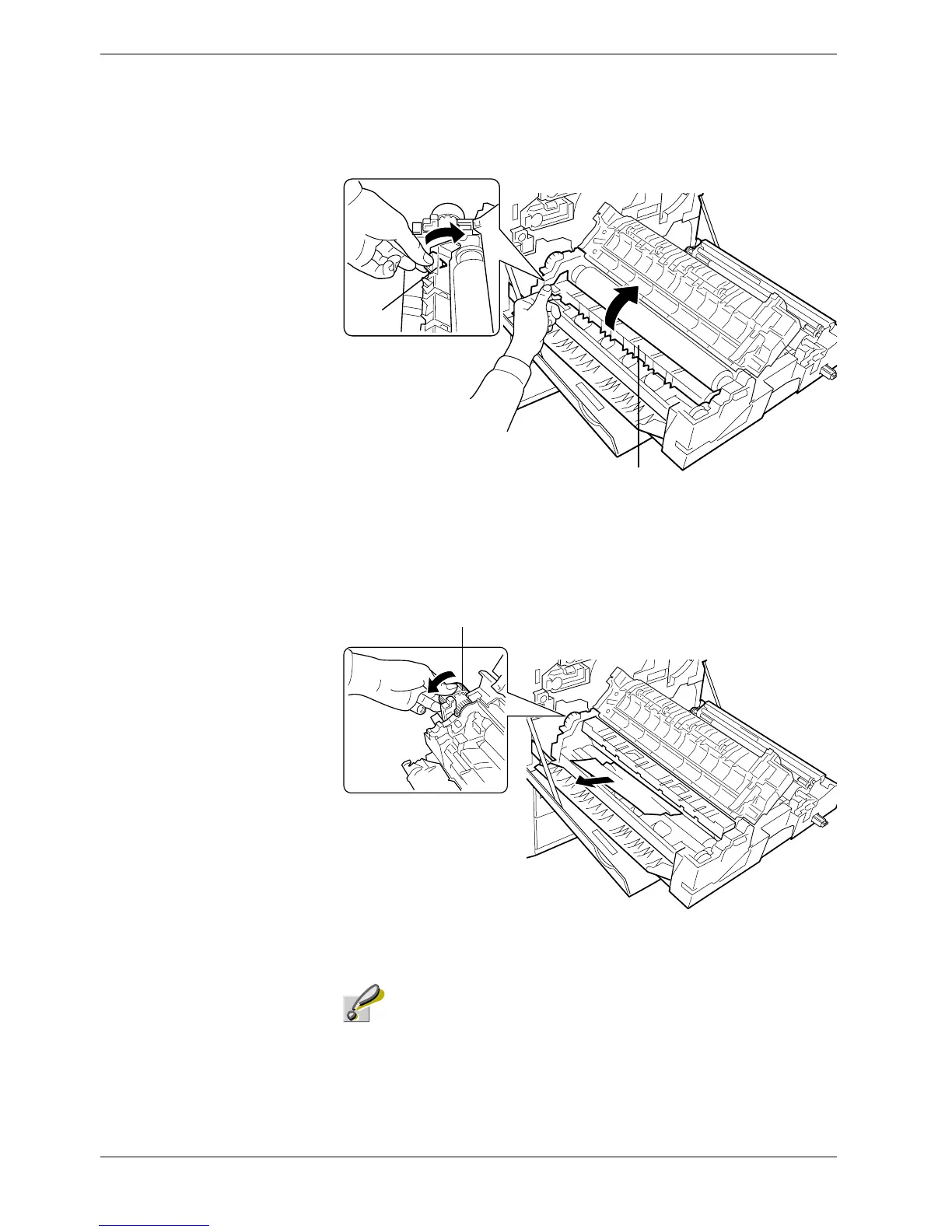
If the paper is hard to remove, raise the sub-cover by grasping the clip marked as A
on the rear side while removing the paper.
Figure 4-13
8
88
8
If the paper winds around the fuser roller, turn the wheel on the left-hand side of the
fuser unit toward you. The jammed paper will be driven out. Remove the jammed
paper.
Figure 4-14
Rotate the wheel only in the direction illustrated in the diagram.
Clip
Sub-cover
Wheel
Caution



 To Next Page