dV-DOSC dV-SUB Manual V3.0 June 2005 65
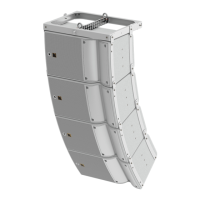
In dV-DOSC ARRAY#1 or dV-DOSC ARRAY#2 cells, the designer enters the number of dV-DOSC
enclosures (24 maximum), the offset distance (in the x dimension), elevation of the bumper and the
autofocus adjust angle.
By default, ARRAY 2004 automatically focuses the top dV-DOSC enclosure to the rear of the audience
geometry defined in Cutview 1. Autofocus adjust can be used to adjust the overall focus of the array
and DOES NOT CORRESPOND TO THE TILT ANGLE OF THE dV-DOSC BUMPER.
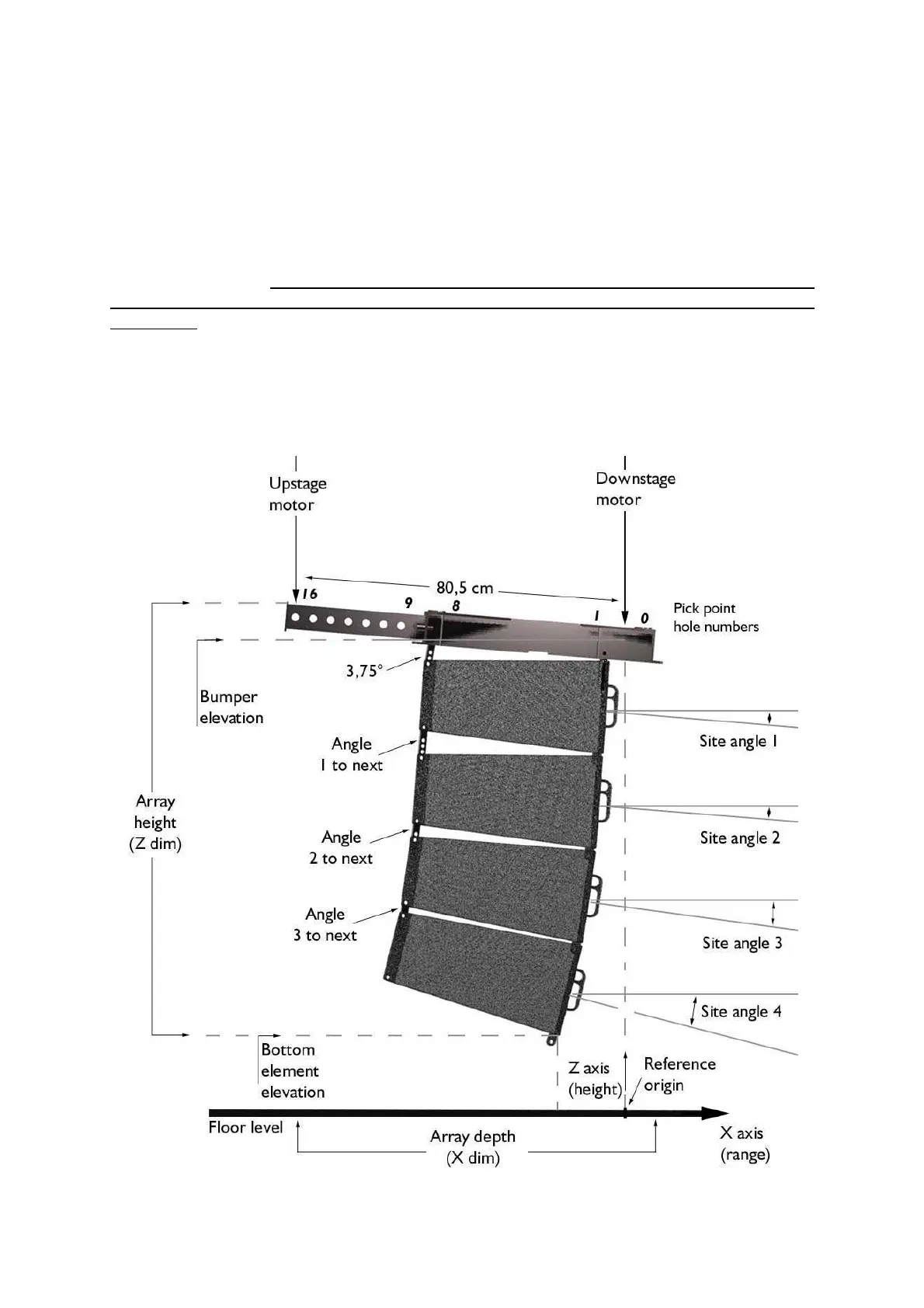
Note: The site angle for dV-DOSC enclosure #1 is equal to the dV-BUMP site angle provided that a 3.75°
angle bar is used at the rear to connect enclosure #1 to the bumper (to compensate for the trapezoidal
angle of the enclosure). The 3.75° angle should always be used to attach the top dV-DOSC to dV-BUMP –
this allows a laser and/or remote digital inclinometer to be mounted on the dV-BUMP to set the focus of the
top enclosure.
The designer then chooses the angular spacing between enclosures from the available values in the
pull down menu (0°, 1°, 2°, 3°, 3.75°, 4.5°, 5.5°, 6.5°, 7.5°). The colored lines show the site angles for
individual enclosures, where each line is aligned with the middle of its respective dV-DOSC. Note that
the displayed top block corresponds to the dV-DOSC bumper, not the first enclosure of the dV-
DOSC array.
Figure 45: ARRAY 2004 Geometric Data for dV-DOSC



 To Next Page