d2, 2big, and 5big Network 2 User Manual 117
UPDATE PRODUCT OPERATING SYSTEM
Important info: The following explanation assumes your NAS is running LaCie NAS OS 2.2 or later. If your
NAS is running LaCie NAS OS 2.0 or 2.1, refer to this page. Confirm your NAS' OS version by navigating in
the Dashboard to the Support page.
This chapter explains how to update your LaCie NAS' operating system and how to reset it to factory conditions.
LaCie may improve your LaCie NAS' software or add new features over time. See below for updating information.
Note that there are two ways of checking for new product software, from the Dashboard or using LaCie Network
Assistant.
UPDATE USING THE DASHBOARD
Launch the Dashboard as described in Administration (Dashboard) and navigate to the Support page.1.
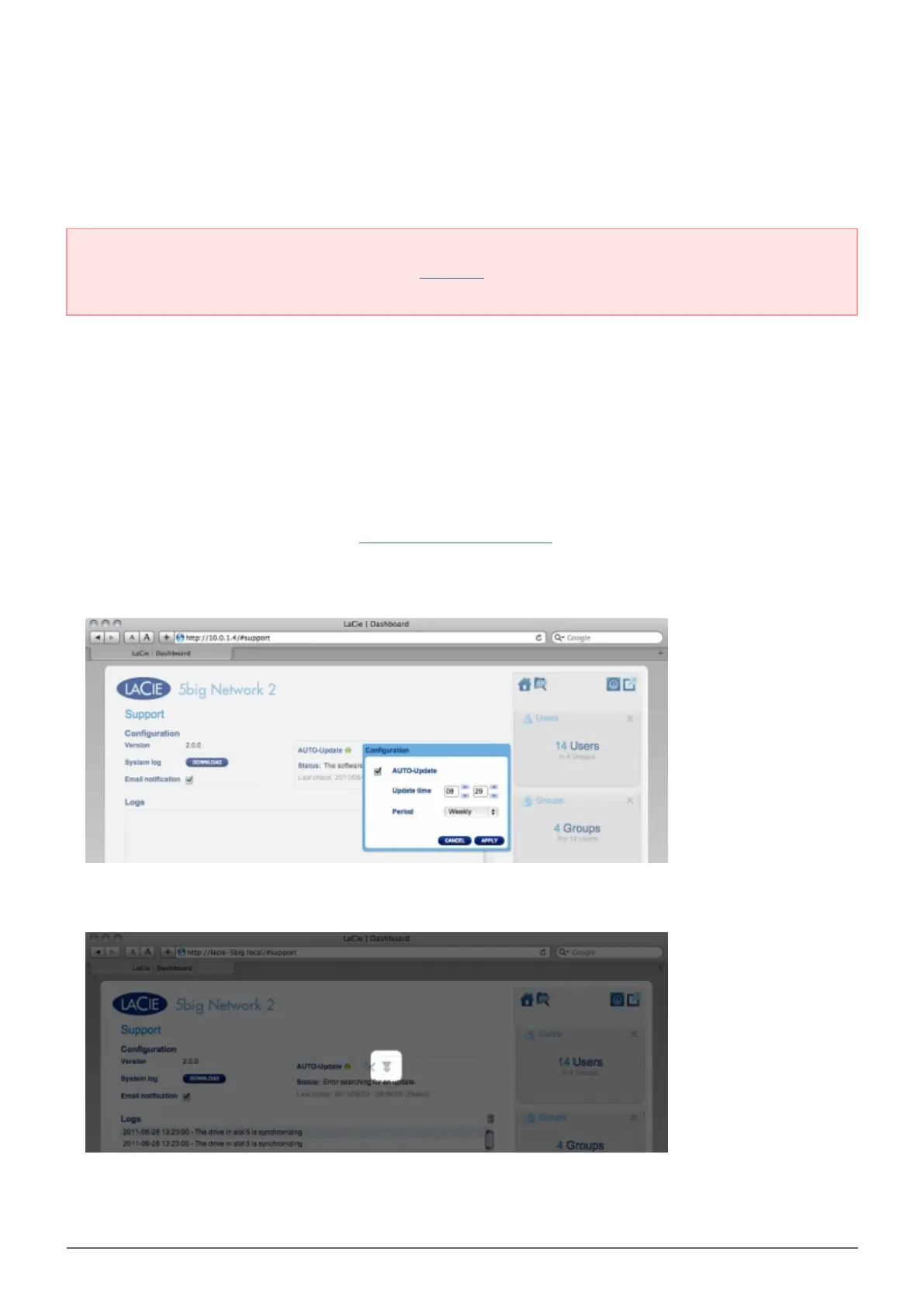
To set up your NAS to update itself automatically, Under Auto Update, click the configuration icon. Then2.
click the AUTO-Update box and select a frequency and time for the NAS to check the update server.
Check for an update manually by clicking the gray downward arrow.3.
If a link appears, click it to begin the download.














 To Next Page