d2, 2big, and 5big Network 2 User Manual 73
Enable Netbackup Server
Your NAS can be used by another NAS, whether it's on the same network or is remote, as a target for backup.
This function must be activated before it will function. A non-LaCie NAS must be rsync compatible. To activate
the service:
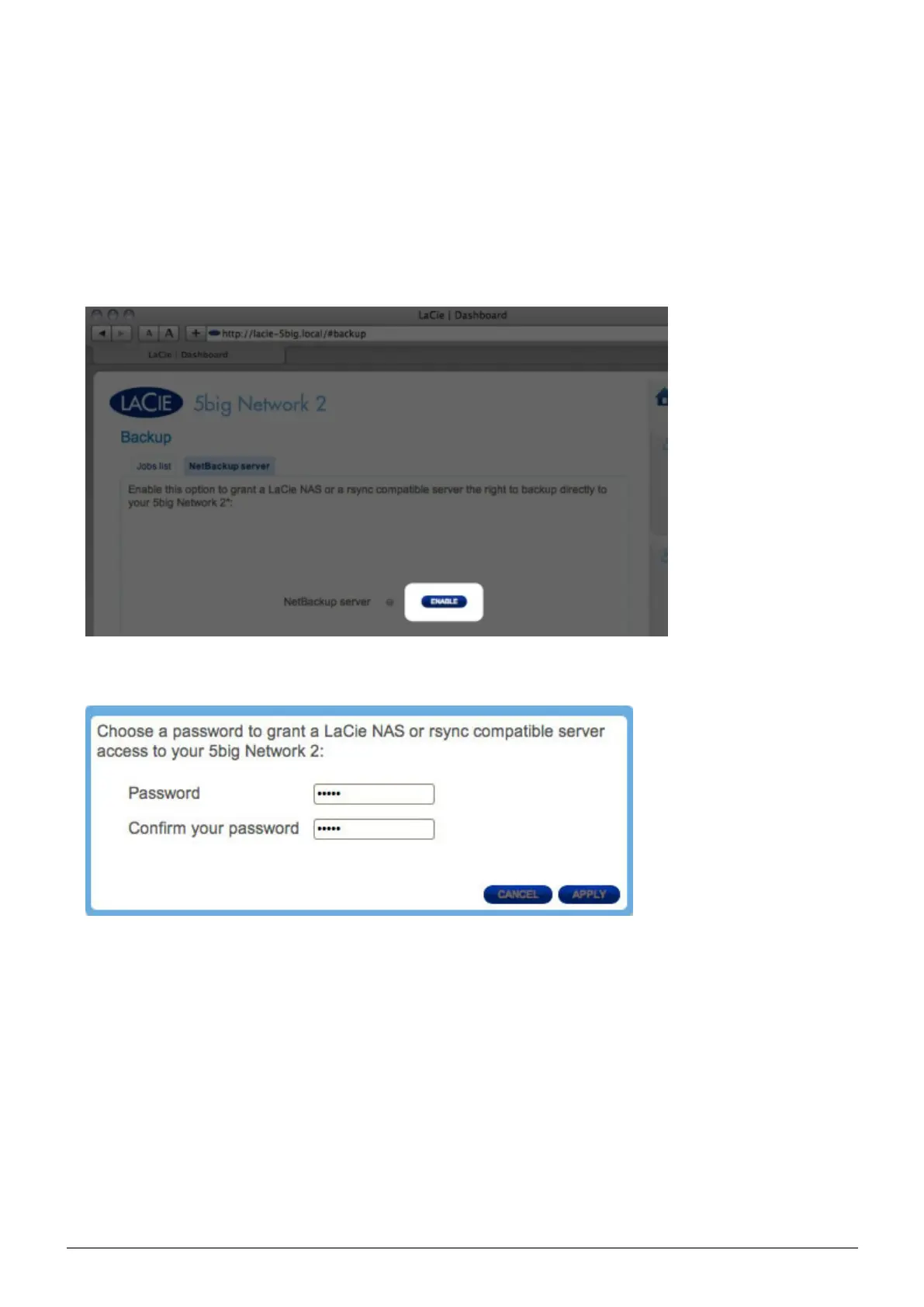
From Dashboard > Backup, click the Netbackup Server tab.1.
Click the ENABLE button.2.
Choose a password. This password will protect your NAS from unauthorized access through the rsync protocol.3.
The next screen will list all the parameters you will need in order to create a backup job on the other NAS4.
targeting your LaCie NAS. Note that you can click the magnifying glass to view the password.














 To Next Page