d2, 2big, and 5big Network 2 User Manual 3
MINIMUM SYSTEM REQUIREMENTS
Computer with an Ethernet network adapter
■
Latest version of Windows® XP, Windows Vista®, Windows Vista 64-bit, Windows 7 / Mac® OS X 10.5, 10.6,
■
10.7 / Linux 2.6
Minimum free disk space: 600MB recommended
■
Ethernet switch or router
■
Web browsers: Internet Explorer™ 7.0 / 8.0 Firefox™ 3.0, Safari™ 3.0, or Chrome 2.0 or higher
■
Important info:
Your LaCie product's performance can be affected by such external forces as network activity, hardware,
distance, and setup.
For optimal performance, use a Gigabit Ethernet router and a Gigabit Ethernet board in your host computer.
VIEWS OF THE DRIVES
Front View
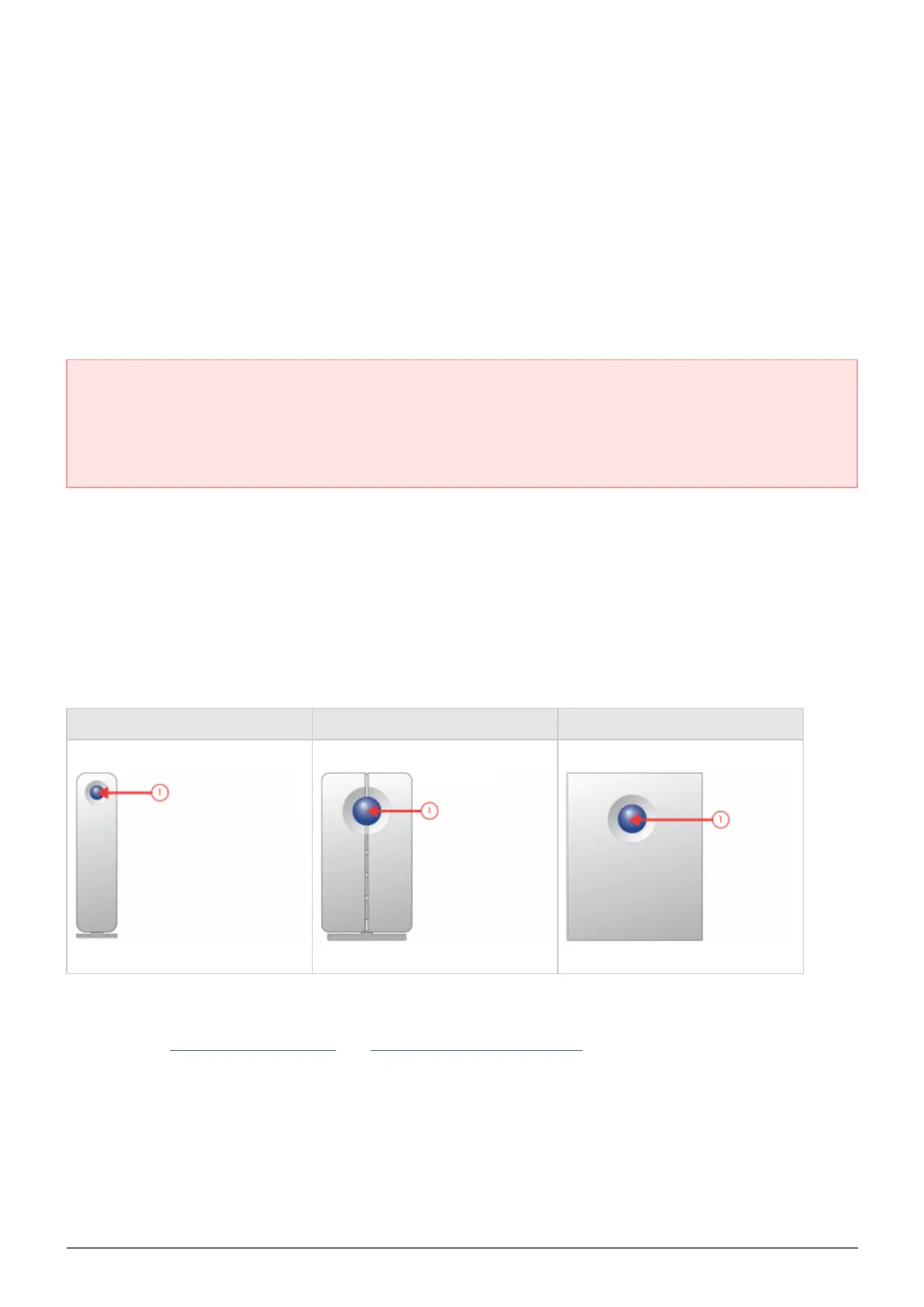
d2 Network 2 2big Network 2 5big Network 2
Button and Activity LED: The blue button stays on to show disk activity (unless you turn it off using the1.
Dashboard, the administration tool) and can also be configured to put it to sleep or wake it from sleep. For
details, see Power Button Functions and Dashboard - Eco Management.














 To Next Page