d2, 2big, and 5big Network 2 User Manual 88
forwarding, or if you are using a proxy, the proxy configuration could be preventing the remote connection.
If the issue is related to your router, you will need to access its administration page in order to forward a port
(by default, 8080), which will create a path from your NAS to the internet. Refer to your router's documentation
for details.
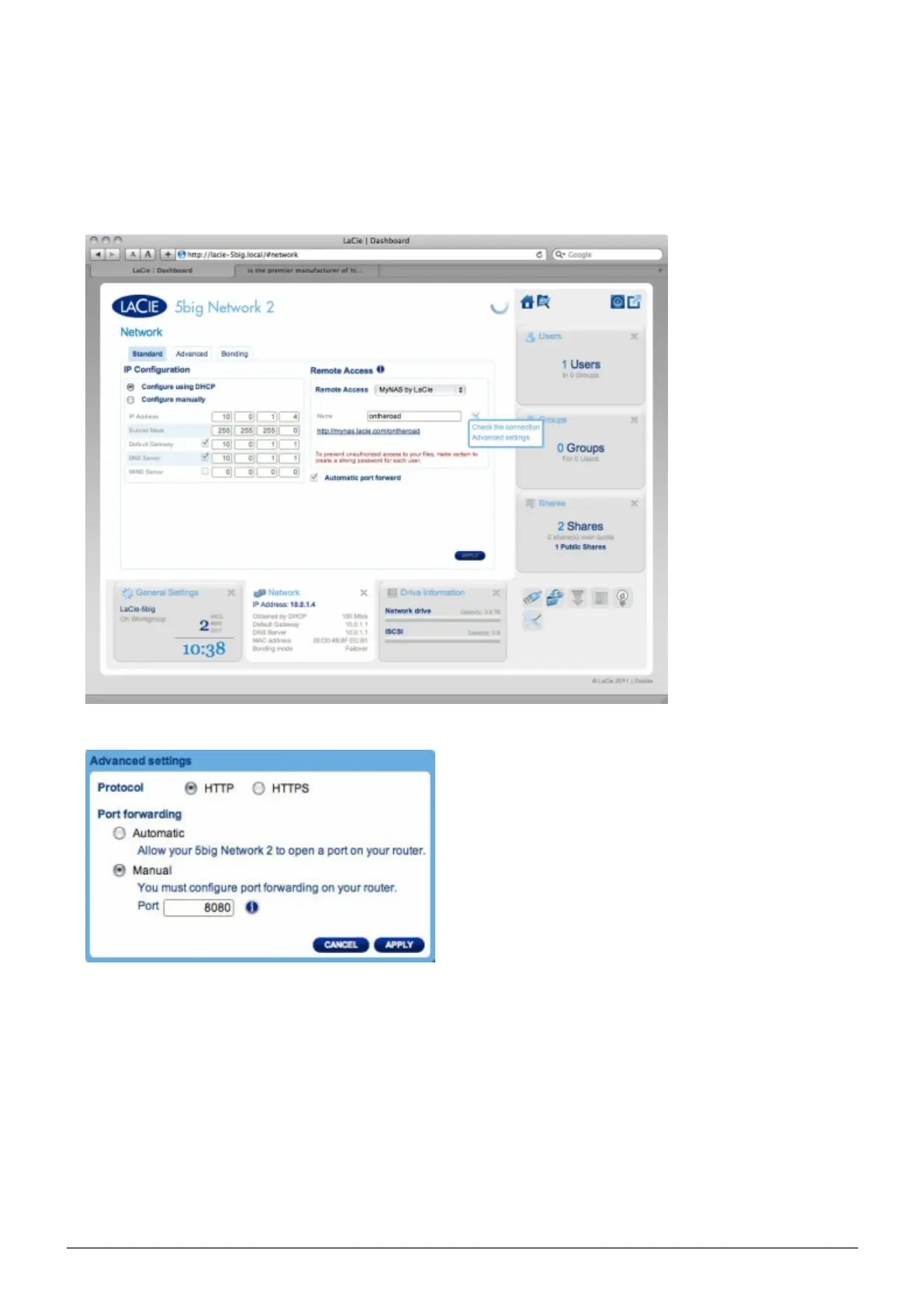
Once your router has been configured, return to the Dashboard > Network page.1.
Next to the Name field, click the configuration icon, then select Advanced settings.2.
(If you do not see the configuration icon next to the Name field, first type a name and then click Apply, and
the icon will appear.)
In the dialogue window that appears, click manual.3.
Next, identify which port your forwarded in your router.4.
Click Apply.5.
Retry the remote access connection.6.














 To Next Page