5. OPERATION - FOCUSING
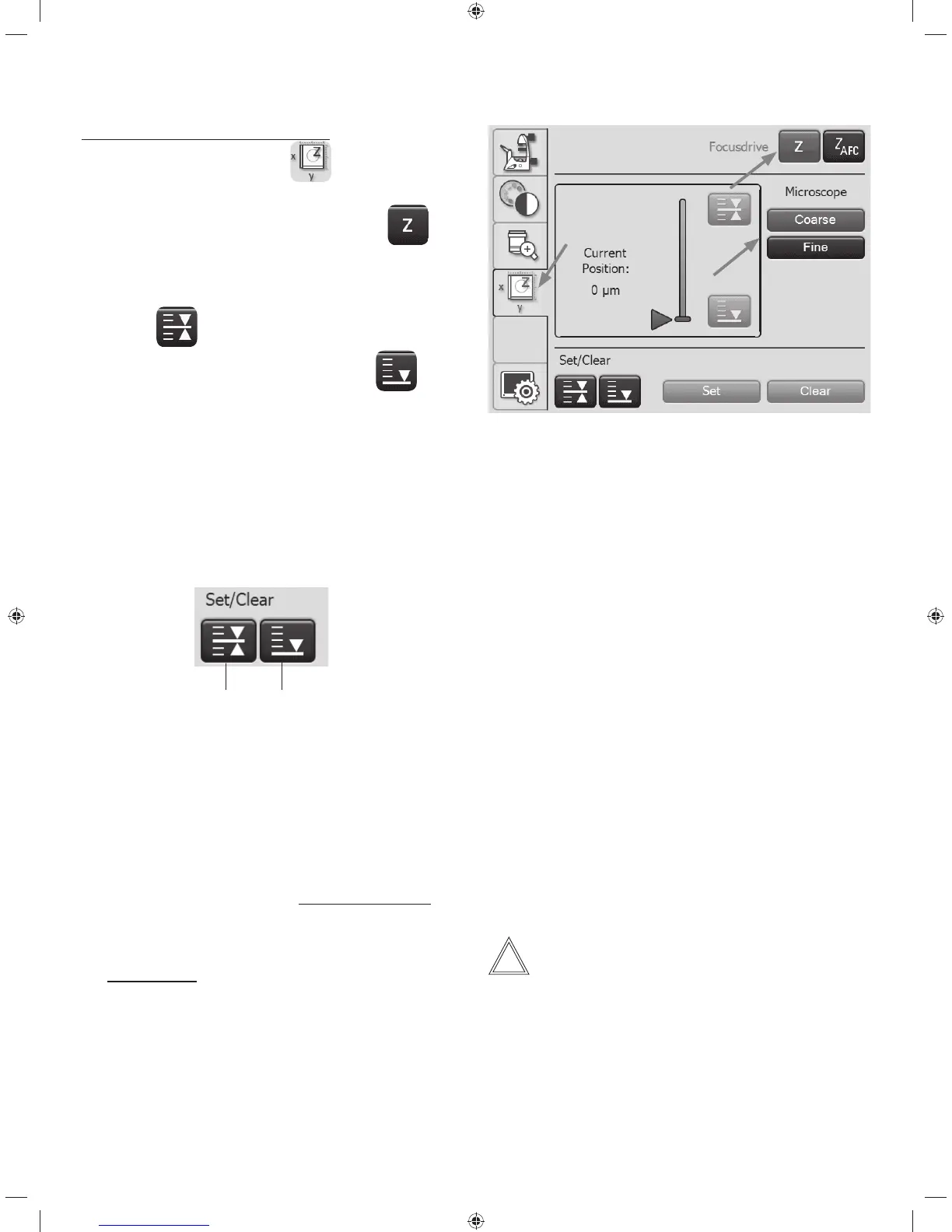
Setting the focus via the Touch Screen
t0OUIF5PVDI4DSFFOVTFUIF
key for switching to
stage and focus controls.
t4FMFDUUIFFocus Drive menu using the
key.
The current Z position is shown in the information field.
t8IFOUIFfocus position is set, it can approached directly
using the
key.
When the lower threshold is set, use the
key to
reach the lower threshold.
The Z drive continues only as long as the button is held
depressed. The process can be interrupted at any time to
prevent a collision of the objective and specimen in case
of an incorrectly set lower stop.
t5PTFUPSDMFBSUIFGPDVTQPTJUJPOPSUIFMPXFSthreshold,
select the corresponding position under Set/Delete, then
press the Set or Delete key.
Focus position Lower stop
5.7.3 Adjusting the step sizes
Leica DMi8 with motorized focus/closed loop
t6TFCoarse and Fine to switch between coarse and fine
focusing at the stand handwheel or the focus knob of the
Leica SmartMove as applicable.
The Fine value is adapted to the respective objective. The
values are predefined logically. You can change the alloca-
tion using the LAS X software.
If the Coarse value is selected, the travel speed is the same
for all objectives. Coarse corresponds to the maximum
speed.
Note:
The allocation of a certain step size to an objective applies
not only for the z-drive, but also for defining the stage step
size, which is allocated to this objective after selecting Fine.
56



 To Next Page