5. OPERATION - SEL ECTING THE PORT
5.8 Selecting the ports
t5IFtop port can be operated manually using the switch
rod (see Tube Operation).
Leica DMi8 with manual or manually encoded ports
The manual switch rod on the right side of the stand en-
ables or disables the left side port.
VIS LEFT
100 % 0 %
20% 80 %
Alternatively: 0% 100%
Leica DMi8 with motorized ports
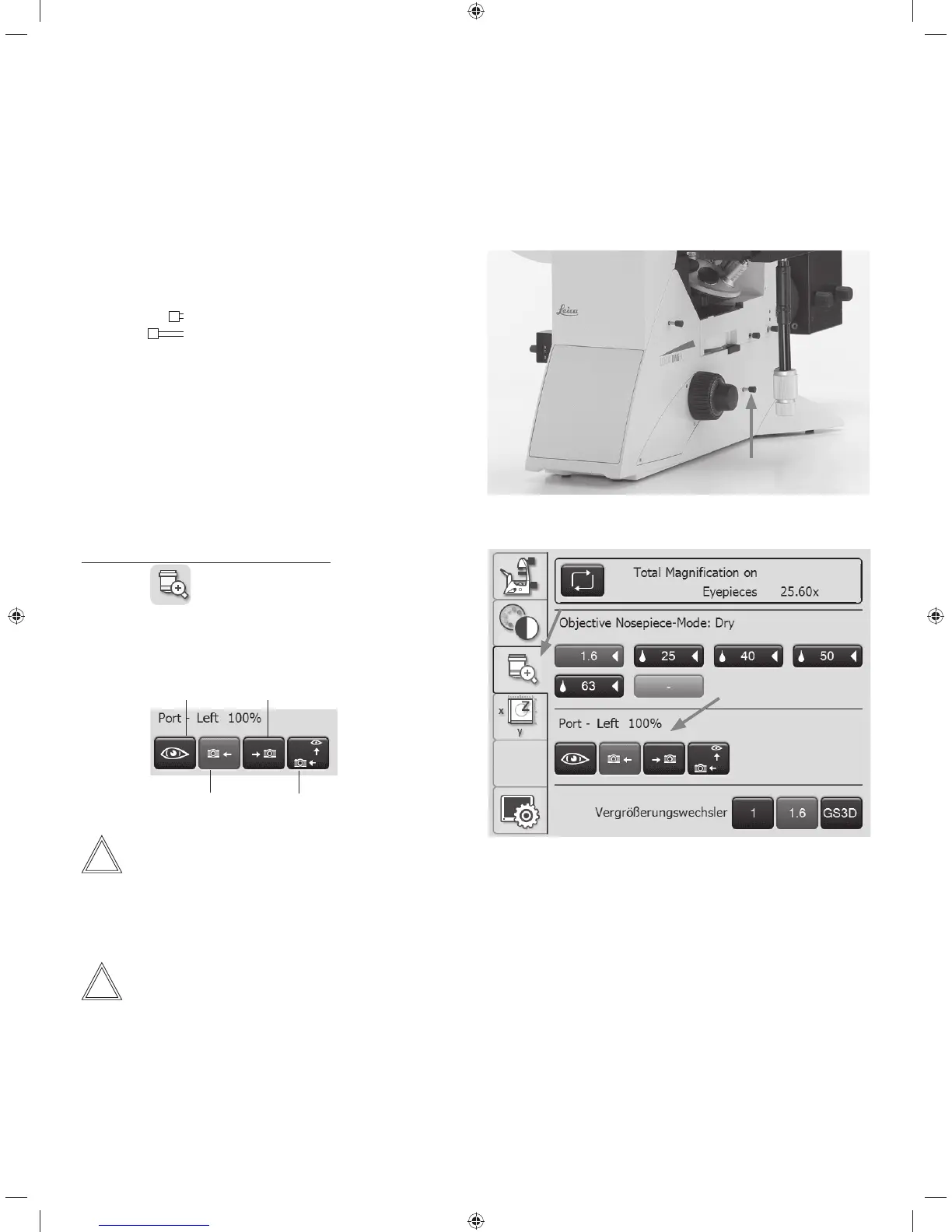
Setting the ports via the Touch Screen:
t6TFUIF
key to switch to the Magnification menu.
t4FMFDUUIFSJHIUPSMFGUTJEFQPSUVTJOHUIFDPSSFTQPOEJOH
key or point 100% of the light at the eyepiece.
Left side port
Right side port 100% VIS
Bottom port
Note:
The "Select the bottom port" function can be assigned
to one of the variable function keys on the stand or Leica
SmartMove.
Note:
Side ports not in use must by covered with cover caps.
58



 To Next Page