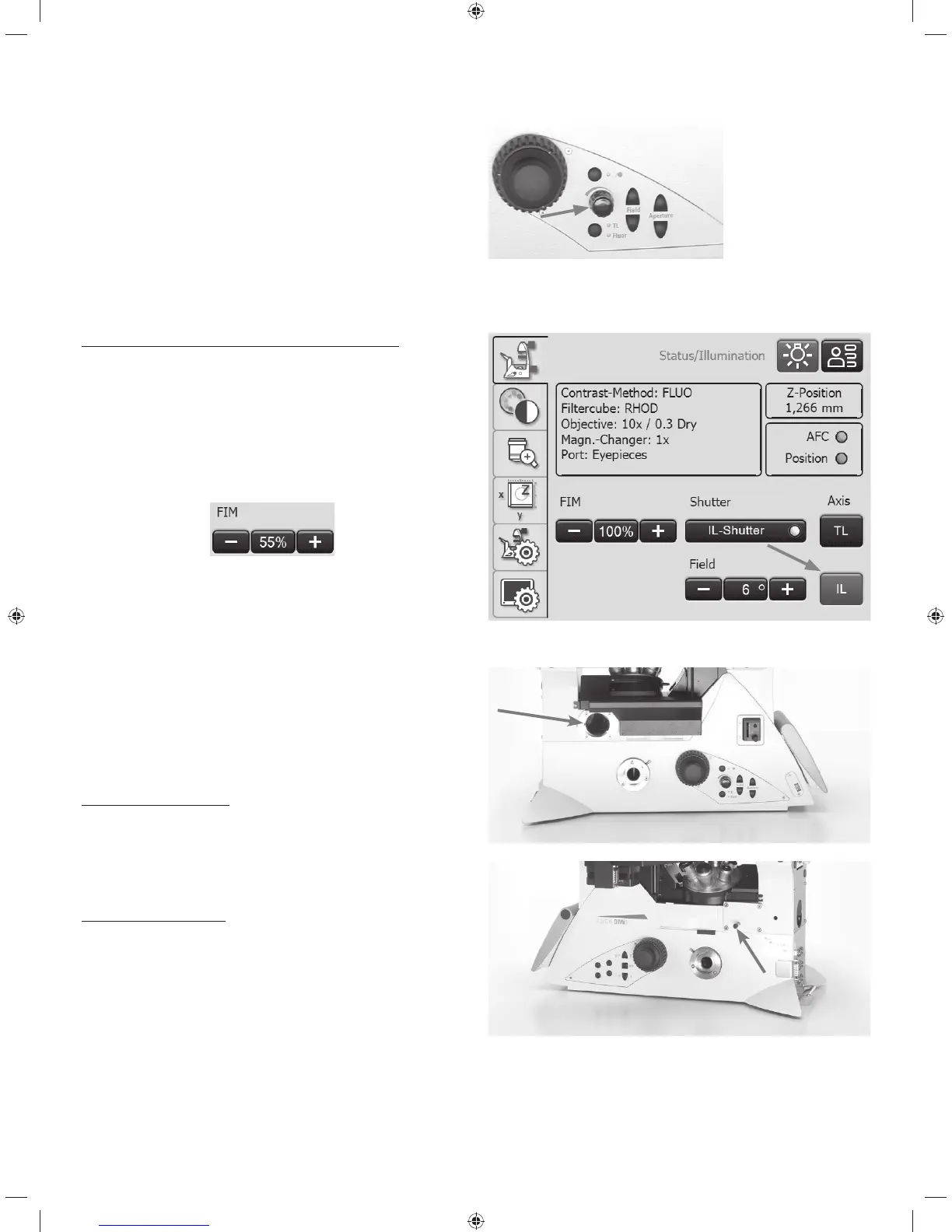
5. OPERATION - ILLUMINATION
t8IFOVTJOHUIFFluorescence Intensity Manager (FIM):
The brightness is adjusted in 5 defined increments on the
brightness adjusting knob:
100% / 55% / 30% / 17% / 10%
Setting the fluorescence using the Touch Screen:
t*GOFDFTTBSZTXJUDIPWFSUPUIFnVPSFTDFODFBYJT'MVPS
with the IL button.
t8IFOVTJOHUIF'MVPSFTDFODF*OUFOTJUZ.BOBHFS'*.
The brightness is adjusted in 5 defined increments on the
brightness adjusting knob:
100% / 55% / 30% / 17% / 10%
5.2.3 Infinity port
If the microscope is equipped with an infinity port, in addi-
tion to the rear output, there is another access to the fluo-
rescence axis on the left/right side of the stand.
The infinity port is equipped with a mirror or a prism.
Infinity port with mirror
t5IFJOmOJUZQPSUTMJEFCBSPOUIFSJHIUMFGUTJEFPGUIFTUBOE
guides 100% of the light to the rear output (mirror swung
out) or 100% of the light to the left/right output (mirror
swung in).
Infinity port with prism
t5IFJOmOJUZQPSUTMJEFCBSPOUIFSJHIUMFGUTJEFPGUIFTUBOE
guides 100% of the light to the rear output (prism swung
out) or 50% of the light each to the rear and left/right out-
put (mirror swung in).
44



 To Next Page