4. OVERVIEW OF THE INSTRUMENT
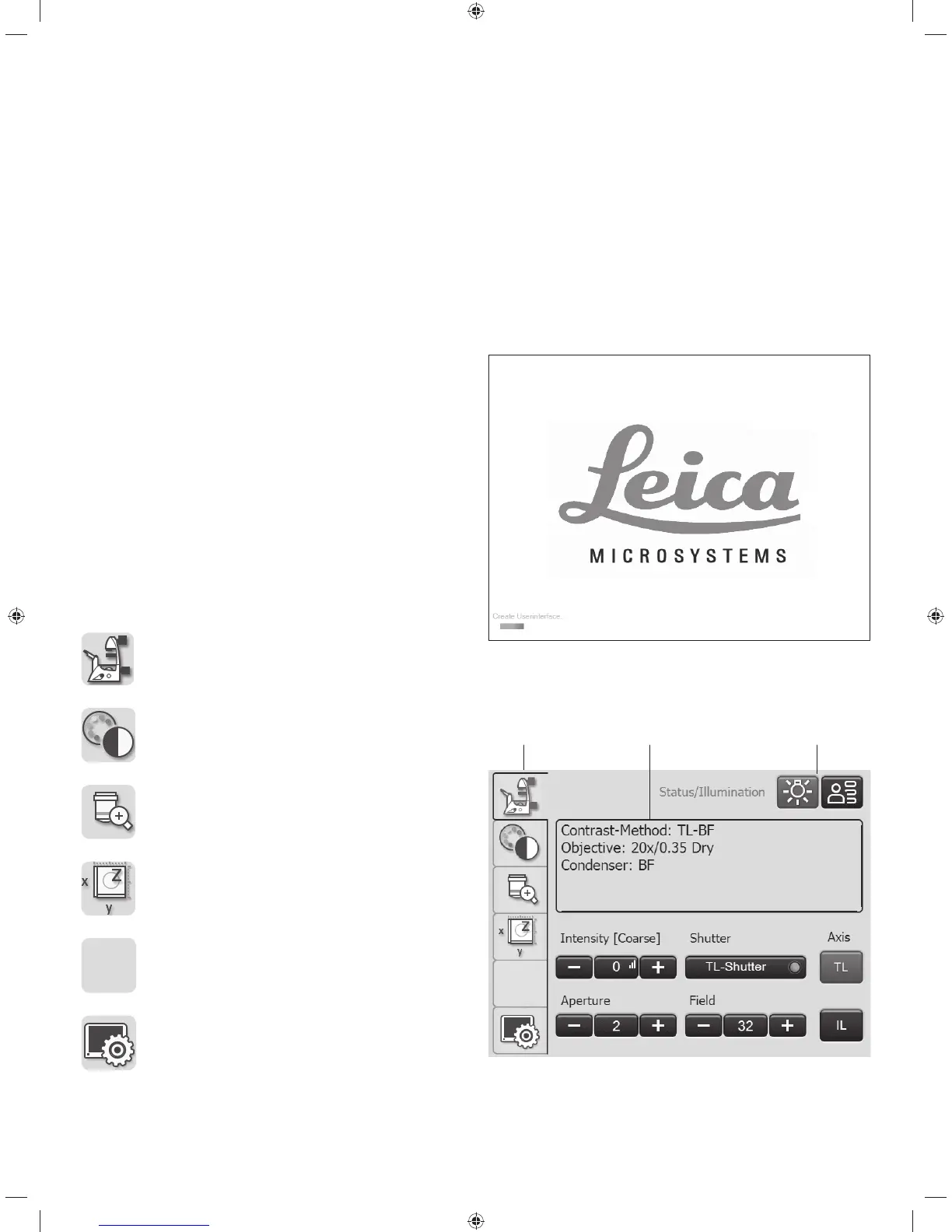
4.4.3 The Touch Screen
The Touch Screen adjusts all motorized components of
the Leica DMi8 automatically via buttons. After the device
is switched on, the display shows the current microscope
status. The display and functions that can be operated us-
ing the Touch Screen depend on the features of the indi-
vidual microscope.
The meanings of the most important pictograms are listed
in the Appendix o S. 95
The display shows various levels of operation:
Level 1: Navigation bar
Level 2: Menu bar
Level 3: Control panel fi eld
When you select a pictogram in the navigation bar (on the
left-hand border of the display), the corresponding menu
bar (on the top border of the display) is shown. The display
on the control panel changes accordingly. For some func-
tions, an additional information fi eld appears above the op-
erating keys.
The navigation bar allows you to quickly move between
navigation items:
Basic microscope settings
Contrast methods
Magnifi cation
Stage and focus controls
Optional
Touch screen settings
Navigation bar Menu barControl panel
Touch Screen after initialization
Initialization
34



 To Next Page