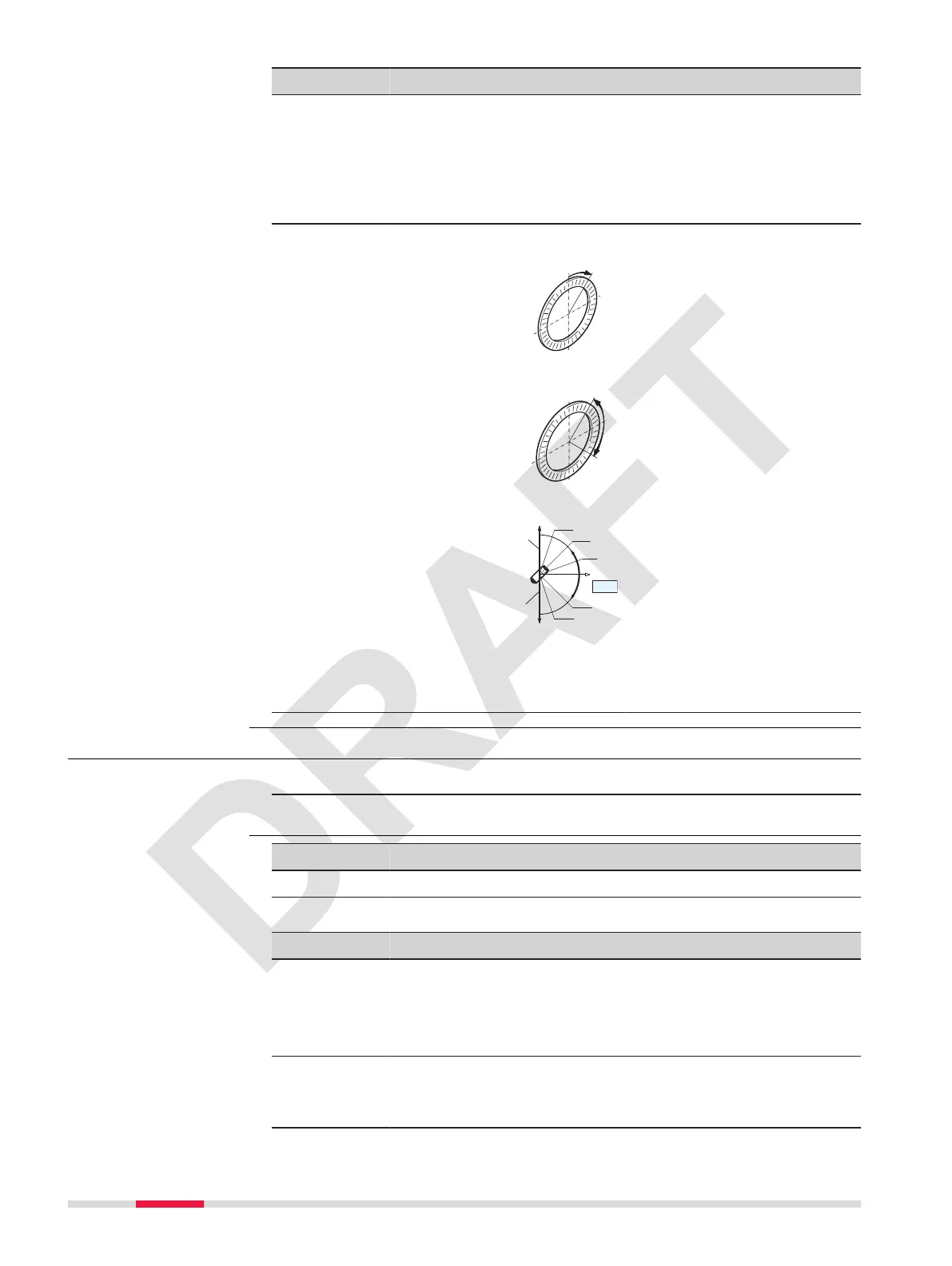
Field Option Description
Hz <=> : Right Set horizontal angle to clockwise direction
measurement.
Left Set horizontal angle to counter-clockwise
direction measurement. Counter-clockwise
directions are displayed but are saved as
clockwise directions.
V Setting: Sets the vertical angle.
Zenith
Zenith=0°; Horizon=90°.
HZ0
Zenith=90°; Horizon=0°.
Vertical angles are positive
above the horizon and neg-
ative below it.
Slope %
Slope %
+300 %
+100%
+18 %
0°
-100 %
-300 %
20°
45°
71°34”
360s
gon
-50 gon
-79,5 gon
--.--%
--.--%
±VA
45°=100%; Horizon=0°.
Vertical angles are expressed
in % with positive above the
horizon and negative below
it.
☞
The % value
increases rapidly.
--.--% appears on
the display above
300%.
5.3 Display Settings
1. Select Setting from the Main Menu.
2. From the Setting menu, select Display Setting.
Key Description
OK To conrm the entered values and to continue the process.
Description of elds
Field Option Description
Meas.
Mode:
Sets which screen is accessed after the
instrument is turned on.
AGMeas Startup with angle measuring screen.
DTMeas Startup with distance measuring screen.
HD&VD/SD: HD&VD Horizontal distance to the point.
Vertical angle to the point.
SD Slope distance to the point.
Access
Display Setting
38 Settings



 To Next Page