Next step
Measure to the rst and second prisms using Meas, enter the distance
between the two prisms and the result screen Double DT Offset screen is
displayed.
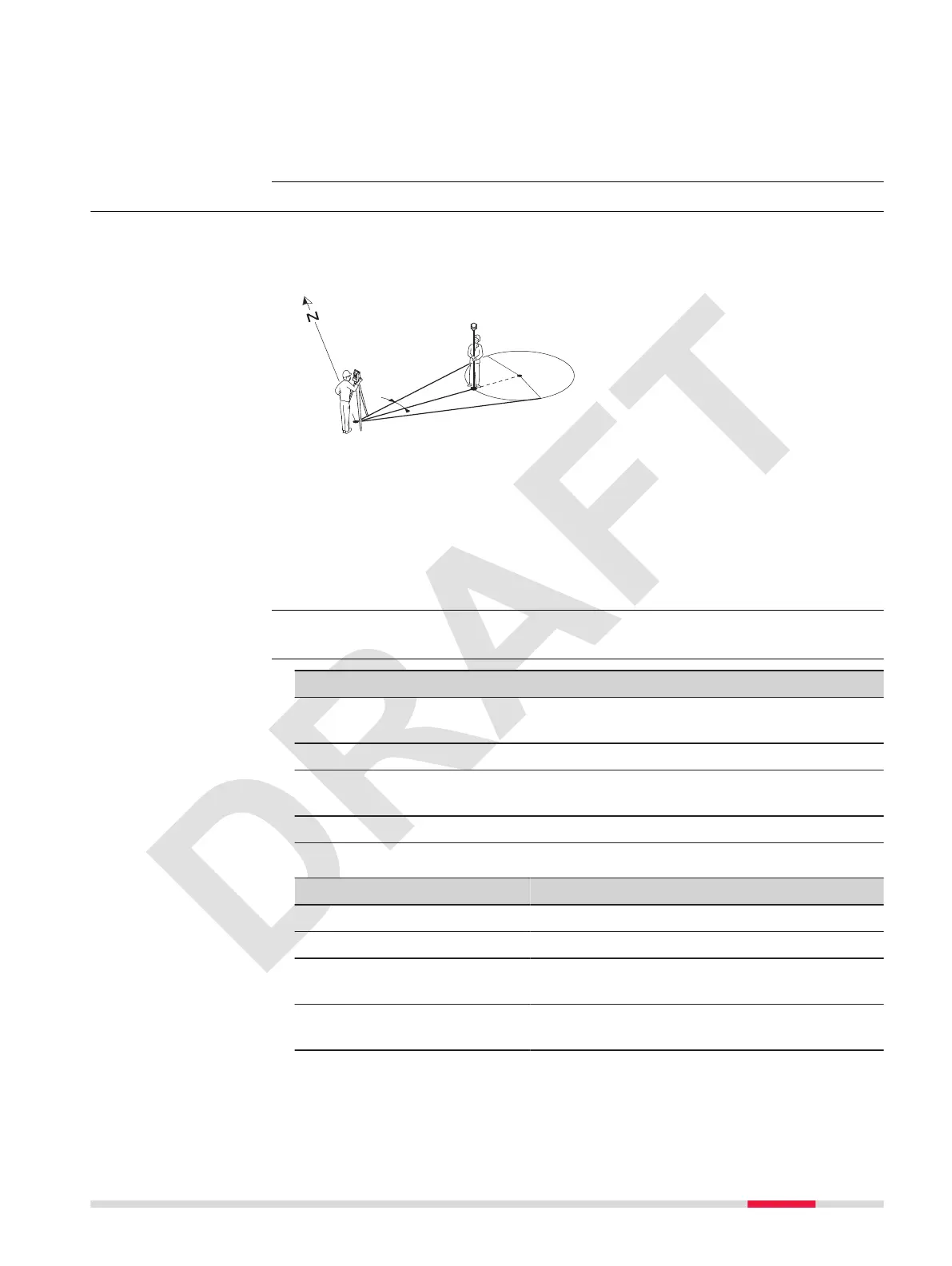
7.4.5 Cylindrical Offset
Determines the coordinates of the centre point of cylindrical objects and their
radius. The horizontal angle to points on both the left and right sides of the
object are measured, and the distance to the object as well.
P0 Instrument station
P1 Centre point of cylindrical object
Hz1 Horizontal angle to a point on the left side of the object
Hz2 Horizontal angle to a point on the right side of the object
d Distance to the object in the middle between Hz1 and Hz2
R Radius of cylinder
a
Azimuth from Hz1 to Hz2
Select Cylinder Offset from the OffSet menu.
Key Description
Meas To execute a distance measurement and store the displayed
values.
OK To accept the measurement.
Store To save the displayed values without executing a distance
measurment.
END To exit the app without storing the results.
Description of elds
Field Option Description
PointID: Editable eld The name of the target point.
hr Editable eld The height of the reector
Sd : Display only Slope distance to the measured point or cal-
culated offset point.
V : Display only Vertical angle to the measured point or cal-
culated offset point.
Description
Access
Enter offset values
and result
Apps 55



 To Next Page