Dene offset values.
Key Description
OK To conrm the measured or entered values and continue the
process.
To display the next softkey level and elds.
Description of elds
Field Option Description
Hz: Display only Azimuth of a reference line connecting the
start point and the end point.
HD: Display only Horizontal distance between the start point
and the end point.
VD: Display only Vertical distance between the start point and
the end point.
Slope: Display only Difference in height between the start point
and the end point.
L-Offset: Editable Field Longitudinal offset of the start point, refer-
ence point (P3), of the reference line in the
direction of base point 2. Positive values are
towards base point 2.
T-Offset: Editable Field Parallel offset of the reference line relative
to the base line (P1-P2). Positive values are
to the right of the base line.
H-Offset: Editable Field Height offset of the reference line to the
selected reference height. Positive values are
higher than the selected reference height.
Rotate: Editable Field Rotation of the reference line clockwise
around the reference point (P3).
7.9.3 Stakeout
Calculates the difference between a measured point and the calculated point.
The orthogonal differences are displayed.
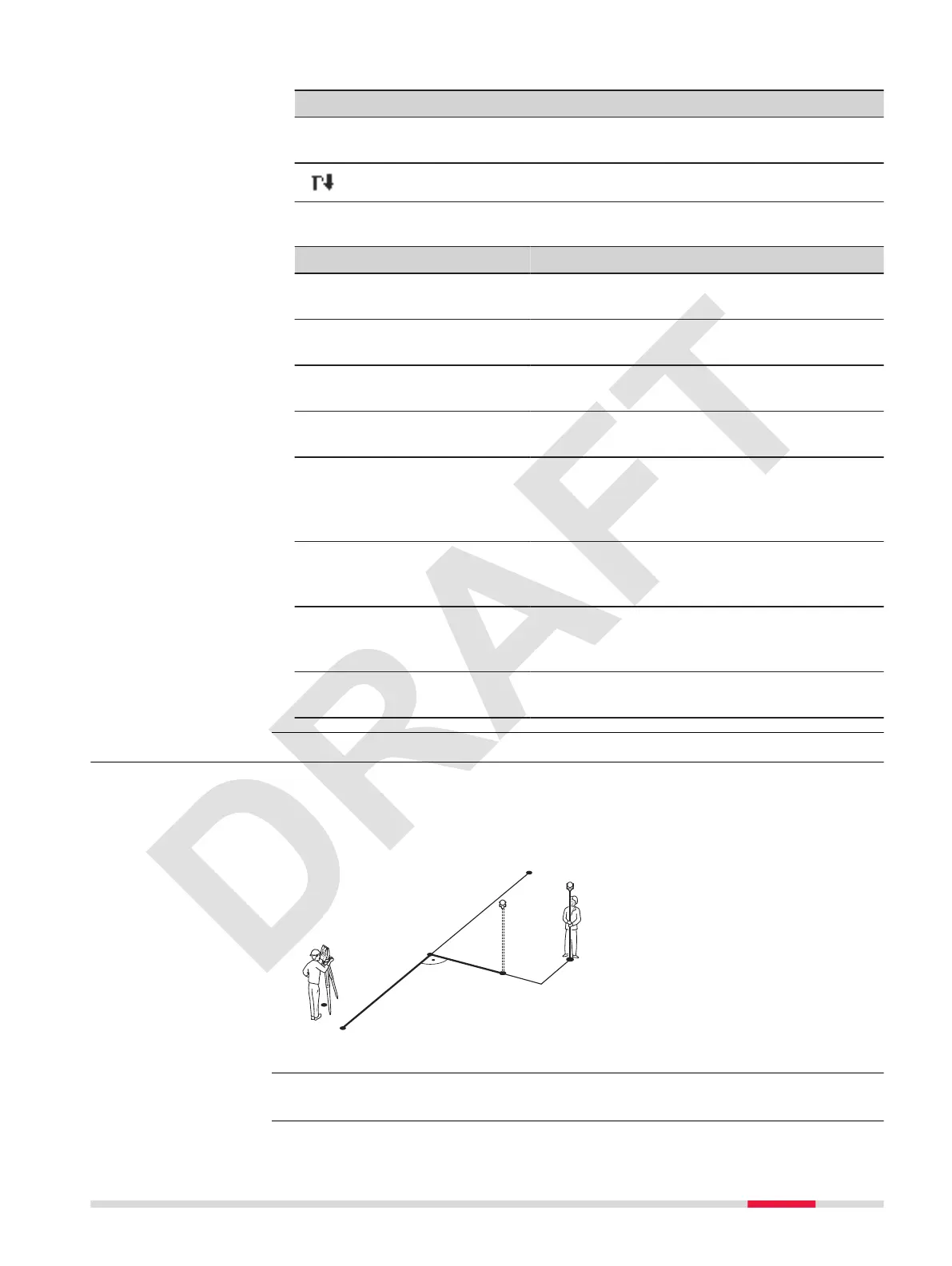
Example orthogonal stakeout
P0 Instrument station
P1 Start point
P2 End point
P3 Stake out point
P4 Measured point
a
D Parallel offset
b
D Longitudinal offset
Select Reference Line Setout from the Reference Line menu.
Dene Reine(1)
Dene Reine(2)
Description
Access
Apps 63



 To Next Page