4. Select:
•
Single Distance Offset.
Refer to
7.4.2 Distance Offset.
•
Angle Offset.
Refer to
7.4.3 Angle Offset.
•
Double Distance Offset.
Refer to
7.4.4 Double Distance Offset.
•
Cylinder Offset.
Refer to
7.4.5 Cylindrical Offset.
7.4.2 Distance Offset
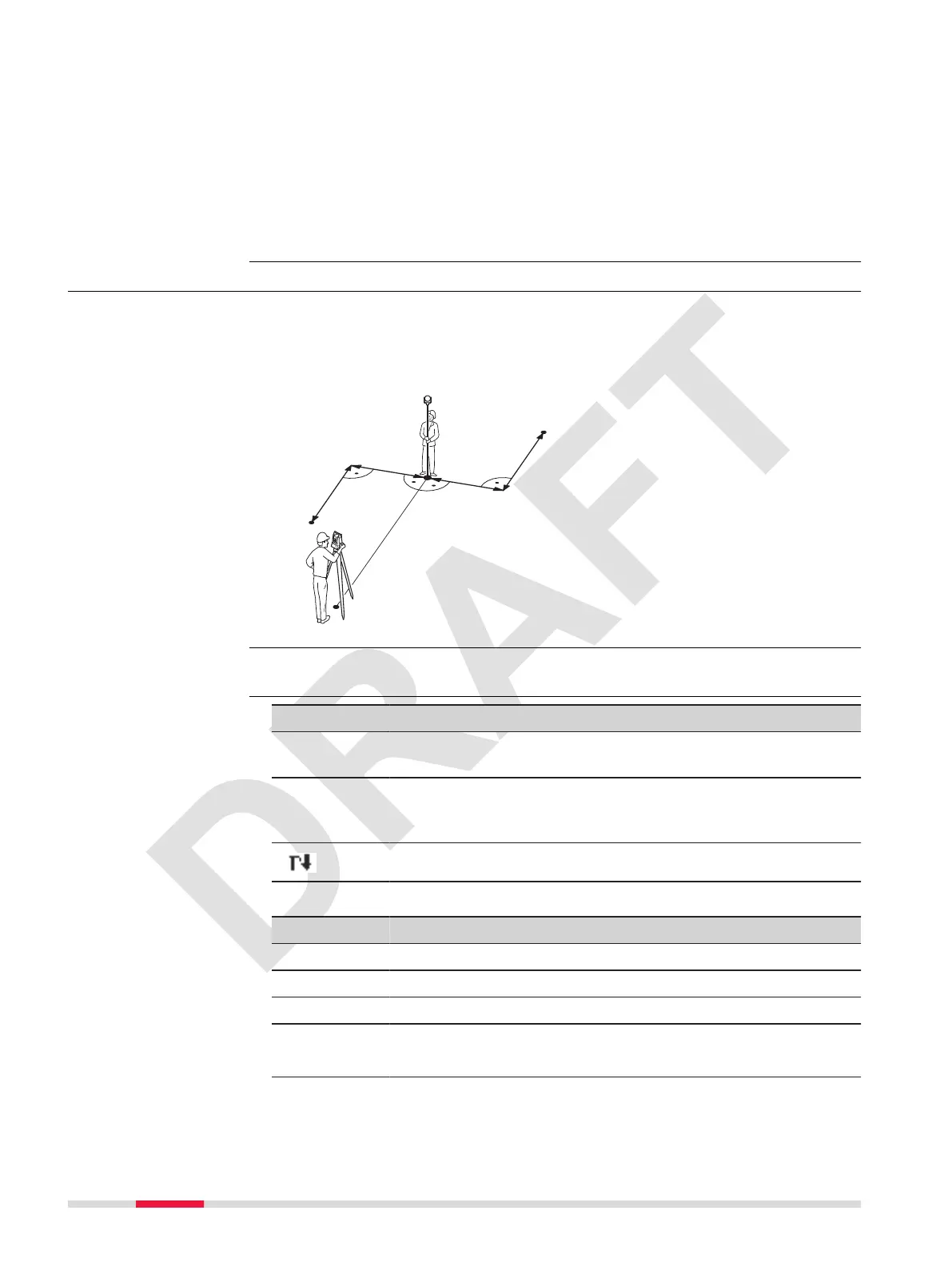
This app calculates the target point coordinates if it is not possible to set up
the reector, or to aim at the target point directly. The offset values (length,
traversal and/or height offset) can be entered. The values for the angles and
distances are calculated to determine the target point.
TSOX_022
d1-
d1+
d2-
d2+
P1
P2
P0
P0 Instrument station
P1 Measured point
P2 Calculated offset point
d1+ Length offset, positive
d1- Length offset, negative
d2+ Perpendicular offset, posit-
ive
d2- Perpendicular offset, negat-
ive
Select Single Distance Offset from the OffSet menu.
Key Description
OK To conrm the measurement and to calculate the offset
point.
Meas To measure the distance.
The corrected angle and distances are displayed as soon as
a valid distance measurement has been triggered or exists.
To scroll down and display further elds on the screen.
Description of elds
Field Option Description
Hd : Display only Horizontal distance to the measured point.
Hz: Display only Horizontal angle to the measured point.
PointID: Editable eld The name of the calculated offset point.
OffSet Editable eld
☞
The offset values are always reset
to 0 when the app is quit.
Deviation: Editable eld Direction of the offset
Description
Access
Enter offset values
52 Apps



 To Next Page