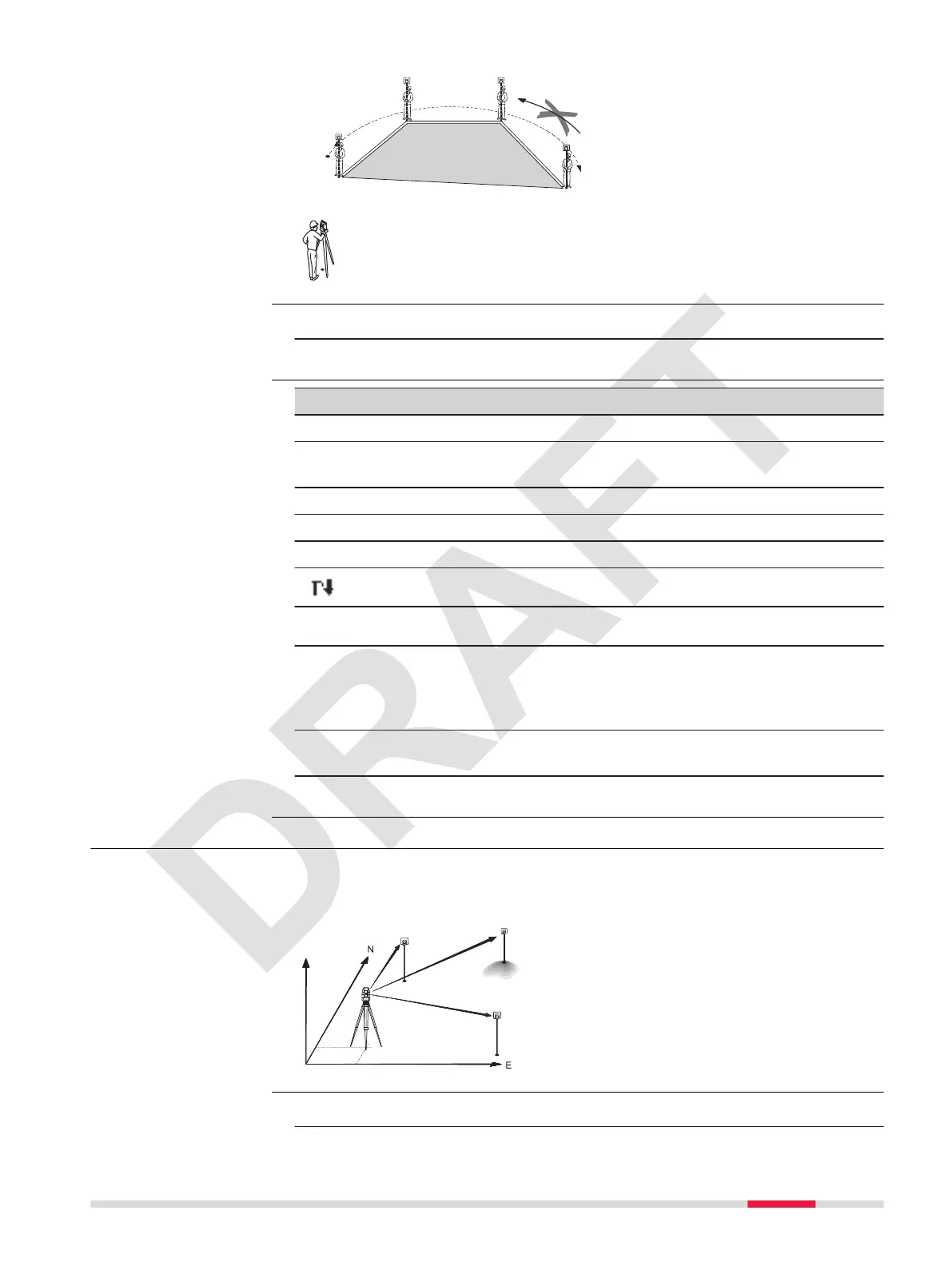
P0 Instrument station
P1 Start point
P2-4 Target points
a Perimeter, polygonal length
from start point to the cur-
rent measured point.
b Calculated area always
closed to the start point
P1, projected onto the hori-
zontal plane.
1. Select Apps from the Main Menu.
2. Select Area.
Key Description
Value To select a point from the memory.
Meas To execute a distance measurement and store the displayed
values.
Coord To enter point coordinates manually.
CAL To display and record results.
Over To exit the app.
To display the next softkey level.
1. Measure or select existing points to dene the area.
2. The 2D can be calculated and displayed once three points have been
measured or selected.
Press CAL to calculate area and volume and proceed to the results
screen.
3. The result is displayed in square, hectar, acer and feet.
View the area in square, hectar, acer and feet.
4. Press Over to exit the app.
7.8 Resection
Resection is an application used to determine the instruments position from
measurements to known points. A minimum of 2 known points and a max-
imum of 10, can be used to determine the position.
1. Select Apps from the Main Menu.
Access
Enter values and res-
ults
Description
Access
Apps 59



 To Next Page