Enter the stake out elements for the target points to be staked out relative to
the reference line.
Decription of elds
Field Option Description
T-Offset: Display only Perpendicular offset: Positive if stake out
point is to the right of the reference line.
L-Offset: Display only Longitudinal offset: Positive if stake out
point is further away from the reference
line.
H-Offset: Display only Height offset: Positive if stake out point is
higher than the reference line.
Next step
Press OK to calculate the coordinates of the stake out point.
The coordinates for the stake out point are displayed.
Key Description
SetOut To start the Set Out app. Refer to 7.3 Set Out.
Store To save the displayed values without executing a distance
measurment.
7.9.4 Measuring to a Reference Line
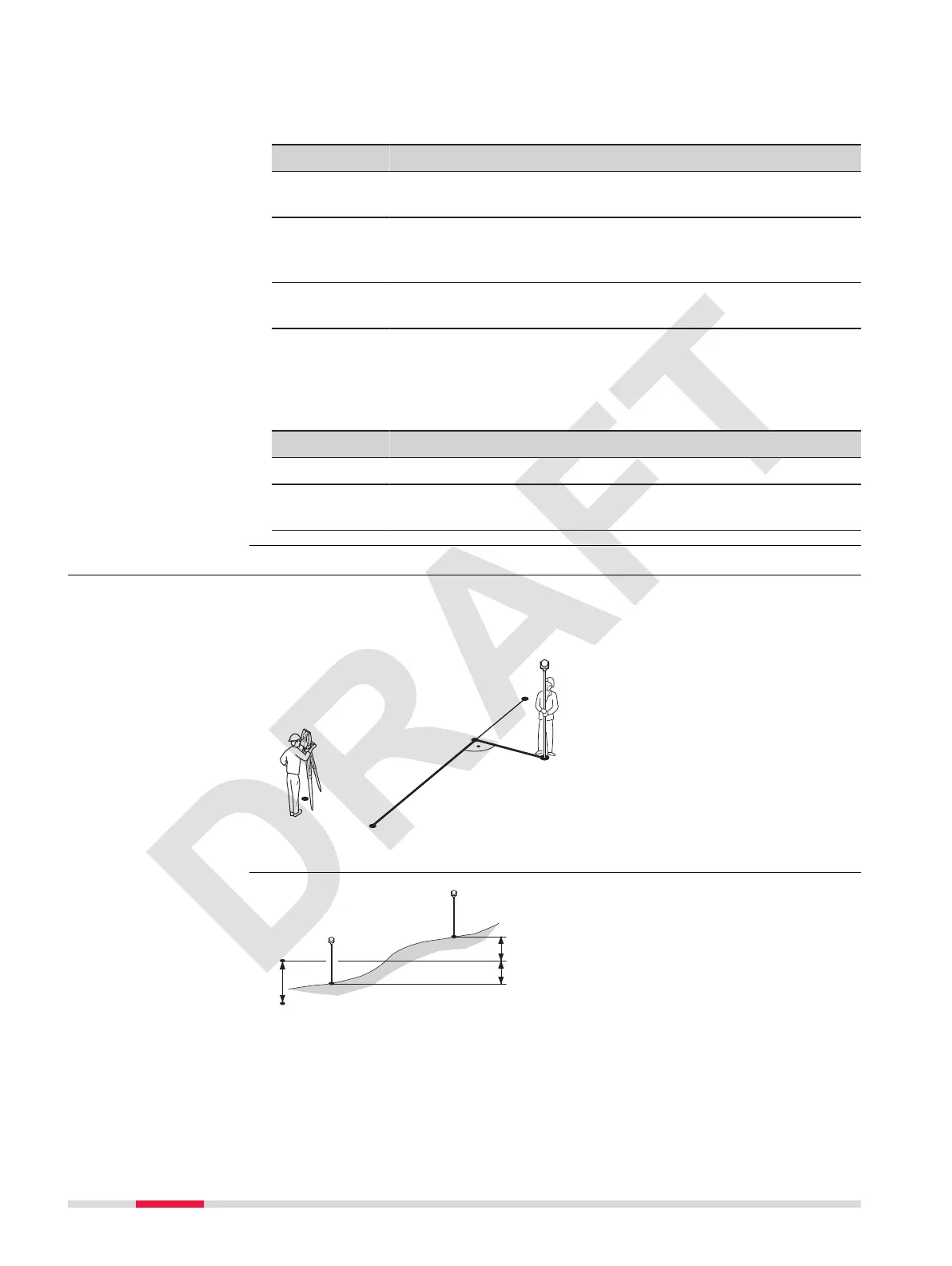
Calculates from measurements or coordinates, longitudinal offsets, parallel
offsets and height differences of the target point relative to the reference
line.
P0 Instrument station
P1 Start point
P2 End point
P3 Measured point
P4 Reference point
d1
D Offset
d2
D Line
Reine Setout
Description
Example of height dif-
ference relative to
rst reference point
64 Apps



 To Next Page