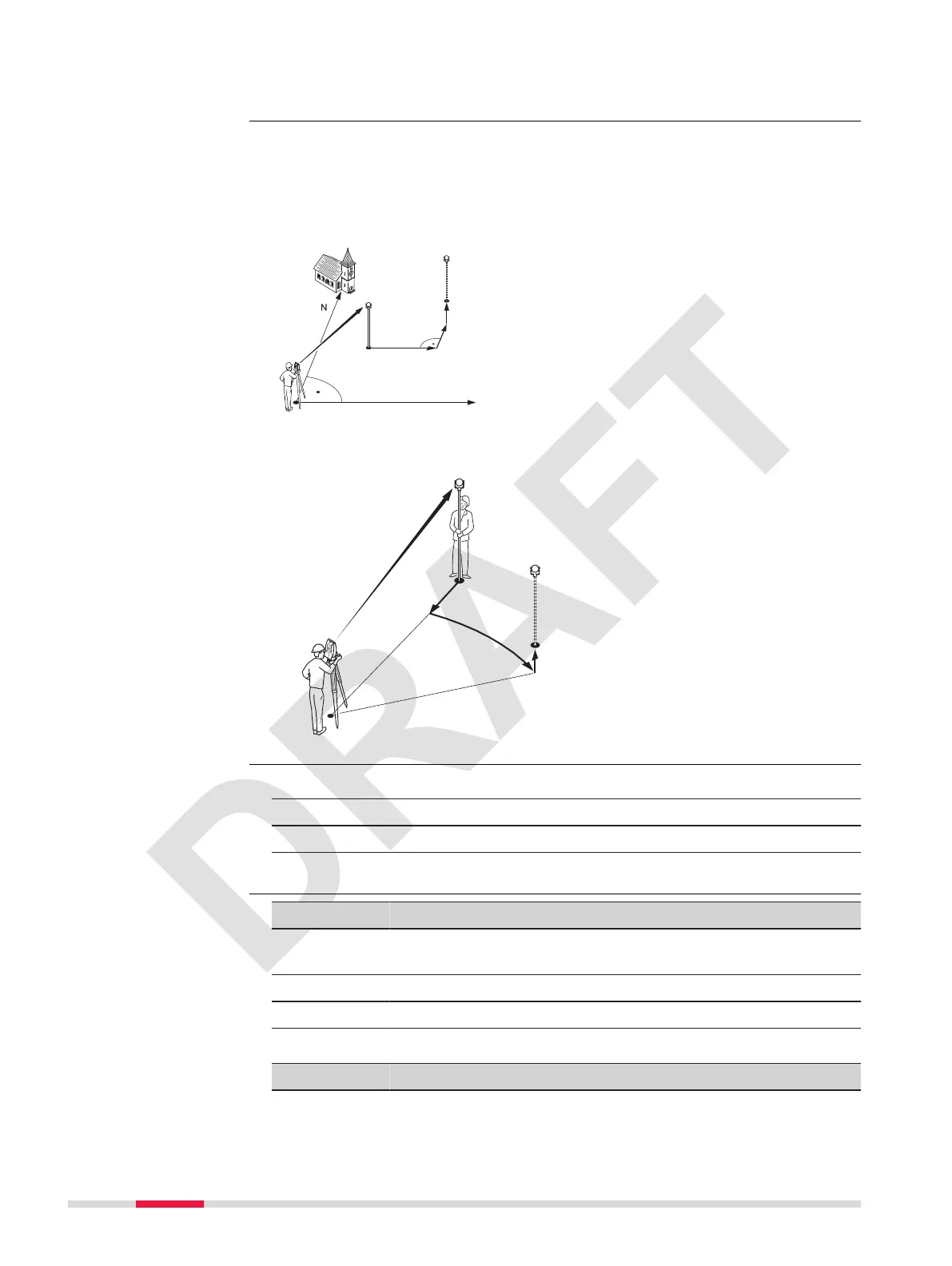
The app can continuously display differences, between current position and
desired set out position.
Points can be staked using different modes:
•
Cartesian mode: Using coordinates
•
Polar mode: Using angle and distance
Cartesian set out mode
P0 Instrument station
P1 Current position
P2 Point to be staked
a dE:: Difference in Easting
coordinate
b dN:: Difference in Northing
coordinate
c dZ:: Difference in height
Polar set out mode
P0 Instrument station
P1 Current position
P2 Point to be staked
a- dHD:: Difference in hori-
zontal distance
b+ dHz:: Difference in direction
c+ Difference in height
1. Select Apps from the Main Menu.
2. Select Set Out.
3. Complete app pre-settings. Refer to 6 Apps - Getting Started.
4. Select Coordinates Set Out or Angle, Distance Set Out.
Key Description
Store To save the displayed values without executing a distance
measurment.
Value To display the list of available points.
OK To continue to set out.
Description of elds
Mode Field Description
Cartesian E :, N :, Z : Easting, Northing and Height coordinate of
the set out point.
Set out modes
Access
Input
50 Apps



 To Next Page