300.000
200.000
100.000
d
a
a
-b
+b
c
22695_001
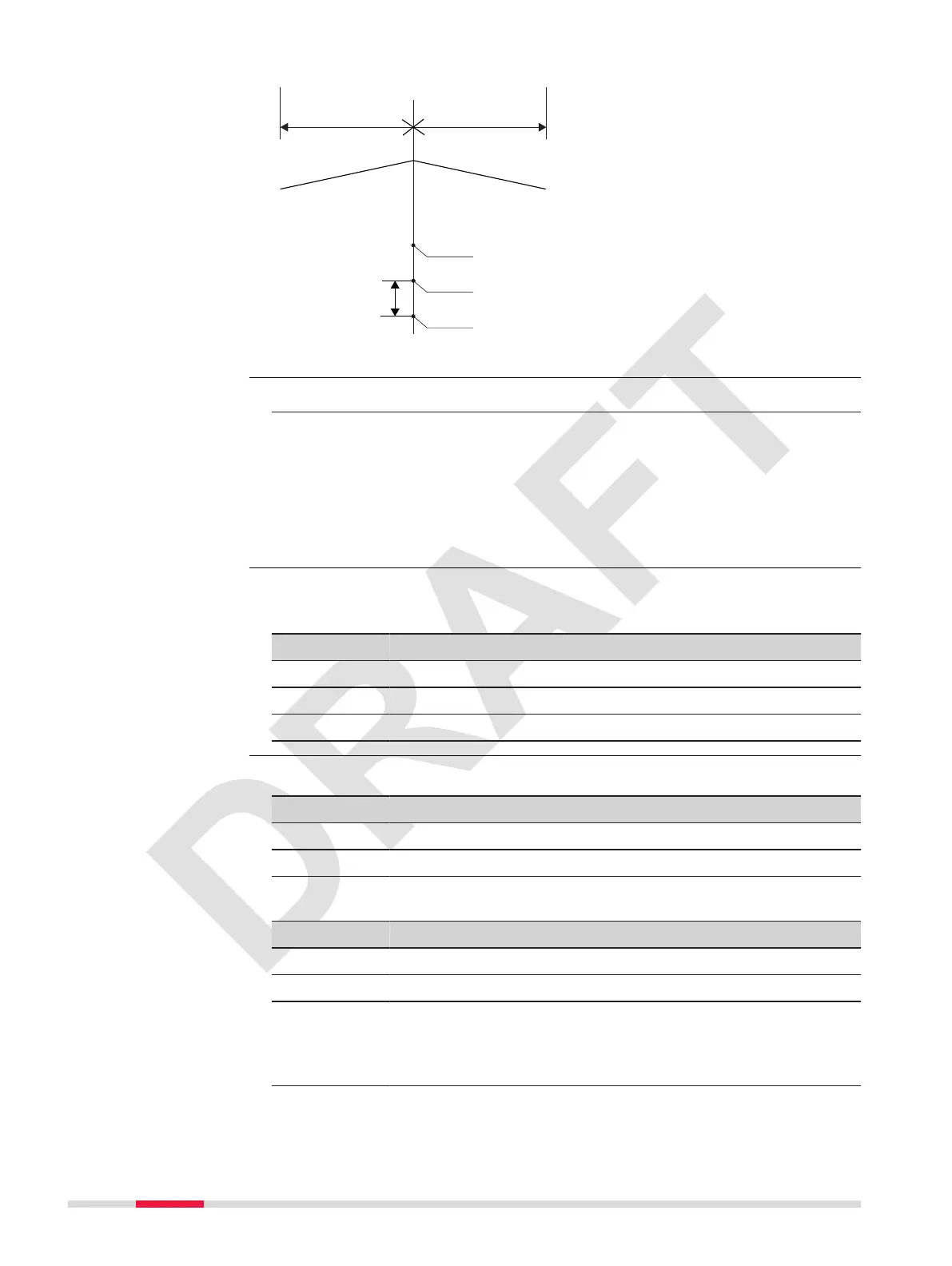
a Centreline
+b Deviation to the right, positive
-b Deviation to the left, negative
c Height difference
d Stake interval
1. Select Road Setout from the Road menu.
2. Select:
•
Use Coordinate Data
To set out the calculated coordinates.
Refer to
Start Setout.
•
Input Chainage and Offset
To set out by stake number and direction.
Refer to
Start Setout.
Available for Use Coordinate Data.
Select a chainage from the list.
Key Description
Search To search for a particular chainage.
View To display chainage and coordinates.
OK To accept the selection proceed to set out.
Available for Input Chainage and Offset.
Key Description
Back To return to the last active screen.
OK To accept the selection proceed to set out.
Description of elds
Field Option Description
Chainage: Editable eld The chainage to set out.
SPACING: Editable eld Chainage increment.
L/R: Editable eld Offset to left or right.
Positive to the right.
Negative to the left.
Set to zero to set out in the middle.
Access
List
Start Setout
74 Apps



 To Next Page