56 X75HD Installation and Operation Manual
Preliminary—Contents are proprietary and confidential. Do not photocopy or distribute.
Chapter 4: System Installation and Connections
4. Using the screws that are provided, attach the ends of the rack
support brackets to the rear of the rack.
Ensure that the holes on the rack support brackets face outward,
away from the frame. (See Figure 4-4.)
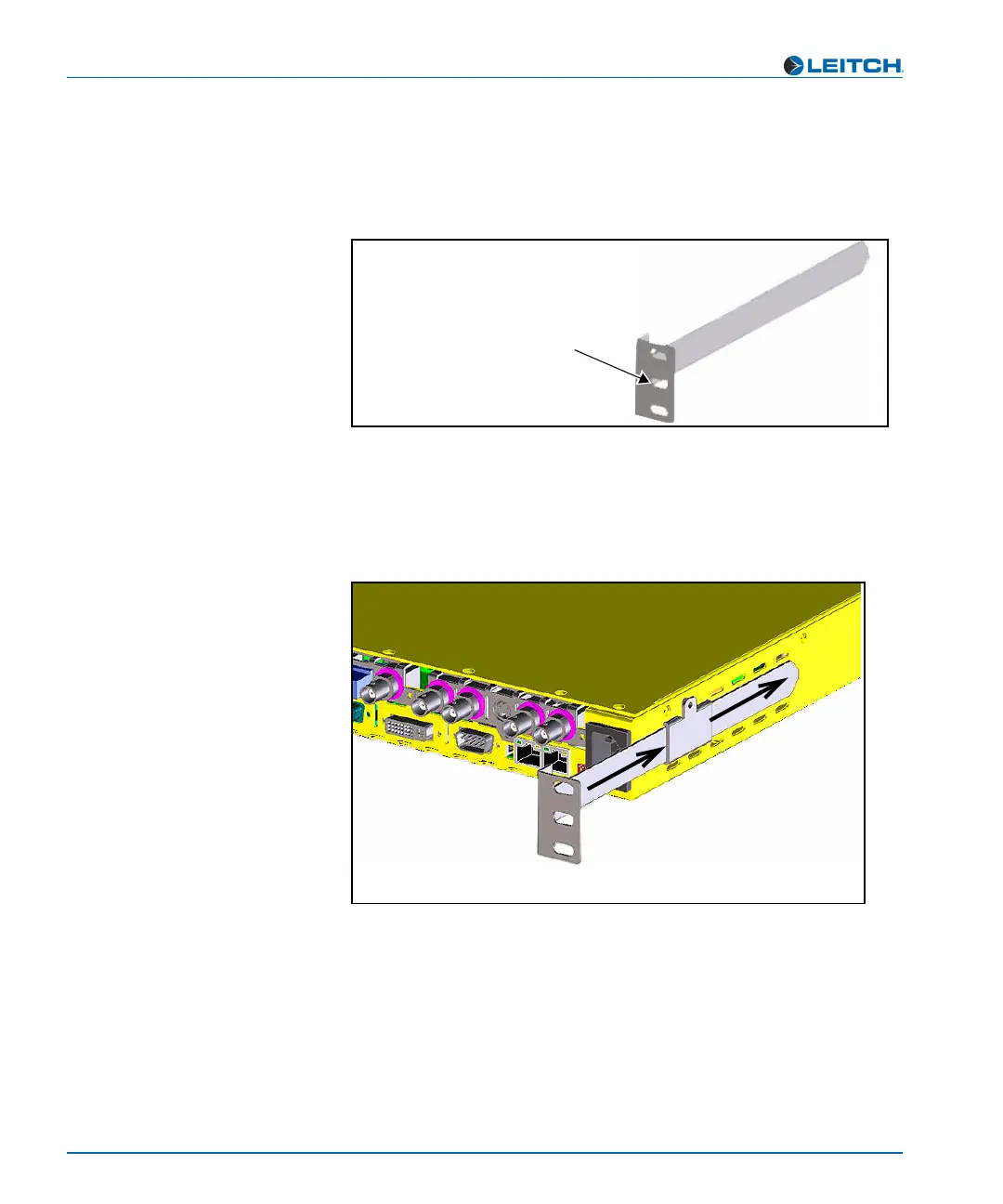
Figure 4-4. Long Rack Support Bracket
5. Push the X75HD into the front of the rack, ensuring that the rack
support brackets slide into the slotted rack supports.
(See Figure 4-5.)
Figure 4-5. Installed Long and Short Rack Support Brackets
6. Attach the frame’s front-mounting ears to the rack using the
appropriate rack screws.
Long rack support bracket
Secure this end to rack.
Holes point away from the
frame (for example, this
bracket will support the right
side of the frame, rear view)
Slide the frame onto the installed
rack support brackets, ensuring
that the long brackets slide into
the short, slotted brackets
attached to the frame.



 To Next Page