Configuration
Power Analyzer NORMA 4000, NORMA 5000 35
EO1111G REV G
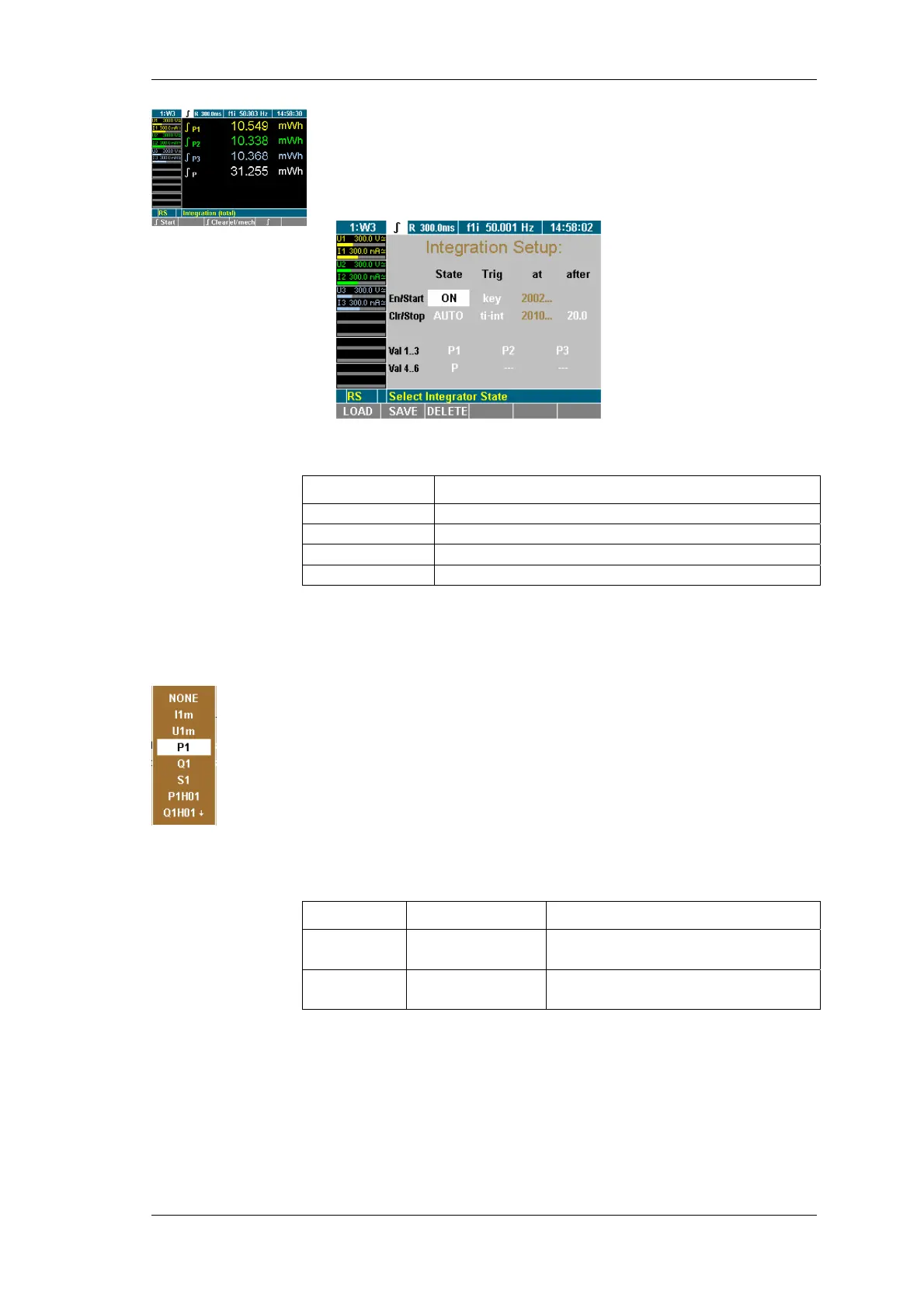
Press the function key ∫.
Integration symbol is displayed in the menu bar.
Move Cursor to ∫ display and press Enter.
The Integration Setup menu is displayed.
In the Integration Setup menu, define the following settings:
Line Function
En/Start
Enable integration function/ set start conditions
Clr/Stop
Configure data reset / set stop conditions
Val 1..3
Select first three values
Val 4..6
Select next three values
Menu Integration Setup is displayed on the screen
Select with the cursor in line Val 1..3 or Val 4..6 a value and
confirm with Enter .
A dialog window showing the selectable values is displayed.
Move the Cursor in the window to the wanted value and
confirm with Enter.
The parameter is now shown on the display
Configure the other values accordingly
Save the settings with SAVE in the desired configuration.
In this menu you can enable / disable the integration function. Also
the way of clearing the values can be configured. This is done in
the Integration Setup menu at column State.
Line Settings Description
En ON
OFF
Integration function active
Integration function inactive
Clr MAN
AUTO
Clear manual
Auto clear at start
Menu Integration Setup, first field column State is highlighted
Press Enter, select ON and confirm with Enter.
The integrations function is now enabled . If you want to
disable it, select OFF and confirm with Enter
Save the settings with SAVE in the desired configuration.
Select integration
value
Configure status



 To Next Page