DSS-1000 User Manual
103
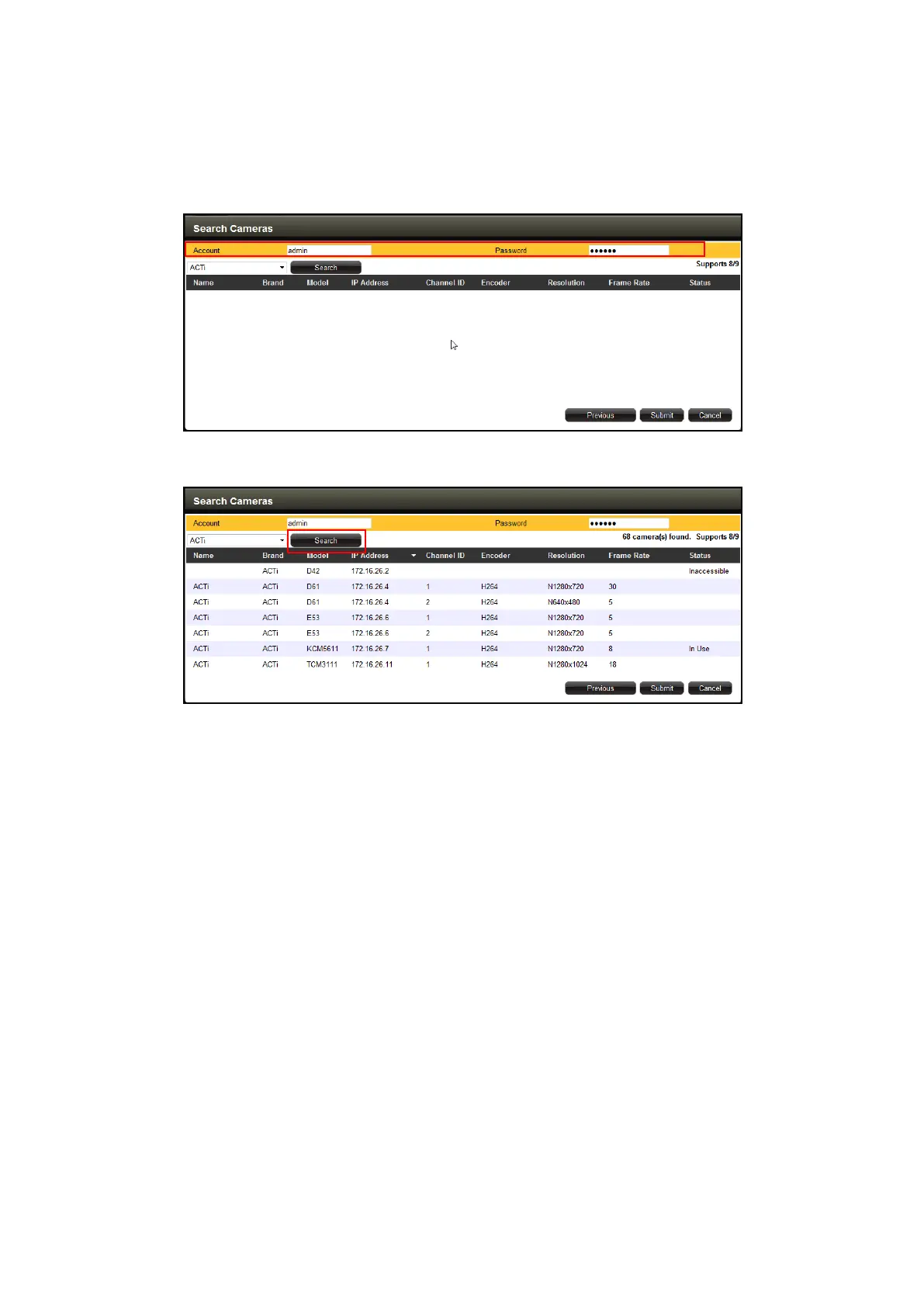
4. The Search Cameras screen appears. The default Account “Admin” and Password
“123456” are pre-entered. If the camera you want to add has different account and
password, enter them on the Account and Password fields.
5. Click Search. The cameras connected in the network are listed on the table.
6. Click one or more cameras to select it. The number of cameras that you can select
depends on the channel mode selected in Module (see Module on page 95). Selected
cameras are highlighted in orange.
NOTE: The Status column shows the status of the camera:
Inaccessible: The camera account or password may be different from what
you have entered on Account and Password fields. So that camera cannot
be accessed.
In Use: The camera is already added to DSS-1000 for live viewing.
7. Click Submit to add the selected cameras to DSS-1000 for live viewing.



 To Next Page