DSS-1000 User Manual
104
Adding Cameras Manually
To add cameras manually, you need to know the IP address, HTTP port, User Name and
Password of the camera you want to connect to.
1. On the Setup screen, click Camera.
2. If the camera list table is not shown, click All Cameras or Camera List.
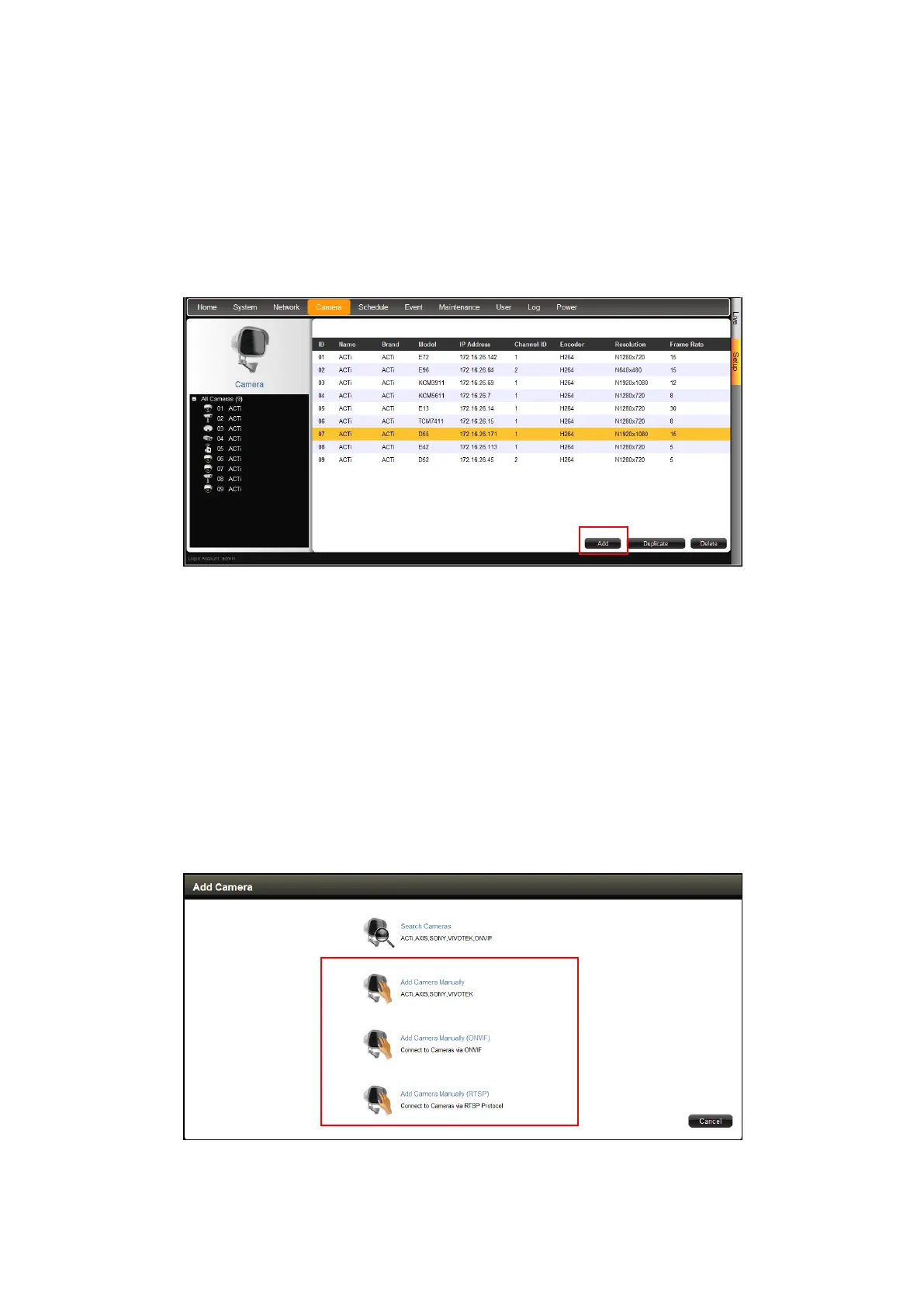
3. On the camera list table, click Add.
4. Click Add Camera Manually or Add Camera Manually (ONVIF).
- Add Camera Manually
If your network does not have a DHCP server, perform this step to connect a camera.
- Add Camera Manually (ONVIF)
If the camera is a 3
rd
-party camera which is ONVIF-compliant, you can manually add it
with this method.
- Add Camera Manually (RTSP)
In case you want to add cameras via Real Time Streaming Protocol (RTSP), use this
function. This feature is useful when adding third party cameras which support the
standard RTSP.
5. Type a name you want to use to identify the camera (maximum of 32 alphanumeric



 To Next Page