DSS-1000 User Manual
23
Quick Setup
Step 1: Login
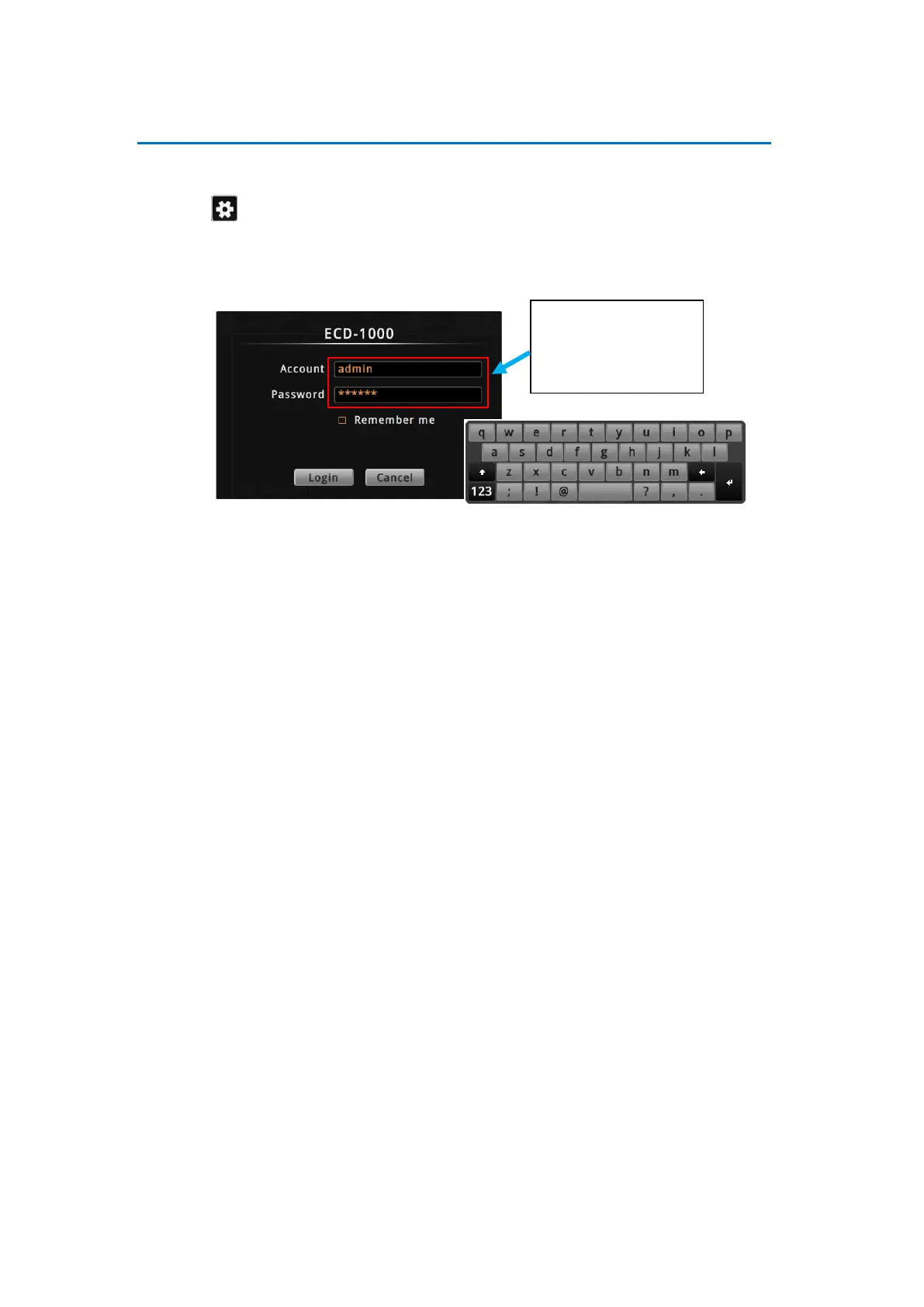
1. Click to access the Setup screen.
2. When prompted to login, enter the default Account and Password using the on-screen
keyboard.
NOTE: For more information on using the on-screen keyboard, see Using the On-Screen
Keyboard on page 34.
Step 2: Change the IP Address (If necessary)
If the network has a DHCP server, DSS-1000 is automatically assigned an IP address so users
do not need to change anything. If the network does not have a DHCP server, DSS-1000 uses
its default IP address of 192.168.0.200.
Change the IP Address on Network without DHCP Server
Remember that DSS-1000 must be on the same network segment as the cameras. In case
you need to change the IP address of DSS-1000, follow the procedures below on how to do
this.
1. Click Network > Network Connection.
2. Make sure Connection Type is Manual.
3. Change the IP address using the on-screen keyboard (see Using the On-Screen
Keyboard on page 34 for information on using the on-screen keyboard).
Default
Account: admin
Password: 123456



 To Next Page